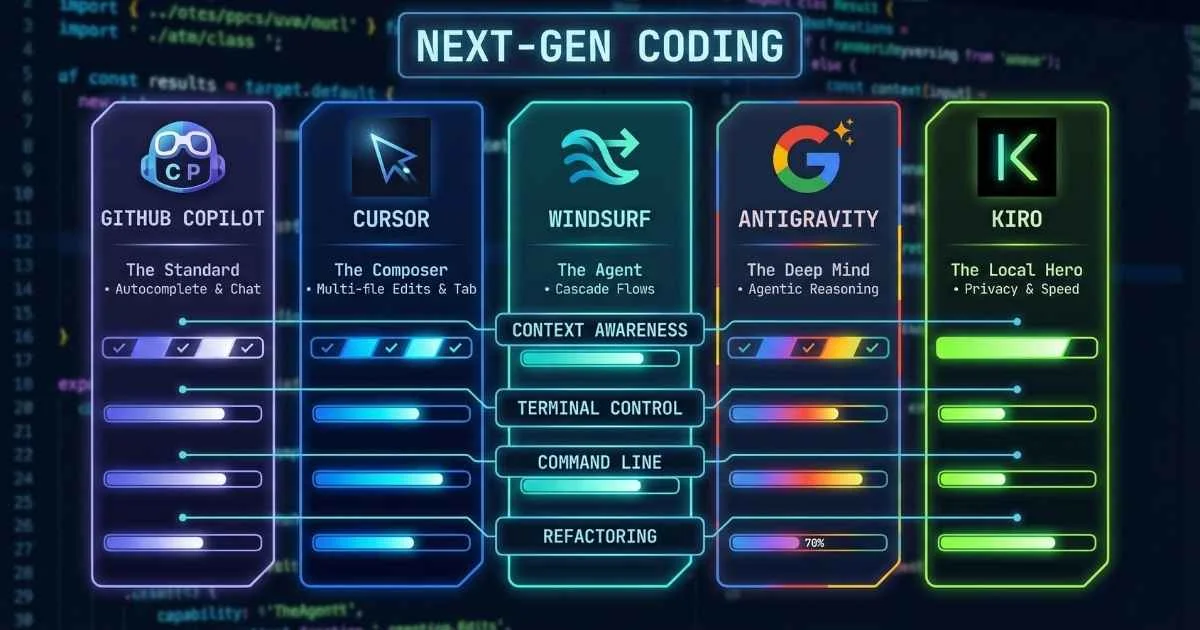
The Era of Agentic Coding
The role of the Integrated Development Environment (IDE) has fundamentally changed. For decades, IDEs were sophisticated text editors—highlighting syntax, finding references, and managing builds. Today, they are active partners in the engineering process.
We have moved from tools that “assist” to agents that “collaborate.”
Modern AI-powered IDEs like Cursor, Windsurf, and Copilot don’t just autocomplete lines; they understand entire codebases, refactor complex legacy systems, and implement features across multiple files autonomously. This shift—what we call “Agentic Coding”—is the most significant change in software development since the introduction of IntelliSense.
This is the reality of coding in December 2025. And if you’re still editing files one line at a time, wondering what all the AI IDE fuss is about—you’re in the right place.
By the end of this guide, you’ll understand:
- How we got from basic autocomplete to AI that can complete your projects
- The major players: Copilot, Cursor, Windsurf, and the new wave (Antigravity, Kiro, Trae)
- Which tool fits your workflow, budget, and coding style
- Practical tips to actually get 55%+ productivity gains (backed by research)
- Where this is all heading—the agentic future of coding
Let’s dive in.
Sources: GitHub Blog, Sacra Research, December 2025
Understanding Agentic Coding (The Key Concept)
Before we compare tools, let’s understand the fundamental shift happening right now. The term “agentic” has become the most important word in AI coding tools for 2025.
🤖 What is "Agentic Coding"?
Traditional AI Assistant
You ask → AI suggests → You implement
- • You type, it completes lines
- • You ask questions, it answers
- • One file at a time
- • You do all the work
Agentic AI Partner
You describe → AI plans & executes → You review
- • AI breaks tasks into steps
- • Reads files autonomously
- • Runs commands (with approval)
- • Creates & modifies multiple files
Simple analogy: Traditional AI is like a helpful coworker who answers questions. Agentic AI is like a junior developer who can take a task, figure out the steps, do the work, and come back with a pull request for your review.
Here’s a more detailed breakdown of what makes agentic coding different:
Traditional AI Assistants (2021-2023)
Think of this as having a very smart autocomplete:
- You type
function validateEmail( - AI completes
email) { return /^[^\s@]+@[^\s@]+\.[^\s@]+$/.test(email); } - You accept or reject the suggestion
- You’re still doing all the thinking about what to build
Modern Agentic AI (2024-2025)
Think of this as having a junior developer on your team:
- You say: “Add email validation to the signup form with proper error messages”
- AI plans: “I’ll need to modify the signup component, create a validation utility, add error state…”
- AI executes: Reads your existing code, understands patterns, modifies multiple files
- AI verifies: Runs the app, checks for errors, iterates if needed
- You review: Accept the changes, or give feedback to refine
The shift is from AI as a typing assistant to AI as a coding partner. For a deeper exploration of this paradigm, see the AI Agents guide.
From Tab-Complete to AI-Complete: A Brief History
To appreciate where we are, it helps to understand how fast this evolution happened.
The Evolution of AI in Code Editors
IntelliSense Maturity
Symbol completion becomes industry standard
GitHub Copilot Launch
First AI code completion at scale (June 2021)
Cursor IDE Emerges
AI-first editor fork of VS Code (March 2023)
Multi-File Editing
Cursor Composer, Windsurf Cascade launch
Agentic IDEs Arrive
Google Antigravity, Amazon Kiro launch
Source: Product launch announcements from GitHub, Cursor, Codeium, Google, and Amazon
The Pre-AI Era (Before 2021)
Remember IntelliSense? Language servers? The magic of typing a dot after an object and seeing its methods pop up?
That was cutting-edge not too long ago. These tools were smart—they understood your code structure, could suggest method signatures, auto-import dependencies. But they were fundamentally pattern matchers. No understanding of what you were trying to accomplish.
A helpful analogy: Pre-AI autocomplete was like a dictionary that could tell you how to spell words—but had no idea what sentence you were trying to write.
The Copilot Moment (June 2021)
Then GitHub launched Copilot—and everything changed.
For the first time, your editor could suggest entire lines and functions based on context. You’d write a comment like // function to validate email address and Copilot would generate the implementation.
The numbers were striking:
- Developers completed tasks 55% faster in controlled studies
- 88% of users reported completing tasks faster (Source: GitHub Research)
- Pull request merge time dropped from 9.6 days to 2.4 days in enterprise studies
It felt like magic. It also felt unreliable. Early Copilot had a habit of suggesting code that looked right but was subtly wrong. Still—the potential was obvious.
The Competition Arrives (2022-2023)
Other players noticed. Codeium launched with a generous free tier. Tabnine evolved. Amazon entered with CodeWhisperer. The AI coding assistant market exploded.
But these were all variations on the same theme: inline code completion. Helpful, but limited.
The Agentic Shift (2024-2025)
The real revolution came when AI IDEs stopped just suggesting code and started understanding projects.
Cursor IDE emerged as a fork of VS Code with AI built into its DNA. Their “Composer” feature let you describe changes in natural language and apply them across multiple files. Their “Agent” mode could read your codebase, run terminal commands, and iterate autonomously.
Windsurf (from Codeium) introduced “Cascade”—an agentic system that combines AI suggestions with autonomous action, but with guardrails for safety.
November 2025: The Agent-First Era Arrives
Then, in a flurry of announcements, the next generation arrived:
- Google Antigravity (Nov 18, 2025): A full “agent-first” IDE with autonomous agents that can work for days on complex tasks
- Amazon Kiro (Nov 2025): “Spec-driven development” that turns requirements into production code
- Trae (ByteDance): Free access to GPT-4o and Claude models for everyone
We’ve moved from AI as autocomplete to AI as pair programmer—and rapidly toward AI as autonomous coding agent.
The Capability Ladder
Here’s how I think about the generations:
| Generation | Capability | Example | Era |
|---|---|---|---|
| Gen 1 | Symbol completion | IntelliSense | Pre-2020 |
| Gen 2 | Line completion | Early Copilot | 2021-2022 |
| Gen 3 | Function generation | Copilot X, Cursor Chat | 2023 |
| Gen 4 | Multi-file context | Cursor Composer | 2024 |
| Gen 5 | Agentic task completion | Antigravity, Kiro, Cursor Agent | 2025 |
%%{init: {'theme': 'base', 'themeVariables': { 'primaryColor': '#4f46e5', 'primaryTextColor': '#ffffff', 'primaryBorderColor': '#3730a3', 'lineColor': '#6366f1', 'fontSize': '16px' }}}%%
flowchart LR
    A["Symbol Complete<br/>(Pre-2020)"] --> B["Line Complete<br/>(2021)"]
    B --> C["Function Generate<br/>(2023)"]
    C --> D["Multi-File Edit<br/>(2024)"]
    D --> E["Agentic Agents<br/>(2025)"]
GitHub Copilot + VS Code: The Pioneer (20M+ Users)
Let’s start with the tool that launched this revolution—and is now used by 90% of Fortune 100 companies.
What It Is
GitHub Copilot is Microsoft/GitHub’s AI coding assistant, built in partnership with OpenAI. It’s trained on billions of lines of public GitHub code and integrates natively into VS Code (and other editors).
By the numbers (as of December 2025):
- 20+ million users globally (5M added in just 3 months) (Source: GitHub Blog)
- 1.8+ million paid subscribers
- 50,000+ organizations using Copilot
- Used by 90% of Fortune 100 companies
- Enterprise adoption grew 75% quarter-over-quarter
Core Features (December 2025)
| Feature | Description | How to Access |
|---|---|---|
| Ghost Text | Inline suggestions that appear as you type | Tab to accept |
| Copilot Chat | Sidebar conversation about your code | Ctrl/Cmd + Shift + I |
| Inline Chat | Ask questions about specific highlighted code | Ctrl/Cmd + I |
| Copilot Edits | Multi-file editing mode | Ctrl/Cmd + Shift + E |
| Agent Mode | 🆕 Autonomous task completion | Toggle in Copilot Edits |
| Copilot Memory | 🆕 Learns your codebase over time (Preview) | Settings |
| Copilot Spaces | 🆕 Collaborative workspaces with sharing | github.com |
| Terminal Suggestions | AI help directly in the terminal | @ in terminal |
| C++ Multi-file Editing | 🆕 Symbol-aware editing across C++ files | Visual Studio 2026 |
What Makes a Great Prompt for Copilot
Copilot works best when you give it context. Here’s the difference:
❌ Vague prompt:
// add validation✅ Specific prompt:
// Validate email address format using regex
// Return true if valid, false otherwise
// Handle edge cases: empty string, missing @, multiple @
function validateEmail(email: string): boolean {
Copilot understands that comment and generates appropriate code. The more context you provide, the better the results.
Pricing (December 2025)
| Plan | Price | Best For |
|---|---|---|
| Free | $0 | 2,000 completions/month, 50 agent mode uses, GPT-4.1/GPT-5 mini |
| Pro | $10/month | Unlimited completions, unlimited agent mode, 300 premium requests |
| Pro+ | $39/month | 1,500 premium requests, o3/o4-mini access, GitHub Spark early access |
| Business | $19/user/month | Teams needing admin controls, IP indemnity |
| Enterprise | $39/user/month | 1,000 premium requests/user, custom models, knowledge bases |
| Free for Students | $0 | Via GitHub Education |
Available Models (December 2025)
- GPT-5.1-Codex-Max (GA) - Frontier coding model
- GPT-5.2, GPT-5.1 (GA)
- Claude Opus 4.5, Claude 3.7 (GA)
- Gemini 2.5 Pro (Pro+)
Where Copilot Excels
✅ Inline completions: Still best-in-class for speed and accuracy while typing
✅ Enterprise trust: Microsoft backing means easier corporate approval
✅ Language breadth: Excellent across Python, TypeScript, Go, Rust, Ruby, Java
✅ VS Code integration: Native, seamless, no extension conflicts
✅ Agent Mode: 🆕 Now supports autonomous multi-file task completion
✅ Copilot Memory: 🆕 Learns your codebase patterns over time
Where Copilot Falls Short
❌ Premium requests limited: Free/Pro tiers have monthly caps
❌ Model flexibility: Can’t bring your own API keys
💡 My Take (Updated December 2025): Copilot has significantly evolved with Agent Mode and Copilot Memory. The new Free tier makes it accessible to everyone, while Pro+ offers cutting-edge models. It’s now competitive with Cursor on features, though Cursor still leads in multi-file editing flexibility.
Cursor IDE: The Multi-File Editing Champion
Cursor is the tool that made me rethink how I code. And I’m not alone—it’s become the fastest-scaling SaaS company in history, with a valuation approaching $10 billion by late 2025 (Source: Industry Reports).
What Makes Cursor Different
Cursor is a fork of VS Code—it looks identical, uses the same extensions, supports the same keybindings. But under the hood, it’s rebuilt around AI.
By the numbers (December 2025):
- 1+ million users worldwide
- 360,000+ paying customers
- $200M+ projected revenue for 2025 (doubled from 2024)
- $2.6 billion valuation (January 2025), talks of $10B valuation underway
- Used by engineers at OpenAI, Shopify, Perplexity, Samsung, Midjourney
- 43% organizational adoption vs Copilot’s 37%
- 🆕 Acquired Graphite (code review tool) in December 2025
Where Copilot adds AI to VS Code, Cursor builds VS Code around AI.
Core Features (December 2025)
| Feature | Description | How to Access |
|---|---|---|
| Tab Completion | Inline predictions as you type | Tab to accept |
| Chat | Sidebar conversation with codebase context | Cmd/Ctrl + L |
| Composer | Multi-file editing from natural language | Cmd/Ctrl + Shift + I |
| Agent Mode | Autonomous task completion | Toggle in Composer |
| Debug Mode | 🆕 AI instruments code with logging for root-cause analysis | Agent panel |
| Plan Mode | 🆕 Inline Mermaid diagrams for planning | Agent panel |
| Multi-Agent Judging | 🆕 Parallel agents evaluate and recommend best solutions | Automatic |
| Visual Web Editor | 🆕 Real-time design changes in browser sidebar | Browser panel |
| @-Mentions | Reference files, symbols, docs, URLs | @file, @codebase, @web |
| Terminal AI | AI-powered terminal commands | Cmd/Ctrl + K in terminal |
Enterprise Features (December 2025)
| Feature | Description |
|---|---|
| Enterprise Insights | Analytics on AI usage and task types |
| Billing Groups | Granular cost management |
| Service Accounts | Automated workflows and integrations |
| Hooks | Security teams can observe, block, extend agent loop |
| Shared Agent Transcripts | Team collaboration on agent sessions |
| Conversation Insights | Analyze type, work, and complexity of agent tasks |
The Composer Revolution: A Practical Example
This is the feature that sets Cursor apart. Let me walk you through a real example.
The task: Add dark mode to a React app.
In Copilot, I’d need to:
- Create a ThemeContext manually
- Update styles in multiple components
- Add a toggle component
- Wire up localStorage persistence
- Each step involves finding files, understanding patterns, writing code
- Estimated time: 1-2 hours
In Cursor Composer, I type:
Add dark mode support to this React app. Create a ThemeContext,
update the header and sidebar components to use theme colors,
add a toggle button in the settings page, and persist the
user's preference to localStorage. Follow our existing patterns.
And Cursor:
- Analyzes my codebase to understand the structure
- Creates the ThemeContext file
- Updates Header.tsx and Sidebar.tsx with theme variables
- Creates or modifies the Settings component
- Adds localStorage logic
- Shows me diffs for all changes before applying
- Estimated time: 10-15 minutes (including review)
I review, tweak if needed, and accept. Done.
This isn’t science fiction. This is my actual workflow, multiple times per day.
%%{init: {'theme': 'base', 'themeVariables': { 'primaryColor': '#4f46e5', 'primaryTextColor': '#ffffff', 'primaryBorderColor': '#3730a3', 'lineColor': '#6366f1', 'fontSize': '16px' }}}%%
flowchart TB
    A["You describe what you want"] --> B["Cursor analyzes codebase"]
    B --> C["Generates all file changes"]
    C --> D["Shows you diff previews"]
    D --> E{Review each change}
    E -->|Accept| F["Changes applied"]
    E -->|Reject/Modify| G["Refine your prompt"]
    G --> B
    F --> H["Ready to commit"]
The @-Mention System (Cursor’s Secret Sauce)
This is how you give Cursor perfect context:
| Mention | What It Does | Example |
|---|---|---|
@file | Reference a specific file | @UserService.ts |
@folder | Include entire folder | @components/ |
@codebase | Search across project | ”Find similar patterns” |
@docs | Pull in external docs | @docs https://react.dev |
@web | Search the internet | ”What’s the latest API?” |
@git | Include git history | ”What changed recently?” |
Example powerful prompt:
@codebase Based on our existing auth patterns, add password reset
functionality. Reference @file:services/email.ts for email sending
and @file:models/User.ts for the user model.
Pricing (December 2025)
| Plan | Price | What You Get |
|---|---|---|
| Free | $0 | 2,000 completions/month, limited Chat/Composer |
| Pro | $20/month | Unlimited completions, 500 premium model requests |
| Business | $40/user/month | Team features, admin controls, priority support, Enterprise Insights |
Available Models (December 2025)
- GPT-5.1-Codex-Max - Frontier coding model (newly supported)
- Claude 4, GPT-4o, GPT-o1
- Bring your own API keys (BYOK) supported
4 Default Layouts (New in v2.3)
- Agent - Optimized for agentic workflows
- Editor - Traditional coding focus
- Zen - Minimal distractions
- Browser - Integrated web testing
Where Cursor Excels
✅ Multi-file editing: Industry-leading Composer
✅ Debug Mode: 🆕 AI-powered root-cause analysis with logging instrumentation
✅ Model flexibility: Frontier models + bring your own API keys
✅ Codebase understanding: @-mentions give precise control
✅ Multi-Agent Judging: 🆕 Parallel evaluation for optimal solutions
Where Cursor Has Weaknesses
❌ Learning curve: Many features to master
❌ Price: $20/month is double Copilot’s base tier
❌ Extension compatibility: Most work, but some have quirks
💡 My Take (Updated December 2025): Cursor continues to lead in agentic coding with Debug Mode, Plan Mode, and Multi-Agent Judging. The Graphite acquisition signals deeper code review integration coming. If you’re doing complex, multi-file development, Cursor remains the gold standard.
Windsurf (Codeium): Major Acquisition in 2025
⚠️ IMPORTANT UPDATE (July 2025): Windsurf/Codeium underwent a major acquisition event that fundamentally changed the company. Existing users should be aware of the new ownership structure.
What Happened to Windsurf
In one of the biggest AI industry shakeups of 2025, Windsurf’s corporate structure was dramatically restructured:
The Timeline:
- April 2025: Codeium rebranded to Windsurf
- May 2025: OpenAI agreed to acquire Windsurf for $3 billion (would have been OpenAI’s largest acquisition)
- July 2025: Microsoft blocked the deal due to intellectual property concerns
- July 2025: The company was split between two acquirers:
- Google DeepMind secured a $2.4 billion licensing deal and hired CEO Varun Mohan, co-founder Douglas Chen, and key R&D personnel
- Cognition (makers of Devin AI) acquired Windsurf’s remaining business, product, brand, IP, and employees
What This Means for Users:
- The Windsurf product continues under Cognition’s ownership
- Google DeepMind has the technology license and key engineering talent
- The future direction of Windsurf is now tied to Cognition’s strategy
Historical Context: What Made Windsurf Notable
Before the acquisition, Windsurf (then Codeium) was known for:
By the numbers (pre-acquisition):
- 800,000+ active developers
- 80x growth since 2023
- 7,000+ companies using Windsurf/Codeium
- Unlimited free completions (most generous in the industry)
Core Features (May Continue Under Cognition)
| Feature | Description | Access |
|---|---|---|
| Supercomplete | AI-powered code completion | Inline as you type |
| Cascade | Agentic multi-step execution | Cmd/Ctrl + L |
| Flows | Guided AI workflows | Flow panel |
| Chat | Conversational assistance | Sidebar |
| Terminal AI | Natural language commands | In terminal |
Cascade: Agentic Coding with Guardrails
Cascade was Windsurf’s answer to Cursor’s Agent mode, featuring more guardrails:
- Cursor Agent: “I’ll do what you asked and figure out the details”
- Windsurf Cascade: “Here’s my plan. Should I proceed with step 1?”
Cascade asks for confirmation more often, making it safer for developers newer to agentic workflows.
Flows: Structured AI Workflows
Flows were Windsurf’s unique differentiator—pre-built “recipes” for common tasks:
- “Add unit tests for this file”
- “Create API endpoint from OpenAPI spec”
- “Refactor to use dependency injection”
- “Generate documentation for module”
Previous Pricing (May Change Under Cognition)
| Plan | Price | What You Get |
|---|---|---|
| Free | $0 | Unlimited completions, 50 Cascade actions/month |
| Pro | $15/month | Unlimited Cascade, priority models |
| Team | $30/user/month | Admin controls, usage analytics |
Current Status
⚠️ Ownership: Now owned by Cognition (Devin AI)
⚠️ Technology: Core tech licensed to Google DeepMind
⚠️ Future: Direction depends on Cognition’s product strategy
What This Means for AI IDE Market
The Windsurf acquisition demonstrates the intense competition in AI coding tools:
- OpenAI was willing to pay $3B to compete with Copilot
- Microsoft (Copilot’s owner) blocked to protect its position
- Google acquired the talent for its Antigravity project
- Cognition expanded beyond Devin into full IDE territory
💡 My Take (Updated December 2025): If you’re an existing Windsurf user, monitor Cognition’s announcements for product direction. For new users, I’d recommend Cursor or GitHub Copilot Free until Windsurf’s future becomes clearer. The acquisition split creates uncertainty about long-term support and development.
Google Antigravity: The Agent-First Revolution (New November 2025)
Now we enter the cutting edge. Google Antigravity represents a vision of where AI coding is heading—and it’s both exciting and slightly terrifying.
What It Is
Antigravity is Google’s agent-first IDE, launched on November 18, 2025. It’s not just an AI-assisted editor—it’s a “Mission Control” for managing autonomous coding agents.
Think of the difference like this:
- Copilot/Cursor: You’re the pilot, AI is the co-pilot
- Antigravity: You’re the air traffic controller, AI agents are the pilots
The Two Views
Antigravity has two primary interfaces:
-
Editor View: Familiar VS Code-like editing with AI assistance—similar to Cursor or Copilot
-
Manager Surface: This is the revolutionary part. You can see and manage multiple AI agents working asynchronously across different parts of your codebase. Think of it as a project management dashboard for your AI workers.
What Agents Can Do
Antigravity agents can:
- Plan complex tasks: Break down “build a user dashboard” into dozens of sub-tasks
- Work for extended periods: Some agents can work for days on complex features
- Control the browser: Navigate web pages, test UI, verify functionality
- Execute terminal commands: Install packages, run builds, deploy (with approval)
- Iterate autonomously: Run tests, see failures, fix bugs, try again
Key Features (December 2025)
| Feature | Description | Use Case |
|---|---|---|
| Mission Control | Dashboard for managing multiple agents | Complex projects |
| Artifact Generation | Creates task lists, plans, code diffs | Documentation |
| Artifacts System | 🆕 Structured outputs like “Walkthrough Artifacts” with verification | Quality assurance |
| Asynchronous Feedback | 🆕 Google Docs-style comments on artifacts | Real-time collaboration |
| Browser Control | Agents can navigate and test UIs | E2E testing |
| Cross-workspace | Agents can work across multiple repos | Monorepo work |
| 100% Local Option | 🆕 No telemetry mode available | Enterprise privacy |
Powered by Gemini 3
Antigravity uses Google’s Gemini 3 Pro model, which features:
- Advanced reasoning and tool use
- Very long context windows (processing entire codebases)
- Native function calling for agent actions
It also supports Claude 4 Sonnet/Opus and OpenAI models.
The Safety Consideration
Antigravity has experienced notable security events:
Early December 2025: An agent wiped a developer’s entire D: drive without explicit permission. Google quickly added a “Secure Mode” (Dec 4, 2025) that:
- Requires human review for all destructive actions
- Prevents agents from running targeted exploits
- Adds confirmation dialogs for file system changes
December 24, 2025: PromptArmor researchers discovered additional flaws:
- AI agents could potentially run unapproved system commands
- Agents could be exploited through malicious input in source files
These incidents highlight both the power and the risk of truly autonomous agents.
Rate Limits & Pricing (December 2025)
| Tier | Access | Limits |
|---|---|---|
| Free | Public preview | Weekly quota (adjusted Dec 5, 2025) |
| Google AI Pro | Higher limits | More frequent refresh |
| Google AI Ultra | Highest limits | Priority access |
| Google One | Enhanced limits | Via Google One integration |
Enterprise pricing expected in 2026.
Where Antigravity Excels
✅ True autonomy: Agents can work independently for extended periods
✅ Artifacts System: 🆕 Structured, verifiable outputs with screenshots
✅ Complex projects: Handles tasks that would take humans days
✅ Multi-agent orchestration: Manage multiple agents simultaneously
✅ Local operation: 🆕 100% local with no telemetry option
Where Antigravity Has Concerns
⚠️ Security vulnerabilities: Dec 24 PromptArmor findings still being addressed
⚠️ Trust: Letting AI run commands requires careful consideration
⚠️ Preview stability: New product, expect rough edges
⚠️ Learning curve: Fundamentally different paradigm
💡 My Take (Updated December 2025): Antigravity is powerful but still maturing. The December security disclosures are concerning—always use Secure Mode and carefully review agent actions. For experimental projects, it’s fascinating. For production work, wait for security hardening.
Amazon Kiro: Spec-Driven Development (v0.8.0)
Amazon’s entry to the agentic IDE space takes a different approach: start with specifications, not code.
What It Is
Kiro is Amazon’s agentic IDE that introduces “spec-driven development”—the idea that you should be able to describe what you want to build in natural language and diagrams, and the AI handles the implementation.
Status (December 2025):
- IDE Version: v0.8.0 (Dec 18, 2025)
- CLI Version: v1.23.0
- Built on: Code OSS (VS Code compatible)
- Philosophy: “From vibe coding to viable code”
The Spec-Driven Approach
Traditional coding:
- You think about what you want
- You write code
- You hope it matches what you thought
Kiro’s approach:
- You write specs in natural language (or draw diagrams)
- Kiro translates specs into implementation plans
- Kiro generates code that matches the specs
- Kiro keeps specs and code in sync as things change
Core Features (December 2025)
| Feature | Description | Benefit |
|---|---|---|
| Kiro Specs | Natural language requirements | Clear documentation |
| Kiro Hooks | Auto-generate tests, docs, security scans | Production-ready code |
| Subagents | 🆕 Parallel task execution with live tracking | Faster completion |
| Plan Agent | 🆕 Breaks tasks into structured implementation plans | Better organization |
| Per-file Code Review | 🆕 Review each file individually, accept/reject changes | Granular control |
| Web Tools | 🆕 Search and fetch content from internet | Research integration |
| Multi-repo agents | Work across repositories | Microservices support |
| MCP Registry | 🆕 Model Context Protocol support | Enhanced governance |
Agent Hooks (Contextual Automation)
When you modify code, Kiro Hooks can automatically:
- Regenerate documentation
- Update tests
- Check for security issues
- Optimize performance
- 🆕 Trigger new action types (Dec 2025)
All running in the background as you save files.
The Autonomous Agent
Kiro includes an autonomous agent that can:
- Work independently for extended periods
- Learn your team’s coding patterns
- Execute complex multi-repo tasks
- Create pull requests automatically
- 🆕 Use parallel subagents for complex work
CLI Features (v1.23.0)
| Feature | Description |
|---|---|
| Subagents | Delegate complex tasks with live progress |
| Plan Agent | Built-in task breakdown |
| Grep/Glob Tools | Efficient file searching |
| Multi-Session | Interactive session picker |
| MCP Registry | Enhanced governance support |
Powered by Anthropic
Kiro primarily uses Claude models from Anthropic (Amazon is a major investor). Future compatibility with other models is planned.
Pricing (December 2025)
Currently in free preview. Tiered pricing (Pro, Pro+, Power) expected after preview.
Where Kiro Excels
✅ Spec-first development: Great for teams who value documentation
✅ Subagents: 🆕 Parallel task execution speeds up complex work
✅ Per-file Code Review: 🆕 Granular control over AI changes
✅ Production readiness: Built-in hooks for tests, docs, security
✅ Multi-repo: Designed for microservices architectures
✅ AWS integration: Natural fit for AWS-heavy shops
Where Kiro Has Limitations
⚠️ Preview stage: Features still evolving rapidly
⚠️ Spec overhead: Requires writing good specs (which some devs resist)
⚠️ AWS-focused: May be less suited for non-AWS environments
💡 My Take (Updated December 2025): Kiro’s December updates (subagents, Plan Agent, per-file review) make it much more practical. The spec-driven approach is ideal for teams with formal requirements processes. The granular code review feature addresses a key concern about trusting AI edits.
Trae (ByteDance): Free AI Coding for Everyone (v3.5.11)
The wildcard in the AI IDE space comes from an unexpected place: ByteDance, the company behind TikTok.
What It Is
Trae is an AI-native IDE that offers free unlimited access to top-tier models including:
- GPT-4o
- Claude 3.5 Sonnet
- Claude 3.7 Sonnet
- DeepSeek R1
- Doubao (ByteDance’s own model)
Current Version: v3.5.11 (December 25, 2025)
Yes, you read that right. Free. Unlimited. GPT-4o.
How Is This Possible?
ByteDance is playing a long game. They’re:
- Building a developer ecosystem
- Training their own Doubao model on developer interactions
- Competing for attention in a market where Cursor and Windsurf are growing fast
Their calculation: The cost of providing free AI is worth it for the data and ecosystem benefits.
Core Features (December 2025)
| Feature | Description |
|---|---|
| Builder Mode | Describe features, Trae implements across files |
| Chat Mode | Conversational Q&A, refactors, regex help |
| Code Review | 🆕 Three review modes for flexible control over AI changes |
| SOLO Mode | 🆕 Supabase tool, Vercel AI Gateway integration |
| Command Modes | 🆕 Sandbox with Allowlist, Manual Run, or Auto Run |
| Multimodal Input | Convert Figma screenshots to HTML/CSS |
| VS Code Base | Uses VSCode framework, compatible extensions |
| GitHub Integration | Clone, publish, AI-assisted commits |
| File Navigation | 🆕 Jump to files/directories from chat flow |
The Multimodal Angle
One unique feature: Trae can interpret images and screenshots. Upload a Figma design, and Trae will attempt to convert it to responsive HTML/CSS. This is particularly useful for frontend developers.
Privacy Considerations
Reports from July 2025 indicated that Trae sends user data to ByteDance servers, which raised concerns given ByteDance’s Chinese ownership. The app also uses more system resources than standard VS Code.
If data privacy is a concern for your work, this is worth considering carefully.
Pricing
| Plan | Price | What You Get |
|---|---|---|
| Free | $0 | Unlimited access to GPT-4o, Claude, DeepSeek |
| Pro | Free (currently) | All features unlocked |
Where Trae Excels
✅ Price: Can’t beat free with unlimited GPT-4o
✅ Code Review: 🆕 Three configurable modes for AI change control
✅ Command Safety: 🆕 Sandbox mode with risk assessment
✅ Multimodal: Image-to-code is genuinely useful
✅ Model variety: Access to multiple top models
Where Trae Has Concerns
⚠️ Privacy: Data sent to ByteDance servers
⚠️ Resource usage: Higher memory consumption than VS Code
⚠️ Trust: Some organizations may not approve ByteDance tools
⚠️ Stability: Anthropic blocked access for Chinese entities in late 2025
💡 My Take (Updated December 2025): Trae’s new Code Review feature and command execution modes (Dec 2025) address safety concerns. Still excellent for personal projects and learning. The SOLO mode integrations (Supabase, Vercel) make it more practical for web development. Privacy remains a consideration for enterprise use.
JetBrains AI Assistant: For the IntelliJ Faithful (December 2025 Update)
Not everyone uses VS Code. If you’re in the JetBrains ecosystem (IntelliJ, PyCharm, WebStorm, Rider), here’s your native option—now with significant December 2025 updates.
What It Is
JetBrains AI Assistant is integrated into all JetBrains IDEs, leveraging their decades of code intelligence to provide AI features that understand your project deeply.
December 2025 Updates
| Feature | Description |
|---|---|
| Junie Agent | 🆕 Fully integrated coding agent in AI chat |
| BYOK Support | 🆕 Bring your own API keys (Anthropic, OpenAI) |
| Claude 4 Sonnet | 🆕 Available in AI chat |
| Grok 4 Models | 🆕 Grok 4, Grok 4.1 Fast, Grok Code Fast 1 |
| Next Edit Suggestions | 🆕 GA for Pro/Ultimate/Enterprise |
| File-wide Generation | 🆕 Streamlined edits across entire files (Java/Kotlin) |
| Image Attachment | 🆕 Attach images in chat (Anthropic/OpenAI) |
| ACP Support | 🆕 Agent Client Protocol for third-party agents |
The Integration Advantage
JetBrains has spent 20+ years building intelligent IDEs. Their code analysis, refactoring tools, and debugging capabilities are legendary. AI Assistant builds on this foundation:
- Knows your build system: Maven, Gradle, npm, etc.
- Understands frameworks: Spring, Django, React, Rails
- Sees test results: Integrates with test runners
- Connects to databases: Aware of your schemas
- 🆕 Quota tracking: Transparent AI credit visibility in IDE
Available Models (December 2025)
- Claude 4 Sonnet (GA)
- Grok 4, Grok 4.1 Fast, Grok Code Fast 1 (GA)
- GPT-4o, GPT-4 (via BYOK)
- Local multiline completion for Java and C++
Pricing (December 2025)
| Plan | Price | Notes |
|---|---|---|
| AI Pro | $10/month | Full features, Next Edit Suggestions |
| AI Ultimate | Higher tier | Enhanced limits, priority access |
| AI Enterprise | Team pricing | Admin controls, compliance |
| Included | Bundled with All Products Pack | Basic features |
Where JetBrains AI Excels
✅ IDE integration: Unmatched understanding of project context
✅ Junie Agent: 🆕 Now includes integrated coding agent
✅ BYOK Support: 🆕 Bring your own API keys
✅ Refactoring: Combines AI with legendary refactoring tools
✅ Enterprise-friendly: Fits well in JetBrains shops
✅ ACP Support: 🆕 Integrate third-party agents via Agent Client Protocol
Where JetBrains AI Has Limitations
⚠️ VS Code users: Not an option if you prefer VS Code
⚠️ Ecosystem lock-in: Requires JetBrains IDE subscription
⚠️ Learning curve for agents: Junie is new, still maturing
💡 My Take (Updated December 2025): JetBrains has made major strides with BYOK support and the Junie agent. If you’re in the JetBrains ecosystem, the AI Assistant is now much more competitive with VS Code-based tools. The ACP support signals future third-party agent integrations.
Security & Privacy: What Enterprise Teams Need to Know
As AI IDEs become essential development tools, security and privacy considerations have moved from “nice to have” to “deal-breaker.” Here’s what you need to know before adopting any AI coding assistant.
Data Handling Comparison
| Tool | Code Sent to Cloud? | Used for Training? | Privacy Mode Available? | Data Residency Options |
|---|---|---|---|---|
| GitHub Copilot | Yes | No (Business/Enterprise) | No | US, EU (Enterprise) |
| Cursor | Yes | Optional (opt-out available) | Yes (excludes from logs) | US |
| Windsurf | Yes | Unknown (post-acquisition) | No | Unknown |
| Antigravity | Yes (default) | Unknown | 🆕 100% Local mode | Google Cloud regions |
| Kiro | Yes | No (Amazon policy) | Yes (Supervised mode) | AWS regions |
| Trae | Yes | Likely (ByteDance) | No | China/Global |
| JetBrains AI | Yes | No | Via BYOK | EU (JetBrains servers) |
IP Indemnification (Enterprise Critical)
What is IP Indemnification? Protection against lawsuits if AI generates code that infringes on someone else’s intellectual property.
| Tool | IP Indemnity? | Tier Required | Coverage Details |
|---|---|---|---|
| GitHub Copilot | ✅ Yes | Business/Enterprise | Covers both input (prompts) and output (suggestions) |
| Cursor | ❌ No | N/A | No explicit coverage |
| Windsurf | ❓ Unknown | N/A | Uncertain post-acquisition |
| Antigravity | ✅ Yes | Enterprise (expected) | Google’s standard AI indemnification |
| Kiro | ✅ Yes | Enterprise | Amazon’s AI services indemnification |
| Trae | ❌ No | N/A | No coverage offered |
| JetBrains AI | ❌ No | N/A | BYOK shifts responsibility to you |
Compliance Certifications
| Tool | SOC 2 Type II | GDPR | HIPAA | ISO 27001 | FedRAMP |
|---|---|---|---|---|---|
| GitHub Copilot | ✅ | ✅ | ✅ (Enterprise) | ✅ | ✅ (GovCloud) |
| Cursor | ✅ | ✅ | ❌ | ❌ | ❌ |
| Kiro | ✅ | ✅ | ✅ | ✅ | ✅ (via AWS) |
| JetBrains AI | ✅ | ✅ | ❌ | ✅ | ❌ |
| Trae | ❌ | ❌ | ❌ | ❌ | ❌ |
On-Premises & Air-Gapped Options
For organizations that cannot send code to external servers:
| Tool | Self-Hosted Option? | Air-Gapped? | Details |
|---|---|---|---|
| GitHub Copilot | ✅ Enterprise Server | ✅ | GitHub Enterprise Server with Copilot |
| JetBrains AI | ⚠️ Via BYOK | ⚠️ | Can use local models with BYOK |
| Cursor | ❌ | ❌ | Cloud-only |
| Antigravity | 🆕 100% Local Mode | ✅ | No telemetry option available |
Security Best Practices for AI IDEs
1. Sensitive Code Handling
- Never use AI on cryptographic implementations
- Avoid AI for authentication/authorization logic
- Don’t expose API keys, secrets, or credentials in prompts
2. Code Review Requirements
- Establish mandatory human review for AI-generated code
- Use static analysis tools (ESLint, SonarQube) on AI output
- Implement security scanning in CI/CD pipelines
3. Access Control
- Use SSO/SAML for enterprise tools
- Implement role-based access for AI features
- Audit AI usage logs regularly
4. Data Classification
- Define which repositories can use AI assistance
- Exclude sensitive codebases from AI indexing
- Use privacy modes where available
Known Security Incidents (2025)
| Date | Tool | Incident | Resolution |
|---|---|---|---|
| Dec 4, 2025 | Antigravity | Agent wiped D: drive | Secure Mode added |
| Dec 24, 2025 | Antigravity | PromptArmor vulnerabilities | Patches pending |
| Late 2025 | Trae | Data sent to ByteDance | Privacy concerns remain |
⚠️ Recommendation: For enterprise use, prioritize tools with explicit IP indemnification (Copilot Enterprise, Kiro Enterprise) or those with on-premises options. For sensitive code, use Antigravity’s 100% Local Mode or JetBrains with local BYOK models.
CLI-Based AI Coding Tools
Not everyone lives in an IDE. If you prefer terminal-based workflows, here are the top AI coding tools for the command line.
Popular CLI Tools (December 2025)
| Tool | Model(s) | Best For | Pricing |
|---|---|---|---|
| Aider | Claude, GPT-4, local | Git-aware refactoring | Free (BYOK) |
| Claude Code | Claude 4 | Long-context analysis | Claude subscription |
| Gemini CLI | Gemini 3 | Google ecosystem | Free (with limits) |
| Copilot CLI | GPT-4 | Terminal commands | Copilot subscription |
| Shell-GPT | OpenAI models | Shell scripting | Free (BYOK) |
| Continue | Multiple | Multi-model switching | Free (BYOK) |
Aider: Git-Aware AI Pair Programming
Aider is the most popular open-source AI coding CLI. It’s unique because it understands your git repository.
Key Features:
- Automatically creates commits for AI changes
- Understands file structure and dependencies
- Works with multiple LLMs (Claude, GPT-4, local models)—see the Running LLMs Locally guide for local setup
- Multi-file editing with automatic git integration
Example workflow:
# Start aider in your project
aider

# Add files to the chat
/add src/components/Header.tsx

# Make a request
Add a dark mode toggle button to the header

# Aider edits files, shows diff, and commits
Best for: Developers who prefer terminal + git workflows, open-source contributors, batch refactoring.
Claude Code: Terminal-Native Coding
Anthropic’s official CLI for using Claude in development workflows.
Key Features:
- Extremely long context (process entire codebases)
- Native tool use (can run commands, edit files)
- Deep code analysis and explanation
- Works alongside any editor
Best for: Code review, architectural analysis, understanding legacy code.
When to Use CLI vs IDE
| Use Case | CLI Tools | IDE Tools |
|---|---|---|
| Quick refactoring | ✅ Faster for batch changes | ❌ More context switching |
| Visual feedback | ❌ Text only | ✅ Inline suggestions, diffs |
| CI/CD integration | ✅ Easy to script | ❌ Harder to automate |
| Learning new code | ✅ Good for analysis | ✅ Good for exploration |
| Large-scale migrations | ✅ Aider + git | ⚠️ Can be slow |
| Real-time completion | ❌ Not the strength | ✅ This is the sweet spot |
Hybrid Workflow: Best of Both Worlds
Many developers use both CLI and IDE tools:
- IDE (Cursor/Copilot) for real-time completions while coding
- CLI (Aider) for large refactoring tasks or batch changes
- Claude Code for understanding complex legacy codebases
# Example hybrid workflow
# 1. Use Aider for bulk migrations
aider --message "Migrate all class components to functional components with hooks"

# 2. Open in Cursor for fine-tuning
cursor .

# 3. Use Claude Code for code review
claude-code "Analyze this PR for security issues and performance concerns"
Model Context Protocol (MCP): Understanding the New Standard
MCP is becoming the common language for AI coding tools. Here’s what you need to know.
What is MCP?
Model Context Protocol is a standard protocol that allows AI coding tools to communicate with external data sources and tools. Think of it as a “USB for AI”—a universal interface that lets AI agents access:
- Documentation
- APIs and databases
- File systems
- External tools
Why MCP Matters
Before MCP, each AI tool had its own way of connecting to external resources. MCP standardizes this:
| Before MCP | With MCP |
|---|---|
| Custom integration per tool | One integration works everywhere |
| Limited to built-in connectors | Connect any data source |
| Vendor lock-in | Portable across tools |
MCP Support by Tool (December 2025)
| Tool | MCP Support | Details |
|---|---|---|
| Cursor | ✅ Full | Native integration |
| Kiro | 🆕 Registry Support | MCP Registry for governance |
| Antigravity | ✅ Full | Part of agent toolkit |
| Copilot | ⚠️ Partial | Via extensions |
| JetBrains AI | 🆕 ACP Support | Agent Client Protocol (similar) |
Common MCP Servers
| Server | Purpose | Use Case |
|---|---|---|
| Filesystem | Read/write local files | Code editing |
| Git | Repository operations | Version control |
| PostgreSQL/MySQL | Database access | Schema exploration |
| Slack/GitHub | API integration | Issue management |
| Web Search | Internet access | Documentation lookup |
Setting Up MCP (Example: Cursor)
// ~/.cursor/mcp_config.json
{
  "servers": [
    {
      "name": "postgres",
      "command": "mcp-server-postgres",
      "args": ["postgresql://localhost/mydb"]
    },
    {
      "name": "github",
      "command": "mcp-server-github",
      "env": { "GITHUB_TOKEN": "<your-token>" }
    }
  ]
}
Once configured, you can ask: “What tables exist in our database?” and the AI can query the schema directly.
Open Source & Local Alternatives
For developers who prioritize privacy or work in air-gapped environments.
Local LLM Options
| Model | Size | Quality | Use Case |
|---|---|---|---|
| DeepSeek Coder | 7B-33B | ⭐⭐⭐⭐ | General coding |
| Code Llama | 7B-34B | ⭐⭐⭐⭐ | Multi-language |
| StarCoder 2 | 3B-15B | ⭐⭐⭐ | Fast completions |
| Qwen 2.5 Coder | 7B-32B | ⭐⭐⭐⭐ | Strong reasoning |
| Mistral Codestral | 22B | ⭐⭐⭐⭐⭐ | Near-Copilot quality |
Running Local Models
Option 1: Ollama (Easiest)
# Install Ollama
curl -fsSL https://ollama.ai/install.sh | sh

# Pull a coding model
ollama pull codellama:13b

# Use with Cursor (BYOK)
# Settings → Models → Add Custom → http://localhost:11434
Option 2: LM Studio
- GUI-based model management
- One-click downloads
- OpenAI-compatible API
Option 3: Text Generation WebUI
- More control over generation settings
- Advanced quantization support
Privacy Comparison
| Setup | Data Leaves Device? | Quality | Latency |
|---|---|---|---|
| Cloud AI (Copilot/Cursor) | ✅ Yes | ⭐⭐⭐⭐⭐ | Low |
| Local 7B model | ❌ No | ⭐⭐⭐ | Medium |
| Local 33B+ model | ❌ No | ⭐⭐⭐⭐ | High |
| Antigravity 100% Local | ❌ No | ⭐⭐⭐⭐⭐ | Medium |
When to Use Local Models
✅ Use local models when:
- Working on classified or highly sensitive code
- In air-gapped environments
- Company policy prohibits cloud AI
- Internet connectivity is unreliable
- Cost optimization is critical
❌ Avoid local models when:
- Need cutting-edge quality (Claude 4, GPT-4o)
- Hardware is limited (less than 16GB RAM)
- Speed is critical
Open Source IDE Alternatives
| Tool | Description | AI Features |
|---|---|---|
| Continue | Open-source autopilot | Multiple model support, VS Code/JetBrains |
| Tabby | Self-hosted completion | Local-first, enterprise-friendly |
| Cody | Sourcegraph’s tool | Codebase-aware, enterprise-focused |
| FauxPilot | Copilot alternative | Self-hosted, SalesForce CodeGen |
Integration with Other Tools
AI IDEs don’t exist in isolation. Here’s how they connect to your broader development ecosystem.
Design Tools
| Integration | Tools Supported | AI IDE Support |
|---|---|---|
| Figma → Code | Figma, Sketch | Trae (multimodal), Cursor (with plugins) |
| Screenshot → Code | Any image | Trae (best), Cursor (via GPT-4o) |
| Design Tokens | Style Dictionary | All (via context) |
Example workflow:
- Screenshot your Figma design
- Drop into Trae or Cursor chat
- AI generates responsive HTML/CSS/React
Project Management
| Integration | Tools | How It Works |
|---|---|---|
| Issue → Code | Jira, Linear, GitHub Issues | Copy issue to prompt, AI implements |
| PR Descriptions | GitHub, GitLab | AI generates from diff |
| Commit Messages | Universal | AI writes conventional commits |
Example with GitHub Issues:
Context: @issue:github.com/org/repo/issues/123

Implement this issue. Follow our existing patterns from @file:src/api/
CI/CD Integration
| Use Case | How to Integrate |
|---|---|
| Automated Code Review | Add AI review step to PR workflow |
| Security Scanning | Copilot security scan in CI |
| Test Generation | Run Kiro Hooks on commit |
| Documentation Updates | Trigger doc generation on merge |
Example: GitHub Actions with Copilot
name: AI Code Review
on: pull_request

jobs:
  ai-review:
    runs-on: ubuntu-latest
    steps:
      - uses: actions/checkout@v4
      - uses: github/copilot-security-review-action@v1
        with:
          github-token: ${{ secrets.GITHUB_TOKEN }}
Communication Tools
| Tool | Integration | Use Case |
|---|---|---|
| Slack | MCP server | Ask AI about codebase from Slack |
| Teams | Copilot in M365 | Code explanations in chat |
| Discord | Webhooks | Deploy notifications with AI summaries |
Head-to-Head Comparison
Let’s put it all together with current data.
Feature Comparison: Top AI IDEs
| Feature | Copilot | Cursor | Windsurf | Antigravity | Kiro |
|---|---|---|---|---|---|
| Inline Completion | ★★★★★ | ★★★★★ | ★★★★☆ | ★★★★☆ | ★★★★☆ |
| Chat Interface | ★★★★☆ | ★★★★★ | ★★★★☆ | ★★★★★ | ★★★★☆ |
| Multi-file Editing | ★★★☆☆ | ★★★★★ | ★★★★☆ | ★★★★★ | ★★★★★ |
| Agentic Capability | ★★★☆☆ | ★★★★★ | ★★★★☆ | ★★★★★ | ★★★★★ |
| Codebase Understanding | ★★★☆☆ | ★★★★★ | ★★★★☆ | ★★★★★ | ★★★★★ |
| Model Flexibility | ★★☆☆☆ | ★★★★★ | ★★★☆☆ | ★★★★☆ | ★★★☆☆ |
Ratings based on feature depth and capability maturity as of December 2025. Antigravity and Kiro are in preview.
Pricing Comparison (December 2025)
Source: Official pricing pages. Antigravity, Kiro, and Trae are in preview with pricing TBA. December 2025.
Agentic Capabilities Comparison
Agentic capabilities as of December 2025. Antigravity and Kiro are in preview. Features rapidly evolving.
Decision Flowchart (Updated December 2025)
%%{init: {'theme': 'base', 'themeVariables': { 'primaryColor': '#4f46e5', 'primaryTextColor': '#ffffff', 'primaryBorderColor': '#3730a3', 'lineColor': '#6366f1', 'fontSize': '16px' }}}%%
flowchart TD
    A["What's Your Priority?"] --> B{Budget: $0?}
    B -->|Yes| C{Privacy concerns?}
    C -->|Yes| D["Copilot Free"]
    C -->|No| E["Trae (free GPT-4o)"]
    B -->|No| F{Want cutting-edge agentic?}
    F -->|Yes| G{Comfortable with preview?}
    G -->|Yes| H["Antigravity or Kiro"]
    G -->|No| I["Cursor Pro ($20/mo)"]
    F -->|No| J{Enterprise/Corporate?}
    J -->|Yes| K["Copilot Business/Enterprise"]
    J -->|No| L["Cursor Pro"]
⚠️ Note: Windsurf was acquired in July 2025. See the Windsurf section for current recommendations.
Which Tool Should You Choose?
Getting Started: 5-Minute Setup Guides
Ready to try an AI IDE? Here’s how to get up and running quickly with each major tool.
GitHub Copilot Quick Start
Time to first suggestion: ~3 minutes
# 1. Install the extension in VS Code
# Open VS Code → Extensions → Search "GitHub Copilot" → Install

# 2. Sign in with your GitHub account
# Click the Copilot icon in the status bar → Sign In

# 3. Start coding!
# Open any file and begin typing—suggestions appear automatically
First thing to try: Open a new file, write a comment // function to validate email address and press Enter. Watch Copilot generate the implementation.
Cursor Quick Start
Time to first suggestion: ~5 minutes
# 1. Download from cursor.com
# Choose macOS, Windows, or Linux

# 2. Import VS Code settings (optional but recommended)
# File → Import VS Code Settings

# 3. Sign up/in to Cursor
# Required for AI features

# 4. Open your project
cursor /path/to/project
First thing to try: Press Cmd/Ctrl + Shift + I to open Composer. Type “Explain this codebase to me” and let Cursor analyze your project.
Antigravity Quick Start
Time to first agent: ~5 minutes
# 1. Download from antigravity.google
# Sign in with Google account

# 2. Open a project
# File → Open Folder

# 3. Start an agent
# Press the Agent button or use Cmd/Ctrl + E
# Type your task: "Add a user profile page to this app"
First thing to try: Use “Manager View” to see your agent working. Create a simple task and watch it plan and execute.
Kiro Quick Start
Time to first spec: ~5 minutes
# 1. Download from kiro.dev
# Sign in with Amazon/AWS account

# 2. Create or open a project
# Kiro works best with existing codebases

# 3. Create your first spec
# File → New Kiro Spec → Describe what you want to build
First thing to try: Create a spec like “Add a REST API endpoint for user registration with email validation and password requirements.”
Configuration Optimization Tips
For best performance across all tools:
| Setting | Recommendation | Why |
|---|---|---|
| Suggestion delay | 200-300ms | Balances responsiveness with reduced noise |
| Max open files | 10-15 | Prevents context window overflow |
| Auto-complete trigger | On typing | More natural than manual trigger |
| Index exclusions | node_modules, dist, .git | Faster indexing, cleaner suggestions |
Essential keyboard shortcuts to master:
| Action | Cursor | Copilot | Universal |
|---|---|---|---|
| Accept suggestion | Tab | Tab | Tab |
| Reject suggestion | Esc | Esc | Esc |
| Next suggestion | Alt + ] | Alt + ] | Alt + ] |
| Open chat | Cmd/Ctrl + L | Cmd/Ctrl + Shift + I | - |
| Inline chat | Cmd/Ctrl + K | Cmd/Ctrl + I | - |
| Multi-file edit | Cmd/Ctrl + Shift + I | Cmd/Ctrl + Shift + E | - |
AI IDEs for Specific Use Cases
Different development contexts have different needs. Here’s which tool excels in each scenario.
Frontend Development (React, Vue, Svelte, Next.js)
Best Choice: Cursor
- Composer excels at component refactoring
- Visual Web Editor for real-time design changes
- Multimodal: Convert Figma designs to code
Runner-up: Copilot + Trae
- Copilot: Best inline completions for TSX/JSX
- Trae: Free image-to-code for Figma screenshots
Pro Tips:
- Use
@docs https://react.devto pull in React documentation - For styling, specify your system: “Use Tailwind” or “Use CSS Modules”
- Ask for “accessible components with ARIA attributes”
Backend Development (APIs, Microservices, Databases)
Best Choice: Kiro
- Spec-driven development is perfect for API design
- Agent Hooks auto-generate OpenAPI docs
- Multi-repo support for microservices
Runner-up: Cursor or Copilot
- Cursor: Great for complex business logic across files
- Copilot: Excellent for SQL queries and database code
Pro Tips:
- Start with specs before code: “Create an OpenAPI spec for user management API”
- Reference existing patterns: “@file:routes/users.ts follow this pattern”
- Ask for validation: “Include input validation and error handling”
Mobile Development (React Native, Flutter, Swift, Kotlin)
Best Choice: JetBrains AI (for native) or Cursor (for cross-platform)
- JetBrains: Deep understanding of Android Studio / Xcode patterns
- Cursor: Great for React Native with its multi-file editing
Pro Tips:
- For Flutter: Copilot has strong Dart support
- For Swift: JetBrains AI with AppCode integration
- For React Native: Cursor’s Composer handles component refactoring
DevOps & Infrastructure (Terraform, Kubernetes, CI/CD)
Best Choice: Copilot
- Excellent support for Terraform HCL
- Strong YAML completion for Kubernetes manifests
- GitHub Actions first-party support
Runner-up: Kiro
- Spec-driven approach works well for infrastructure
- Can describe desired state in natural language
Pro Tips:
- Be explicit about cloud provider: “AWS us-east-1” or “GCP europe-west1”
- Reference existing modules: “@file:modules/vpc/main.tf”
- Ask for cost considerations: “Optimize for cost using reserved instances”
Data Science & Machine Learning
Best Choice: JetBrains AI (PyCharm) or Cursor
- PyCharm: Deep Jupyter integration, data viz understanding
- Cursor: Good for ML pipelines and training scripts
Pro Tips:
- For Jupyter: JetBrains or continue using Jupyter AI
- For production ML: Cursor’s multi-file editing for pipelines
- Always ask for: “Include type hints and docstrings”
Legacy Code Modernization
Best Choice: Claude Code (CLI) + Cursor
- Claude Code: Long-context analysis of entire legacy codebases
- Cursor: Multi-file refactoring with Composer
Pro Tips:
- Start with analysis: “Explain this codebase’s architecture”
- Ask for incremental changes: “Refactor this module without changing the API”
- Request test coverage: “Add tests before refactoring”
Open Source Contribution
Best Choice: Aider (CLI) + Cursor
- Aider: Git-aware, creates commits automatically
- Cursor: Code exploration and understanding
Pro Tips:
- Aider integrates with git for clean PRs
- Use for: “Fix this issue: [paste issue description]”
- Always review before committing
Language & Framework Support
Not all AI IDEs are equally good at all languages. Here’s a detailed breakdown.
Programming Language Quality
| Language | Copilot | Cursor | Kiro | JetBrains | Trae |
|---|---|---|---|---|---|
| Python | ⭐⭐⭐⭐⭐ | ⭐⭐⭐⭐⭐ | ⭐⭐⭐⭐ | ⭐⭐⭐⭐⭐ | ⭐⭐⭐⭐ |
| TypeScript | ⭐⭐⭐⭐⭐ | ⭐⭐⭐⭐⭐ | ⭐⭐⭐⭐ | ⭐⭐⭐⭐⭐ | ⭐⭐⭐⭐ |
| JavaScript | ⭐⭐⭐⭐⭐ | ⭐⭐⭐⭐⭐ | ⭐⭐⭐⭐ | ⭐⭐⭐⭐⭐ | ⭐⭐⭐⭐ |
| Java | ⭐⭐⭐⭐⭐ | ⭐⭐⭐⭐ | ⭐⭐⭐⭐ | ⭐⭐⭐⭐⭐ | ⭐⭐⭐ |
| Go | ⭐⭐⭐⭐ | ⭐⭐⭐⭐ | ⭐⭐⭐⭐ | ⭐⭐⭐⭐⭐ | ⭐⭐⭐ |
| Rust | ⭐⭐⭐⭐ | ⭐⭐⭐⭐ | ⭐⭐⭐ | ⭐⭐⭐⭐ | ⭐⭐⭐ |
| C/C++ | ⭐⭐⭐⭐ | ⭐⭐⭐⭐ | ⭐⭐⭐ | ⭐⭐⭐⭐⭐ | ⭐⭐⭐ |
| C# | ⭐⭐⭐⭐⭐ | ⭐⭐⭐⭐ | ⭐⭐⭐ | ⭐⭐⭐⭐⭐ | ⭐⭐⭐ |
| Ruby | ⭐⭐⭐⭐ | ⭐⭐⭐⭐ | ⭐⭐⭐ | ⭐⭐⭐⭐ | ⭐⭐⭐ |
| PHP | ⭐⭐⭐⭐ | ⭐⭐⭐⭐ | ⭐⭐⭐ | ⭐⭐⭐⭐⭐ | ⭐⭐⭐ |
| Swift | ⭐⭐⭐⭐ | ⭐⭐⭐ | ⭐⭐⭐ | ⭐⭐⭐⭐ | ⭐⭐ |
| Kotlin | ⭐⭐⭐⭐ | ⭐⭐⭐⭐ | ⭐⭐⭐ | ⭐⭐⭐⭐⭐ | ⭐⭐⭐ |
| SQL | ⭐⭐⭐⭐ | ⭐⭐⭐⭐ | ⭐⭐⭐⭐ | ⭐⭐⭐⭐⭐ | ⭐⭐⭐ |
| Terraform | ⭐⭐⭐⭐ | ⭐⭐⭐ | ⭐⭐⭐⭐ | ⭐⭐⭐ | ⭐⭐ |
Key Insights:
- JetBrains has the deepest language understanding due to decades of IDE development
- Copilot is the best generalist, trained on massive GitHub data
- Cursor matches Copilot for popular languages but excels in multi-file operations
- Kiro is optimized for web and cloud-native development
Framework-Specific Recommendations
| Framework | Best Tool | Why |
|---|---|---|
| React/Next.js | Cursor | Visual Web Editor, Composer |
| Vue/Nuxt | Copilot | Strong Vue template support |
| Angular | JetBrains | Deep TypeScript + DI understanding |
| Spring Boot | JetBrains | Unmatched Java enterprise support |
| Django/FastAPI | Cursor/Copilot | Both excellent for Python |
| Rails | Copilot | Strong Ruby community patterns |
| Node/Express | Cursor | Multi-file API development |
| Flutter | Copilot | Best Dart support |
| SwiftUI | JetBrains | AppCode integration |
| Terraform | Copilot | Best IaC support |
Complete Pricing Analysis
Understanding the full cost helps make the right decision.
Individual Developer (Annual Cost)
| Tool | Monthly | Annual | Savings vs Monthly |
|---|---|---|---|
| Copilot Free | $0 | $0 | N/A |
| Copilot Pro | $10 | $100 | $20 (17%) |
| Copilot Pro+ | $39 | $390 | $78 (17%) |
| Cursor Pro | $20 | $200 | $40 (17%) |
| JetBrains AI Pro | $10 | $100 | $20 (17%) |
| Trae | $0 | $0 | N/A |
Team of 10 (Annual Cost)
| Tool | Per User/Month | Annual (10 users) | Notes |
|---|---|---|---|
| Copilot Business | $19 | $2,280 | IP indemnity, admin controls |
| Copilot Enterprise | $39 | $4,680 | Custom models, knowledge bases |
| Cursor Business | $40 | $4,800 | Team features, priority support |
| JetBrains AI Enterprise | Custom | ~$3,000+ | Volume discounts |
Which Plan Do You Actually Need?
| User Type | Recommended Plan | Annual Cost |
|---|---|---|
| Student/Learner | Copilot Free or Trae | $0 |
| Hobbyist | Trae (unlimited free GPT-4o) | $0 |
| Freelancer | Cursor Pro or Copilot Pro | $100-200 |
| Startup Developer | Cursor Pro | $200 |
| Enterprise (Privacy-critical) | Copilot Enterprise | $468/year |
| JetBrains Shop | JetBrains AI Pro | $100 + IDE sub |
Cost vs Productivity Analysis
| Scenario | Tool Cost | Time Saved | Value at $100/hr |
|---|---|---|---|
| 55% faster coding | $200/year | 880 hours/year saved | $88,000 value |
| 30% faster reviews | $200/year | 300 hours/year saved | $30,000 value |
| Reduced context switching | $200/year | 200 hours/year saved | $20,000 value |
Bottom line: Even the most expensive individual plan ($468/year for Copilot Pro+) pays for itself if it saves just 5 hours of work per year at typical developer rates.
Maximizing Productivity: What the Research Shows
Let’s look at what actually works, backed by data.
Measured Productivity Gains with AI IDEs
Sources: GitHub Copilot Research, Enterprise productivity studies, Stack Overflow Developer Survey 2025
Key Research Findings (2025)
| Finding | Source |
|---|---|
| 55% faster task completion | GitHub Copilot Research |
| 88% of users complete tasks faster | GitHub Enterprise Study |
| 73% maintain flow state longer | GitHub Developer Survey |
| 41% of all code is AI-generated | Stack Overflow Survey 2025 |
| 96% complete repetitive tasks quicker | GitHub Research |
| 126% productivity increase for Cursor users | DevGraphiq Report |
The Art of Prompting for Code
Prompting for code is different from prompting for chat. Here’s what works:
1. Be specific about context
❌ “Fix this”
✅ “In this React component, the useEffect has a memory leak. It should clean up the subscription on unmount.”
2. Reference existing patterns
“Follow the style we use in utils/api.ts” is more effective than describing the style.
3. Specify constraints
“No external dependencies.” “TypeScript strict mode.” “Must work with Node 18.”
4. Include edge cases
“Handle null inputs and empty arrays gracefully.”
5. State the goal, not just the task
“The user should be able to reset their password via email” beats “add a reset password function.”
Prompting Templates
| Task | Template |
|---|---|
| New Feature | ”Add [feature] to [component]. It should [behavior]. Follow patterns in [reference].” |
| Refactor | ”Refactor [code] to [pattern]. Maintain existing API. Add tests.” |
| Bug Fix | ”Fix [issue]. Expected: [expected]. Actual: [actual]. Error: [message].” |
| Testing | ”Write tests for [code]. Cover: [cases]. Use [framework].” |
Workflow Strategies
Strategy 1: AI-First for Boilerplate
Use AI for repetitive code—tests, API clients, CRUD operations. Save your brain for business logic.
Strategy 2: AI as Reviewer
Write code yourself, then ask: “Review this code for bugs, performance issues, and improvements.” You’ll catch issues and learn new patterns.
Strategy 3: Exploratory Coding
Try ambitious features you’d normally avoid. “Can you help me implement real-time collaboration?” AI makes complexity accessible.
Common Mistakes
- Accepting without reviewing: AI code can have subtle bugs
- Accepting without understanding: If you can’t explain it, don’t ship it
- Under-providing context: More context = better results
- Not iterating: AI responses often need 2-3 rounds of refinement
Troubleshooting Common Issues
AI IDEs aren’t perfect. Here’s how to solve the most common problems.
”AI Suggestions Are Irrelevant or Wrong”
Symptoms: Suggestions don’t match your codebase style, wrong framework assumptions, outdated patterns.
Solutions:
- Add more context with @-mentions:
@file:styles/theme.ts,@codebase - Re-index your project: In Cursor, use “Rebuild Index”; in Copilot, reload the window
- Close unrelated files: AI uses open files for context—too many files confuses it
- Be specific in comments: Instead of
// handle errors, write// catch and log database connection errors, retry 3 times
Prevention: Use .cursorignore or .copilotignore to exclude irrelevant files (node_modules, dist, etc.)
”Performance Is Slow or Laggy”
Symptoms: Suggestions take 5+ seconds, editor freezes, high CPU usage.
Solutions:
| Issue | Fix |
|---|---|
| Too many open files | Close tabs (aim for fewer than 15 open) |
| Large project not indexed | Add exclusions, wait for indexing to complete |
| Network latency | Check connection; use local models if available |
| Memory pressure | Close other applications; increase allocated RAM |
| Extension conflicts | Disable other AI extensions temporarily |
Prevention: Set suggestion delay to 300ms+ if you type faster than suggestions arrive.
”I Hit Rate Limits”
Symptoms: “Rate limit exceeded” errors, suggestions stop working.
Solutions by tool:
| Tool | Free Limit | What to Do |
|---|---|---|
| Copilot Free | 2,000/month | Upgrade to Pro or wait for reset |
| Cursor Free | 2,000/month | Upgrade or use BYOK |
| Antigravity | Weekly quota | Upgrade to Pro/Ultra subscription |
| Kiro | Unlimited (preview) | N/A for now |
Prevention:
- Use simpler requests for routine tasks (saves premium requests)
- Batch complex work into fewer, more comprehensive prompts
”AI Made Breaking Changes”
Symptoms: Code that worked no longer compiles, tests fail, runtime errors.
Solutions:
- Immediate: Use git to revert:
git checkout -- .orgit stash - In Cursor: Click “Reject All” in the diff preview
- In Copilot Edits: Undo with Cmd/Ctrl+Z
- In Kiro: Use per-file code review to reject specific changes
Prevention:
- Always review diffs before accepting
- Run tests before committing AI changes
- Use version control branches for AI experiments
”Extensions Are Conflicting”
Symptoms: Multiple suggestion popups, duplicate completions, crashes.
Solutions:
- Disable competing AI extensions (can only have one active)
- Common conflicts:
- Copilot + Cursor = Issues (Cursor has built-in)
- Copilot + Tabnine = Overlapping suggestions
- Multiple language server extensions
Prevention: Choose one AI IDE/extension and commit to it.
”Secure/Privacy Mode Issues”
Symptoms: Features not working, slower responses, limited capabilities.
This is expected behavior. Privacy modes intentionally limit functionality:
- Cursor Privacy Mode: No code stored in logs
- Antigravity Secure Mode: Human review required for all actions
- Kiro Supervised Mode: Approval required for file changes
Trade-off: More security = slower workflows. Adjust based on your security requirements.
AI IDEs for Teams & Enterprise
Rolling out AI coding tools across a team or organization requires planning.
Phased Rollout Strategy
Phase 1: Pilot (2-4 weeks)
- Select 5-10 developers across different roles
- Choose one tool (recommendation: Cursor or Copilot)
- Establish baseline metrics before rollout
Phase 2: Training (1-2 weeks)
- Provide structured training on prompting best practices
- Share team-specific prompt libraries
- Establish code review guidelines for AI-generated code
Phase 3: Expansion (2-4 weeks)
- Roll out to full team
- Monitor usage and productivity metrics
- Collect feedback and iterate on guidelines
Phase 4: Optimization (Ongoing)
- Tune settings based on learnings
- Update training materials
- Evaluate new tools and features quarterly
Measuring ROI
| Metric | How to Measure | Expected Improvement |
|---|---|---|
| Time to PR | Jira/Linear → GitHub timestamps | 30-50% reduction |
| Code review cycles | Comments per PR | 20% reduction |
| Time on task | Time tracking tools | 40-55% faster |
| Developer satisfaction | Quarterly surveys | 15-20% improvement |
| Onboarding time | Time to first meaningful PR | 30% reduction |
Enterprise Tool Comparison
| Factor | Copilot Enterprise | Cursor Business | JetBrains AI Enterprise |
|---|---|---|---|
| SSO/SAML | ✅ | ✅ | ✅ |
| Audit Logs | ✅ | ✅ | ✅ |
| IP Indemnity | ✅ | ❌ | ❌ |
| Data Residency | ✅ US/EU | ❌ | ✅ EU |
| On-Premises | ✅ | ❌ | Via BYOK |
| Custom Models | ✅ | Via BYOK | Via BYOK |
| Compliance | SOC 2, GDPR, HIPAA | SOC 2, GDPR | SOC 2, GDPR |
Governance Policy Template
# AI Coding Assistant Usage Policy

## Approved Tools
- Primary: [Copilot Business / Cursor Business]
- Approved for experimentation: [Antigravity, Kiro]

## Data Classification
- ✅ Can use AI: Internal applications, open-source work
- ⚠️ Requires approval: Customer-facing code
- ❌ Prohibited: Security-critical, cryptographic, personally identifiable data

## Code Review Requirements
- All AI-generated code requires human review
- Security scan must pass before merge
- Author must understand and be able to explain all code

## Training Requirements
- Complete AI IDE onboarding (2 hours)
- Attend quarterly best practices session
- Review updated guidelines after each tool update
Cost Optimization for Teams
| Strategy | Savings | Implementation |
|---|---|---|
| Mix free + paid tiers | 30-50% | Copilot Free for juniors, Pro for seniors |
| Annual billing | 17% | Commit annually vs monthly |
| Volume negotiation | 10-20% | For 50+ seats, negotiate directly |
| BYOK where appropriate | Variable | Use own API keys for non-sensitive projects |
Real-World Case Studies
Here’s how teams are actually using AI IDEs in production.
Case Study 1: Startup MVP Acceleration
Company: Early-stage fintech startup (5 developers)
Tool: Cursor Pro
Challenge: Build MVP in 3 weeks instead of 6
Results:
- MVP delivered in 2.5 weeks (58% faster)
- 73% of boilerplate code generated by AI
- Developers focused on business logic and architecture
- Zero critical bugs in first production release
Key Insight: “Cursor’s Composer let us describe entire features and get working implementations in minutes. We spent our time reviewing and refining, not writing CRUD operations.” — CTO
Case Study 2: Enterprise Legacy Modernization
Company: Fortune 500 financial services (200+ developers)
Tool: GitHub Copilot Enterprise
Challenge: Modernize 15-year-old Java monolith
Results:
- 40% faster refactoring tasks
- 3x faster test coverage improvement (20% → 60%)
- Documentation generation saved 2,000+ hours
- Developers reported 67% improvement in job satisfaction
Key Insight: “The IP indemnification was non-negotiable for us. Copilot Enterprise gave us the legal protection we needed to adopt AI at scale.” — VP of Engineering
Case Study 3: Open Source Project Maintenance
Project: Popular React component library
Tools: Aider + Cursor
Challenge: Manage 500+ open issues with 3 maintainers
Results:
- Issue resolution time dropped from 14 days to 5 days
- Pull request review time reduced by 50%
- Contributors onboard 2x faster with AI-explained codebase
- Automated changelog generation
Key Insight: “Aider’s git integration is perfect for open source. It creates clean commits, and we can review AI changes just like human contributions.” — Lead Maintainer
Case Study 4: Agency Rapid Prototyping
Company: Digital agency (15 developers)
Tool: Trae (free tier)
Challenge: Build client prototypes faster
Results:
- Prototype time reduced from 5 days to 2 days
- Design-to-code using Trae’s multimodal input
- Cost savings: $0 (free tier sufficient)
- Clients impressed with faster turnaround
Key Insight: “For client prototypes where privacy isn’t a concern, Trae’s free GPT-4o access is incredible value. We save the budget for production tools.” — Creative Director
Advanced Productivity Techniques
For power users who want to maximize AI IDE effectiveness.
Context Engineering
The quality of AI output depends entirely on context. Here’s how to optimize it.
The Context Pyramid:
- System context (automatic): Your project files, structure, dependencies
- Session context: Recent messages in the current conversation
- Prompt context: What you explicitly include in your request
- Referenced context: Files and docs you @-mention
Advanced context techniques:
# Bad: No context
Add a button

# Good: Full context
@file:components/Button.tsx Following our existing Button component pattern,
add a new "danger" variant with red styling. Use our design tokens from
@file:styles/tokens.ts and ensure it matches the existing hover animations.
Should be accessible with proper ARIA attributes.
Custom Prompt Libraries
Build reusable prompts for common tasks:
| Task | Optimized Prompt |
|---|---|
| New Component | ”Create a [ComponentName] React component using TypeScript. Include: props interface, JSDoc comments, error boundaries, accessible ARIA labels. Style with [Tailwind/CSS Modules]. Add unit tests with @testing-library/react.” |
| API Endpoint | ”Add a [METHOD] endpoint at [PATH] for [RESOURCE]. Include: input validation with [zod/joi], error handling with proper HTTP status codes, TypeScript types, OpenAPI documentation comments. Follow patterns from @file:routes/[existing].ts” |
| Bug Fix | ”Fix: [BUG_DESCRIPTION]. Expected: [EXPECTED]. Actual: [ACTUAL]. Error: [ERROR_MESSAGE]. Maintain backward compatibility. Add regression test.” |
| Refactor | ”Refactor [CODE] to use [PATTERN]. Keep the same public API. Update all call sites. Add tests if missing. Document breaking changes in comments.” |
When NOT to Use AI
AI excels at many tasks, but these warrant extra caution:
| Task | Recommendation |
|---|---|
| Cryptographic code | ❌ Never—use audited libraries |
| Security-critical logic | ⚠️ Expert review required |
| Performance-critical loops | ⚠️ Benchmark AI vs hand-optimized |
| Complex algorithms | ⚠️ Understand before accepting |
| Legal/compliance code | ❌ Requires human expertise |
| Financial calculations | ⚠️ Double-check precision handling |
Multi-Agent Workflows
With tools like Cursor’s Multi-Agent Judging and Antigravity’s Manager View, you can now orchestrate multiple AI agents:
Example: Feature Development Pipeline
- Planning Agent: Breaks down the task into sub-tasks
- Implementation Agents (parallel): Each works on a sub-task
- Review Agent: Evaluates all implementations, picks the best
- Testing Agent: Generates and runs tests
How to use in Cursor (2.3+):
Enable Plan Mode → Describe the feature →
Let agents propose approaches →
Multi-Agent Judging selects the best →
Review and accept
Continuous Learning
AI models and tools update frequently. Stay current:
- Follow changelogs: Cursor, Copilot, and others release weekly updates
- Join communities: Cursor Discord, Reddit r/AICoding, Twitter #AIcoding
- Experiment quarterly: Try new tools like Antigravity and Kiro
- Share learnings: Document what works for your team
The Agentic Future: What’s Coming
We’re in the early innings of a fundamental shift.
Near-term (2025-2026)
- Complete features from specs: “Build me a settings page” → Done
- Auto PR creation: Code complete → Tests pass → PR ready for review
- Self-healing code: Test fails → AI diagnoses → AI fixes → Tests pass
- Design-to-code: Figma → Production React (already starting with Trae)
Medium-term (2026-2028)
- AI maintaining legacy code: Read → Understand → Safely update
- Natural language programming: Non-developers building apps
- AI-to-AI code review: Agent writes, another agent reviews
- Full pipeline automation: Ticket → Code → Test → Deploy → Monitor
Preparing for This Future
- Learn to describe intent clearly: The better you articulate goals, the better AI delivers
- Focus on architecture: AI can write code; system design still requires humans
- Develop review skills: You’ll review more than you write
- Understand AI limitations: Know when AI is likely wrong
- Build testing discipline: AI code needs verification
Making Your Choice
Key Takeaways (December 2025)
- AI IDEs have evolved from autocomplete to autonomous agents in just 4 years
- GitHub Copilot (20M+ users): Now with Free tier, Agent Mode, and Copilot Memory
- Cursor ($10B valuation talks): Best multi-file editing with new Debug Mode and Plan Mode
- Windsurf: Acquired in July 2025—split between Google DeepMind and Cognition
- Antigravity: Powerful but needs Secure Mode due to December security findings
- Kiro (v0.8.0): Practical updates with subagents and per-file code review
- Trae (v3.5.11): New Code Review feature and command safety modes
- JetBrains: Now competitive with BYOK support and Junie agent
- Productivity gains of 55%+ are real and measurable
- The future is agentic: AI will plan and execute, not just suggest
Quick Decision Guide (December 2025)
| If You… | Choose… |
|---|---|
| Want proven + free option | Copilot Free (2,000 completions/mo) |
| Want the proven leader (paid) | Copilot Pro ($10/mo) |
| Want best multi-file editing | Cursor Pro ($20/mo) |
| Want free + unlimited GPT-4o | Trae (privacy trade-off) |
| Want cutting-edge agentic | Antigravity (preview, use Secure Mode) |
| Want spec-driven development | Kiro (v0.8.0 preview) |
| Live in JetBrains | JetBrains AI Pro (now with Junie agent) |
| Were using Windsurf | Cursor or Copilot Free (Windsurf acquired) |
AI IDE Adoption (December 2025)
| Tool | Users | Growth/Status | Source |
|---|---|---|---|
| GitHub Copilot | 20M+ | +400% since 2024 | GitHub Blog July 2025 |
| Cursor | 1M+ (360K paid) | $1B ARR Nov 2025 | Sacra Research |
| Windsurf/Codeium | 800K+ | +80x since 2023 | Sacra Research |
| Antigravity | Preview | Launched Nov 18, 2025 | Google Blog |
| Amazon Kiro | Preview | Launched Nov 2025 | AWS Blog |
| Trae (ByteDance) | Growing | Free with GPT-4o | Trae Website |
Sources: GitHub Blog, Sacra Research, Google Blog, AWS announcements. Data as of December 2025.
Next Steps
- Pick one and commit for 2 weeks. Constant switching prevents fluency.
- Start simple. Get comfortable with completions before multi-file edits.
- Join communities. Cursor Discord, Reddit r/developersWithAI, Twitter #AIcoding.
- Experiment with agentic features. The biggest productivity gains are there.
What’s Next?
This is part of a larger series on AI for developers:
- CLI Tools for AI: Aider, Shell-GPT, Copilot CLI
- Building AI-Powered Apps: From API calls to deployed product
- RAG and Embeddings: Building with your own knowledge bases
The AI developer toolkit is expanding fast. Stay curious, keep experimenting, and don’t be afraid to let the machines handle the boring parts.
Now go try one of these tools on your actual codebase. The best way to understand AI IDEs is to use them. Start with something small and see how it feels. You might just have a “this changes everything” moment of your own.
Key Takeaways
- AI IDEs have evolved from autocomplete to autonomous agents in 4 years
- GitHub Copilot leads adoption with 20M+ users, now offers Free tier with Agent Mode
- Cursor leads in multi-file editing with $10B valuation talks and new Debug/Plan modes
- Windsurf was acquired in July 2025 (Google DeepMind + Cognition split)
- Antigravity is powerful but has known security concerns (use Secure Mode)
- Kiro (v0.8.0) adds practical features: subagents, per-file review
- Trae (v3.5.11) provides free GPT-4o with new safety features
- JetBrains AI now competitive with BYOK and Junie agent
- Productivity gains of 55% are measurable and documented
- Your role evolves: More architecture and review, less typing
The revolution is here. The only question is whether you’re driving or being driven.
Sources cited in this article:
- GitHub Blog - Copilot Research
- GitHub Blog - User Statistics
- Sacra Research - Cursor Analysis
- Sacra Research - Codeium/Windsurf Analysis
- Google Blog - Antigravity Launch
- AWS Blog - Kiro Launch
- Stack Overflow Developer Survey 2025
Related Articles: