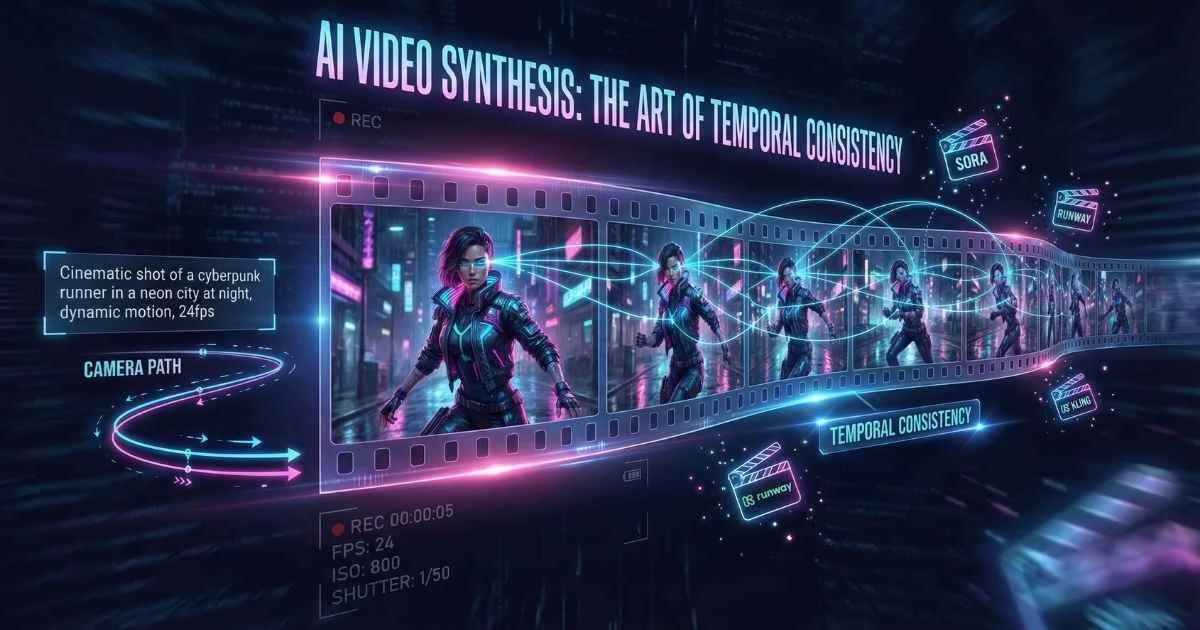
The New Era of Synthetic Cinema
Video production has traditionally been the most resource-intensive creative medium, requiring cameras, lighting, crews, actors, and post-production studios. AI video generation has collapsed this entire supply chain into a single prompt.
We are witnessing the birth of synthetic cinema.
In 2025, tools like Sora 2, Runway Gen-4.5, Kling O1, and Veo 3.1 have moved beyond the “uncanny valley” of early experiments. They can now generate photorealistic 4K video with consistent physics, lighting, and character persistence—with some models now supporting up to 3-minute sequences. For filmmakers, marketers, and creators, this democratizes high-end visual storytelling, making the impossible affordable.
This guide examines the state of AI video technology as of January 2026, covering:
By the end, you’ll understand:
- How AI video generation actually works (in plain English)
- The major platforms compared: Sora 2, Runway Gen-4.5, Kling O1, Pika 2.2, Veo 3.1, and more
- Text-to-video vs image-to-video workflows
- How to write prompts that get the results you want
- Current limitations and how to work around them
- Ethical considerations and responsible use
Let’s dive in.
$717M
2025 Market Size
19.5% CAGR growth
35%
AI Video Share
Of digital video creation
4K
Max Resolution
Veo 3.1, Runway Gen-4.5
60s
Max Duration
Veo 3.1 scene extension
Sources: Fortune Business Insights • Dimension Market Research
First, Some Context: Why This Matters Now
AI video generation isn’t just a tech demo anymore—it’s reshaping how content is created across industries. By 2025, AI-generated videos are projected to account for 35% of all digital video creation worldwide (Dimension Market Research).
Key Milestones (2024-2025)
| Date | Milestone | Significance |
|---|---|---|
| Dec 2024 | OpenAI publicly launched Sora | First mainstream photorealistic text-to-video model |
| May 2025 | Google Veo 3 released | Native audio generation, 1080p via Gemini |
| Sep 2025 | Sora 2 released with native audio | Dialogue, sound effects, ambient sounds in one model |
| Oct 2025 | Google Veo 3.1 released | Enhanced scene extension (60+ sec), first/last frame control, 3 reference images |
| Dec 2025 | Runway Gen-4.5 tops AI leaderboards | Elo score of 1247, beating Veo 3/3.1 and Sora 2 Pro (Artificial Analysis) |
| Dec 2025 | Disney invests $1B in OpenAI | 200+ characters coming to Sora in early 2026 (OpenAI) |
| Dec 2025 | Kling O1 launches | World’s first unified multimodal video model—generation, editing, inpainting in single workflow (Kling AI) |
| Dec 2025 | Adobe-Runway partnership announced | Multi-year deal integrating Gen-4.5 into Adobe Firefly ecosystem |
The Market Explosion
The numbers tell a compelling story:
| Metric | 2024 | 2025 | 2030 (Projected) | Source |
|---|---|---|---|---|
| Market Size | $614.8M | $716.8M-$850M | $2.5-2.8B | Fortune Business Insights |
| Global GenAI Spending | — | $644B | — | Gartner |
| CAGR | — | 20-32% | — | Grand View Research |
| AI Video Share of Digital | — | 35% | — | Dimension Market Research |
Multiple research firms project the AI video generation market will exceed $5 billion by 2033, with some estimates as high as $8 billion by 2035 (Market Research Future).
Why Should You Care?
Whether you’re a marketer, content creator, filmmaker, or just someone curious about AI, understanding video generation gives you:
- Cost savings: Professional video production costs $5,000-$50,000+ per project. AI tools cost $0-$200/month for unlimited experiments
- Speed: What took days or weeks of production now happens in minutes
- Creative freedom: Visualize concepts that would be impossible or prohibitively expensive to film
- Competitive advantage: Early adopters are already using these tools in production workflows
💡 Reality check: AI video doesn’t replace professional filmmaking—yet. But it’s transforming pre-production visualization, prototyping, social media content, corporate training, and marketing asset creation.
How AI Video Generation Actually Works
Here’s something that fascinated me when I first learned it: AI video generation is essentially image generation, but repeated hundreds of times with consistency. A 10-second video at 24 frames per second means generating 240 individual images that must flow seamlessly together.
The Real-World Analogy
Imagine you’re a master painter asked to create a flipbook animation. You could:
- Approach A: Paint each page from scratch, hoping they look consistent
- Approach B: Create a rough sketch of all pages first, then gradually add detail to all of them simultaneously
AI video generators use Approach B. They start with pure static (noise) across all frames, then progressively “reveal” the final video by removing that noise—guided by your text description. This is why objects stay consistent across time.
The Core Technology: Diffusion Transformers
The breakthrough combines two powerful technologies:
Diffusion Models work like a sculptor revealing a statue from marble. They start with random noise and gradually remove it step by step, guided by your text prompt. Each step reveals more of the final image.
Transformers are the attention mechanism that powers LLMs like ChatGPT. Adapted for video, they help the model understand relationships across frames—ensuring your dog looks the same in frame 1 as in frame 240.
Spacetime Patches (pioneered by OpenAI’s Sora) treat video as 3D data—processing height, width, and time simultaneously. This allows the model to understand motion, physics, and temporal relationships in a unified way.
💡 Think of it this way: Traditional video is like a stack of playing cards (separate images). Spacetime patches treat video like a block of Jello—the model can “see” through the entire block at once, understanding how movement flows from beginning to end.
How AI Video Generation Works
From text prompt to moving pictures
Text Prompt
Your description
Text Encoding
Convert to vectors
Noise Init
Random starting point
Diffusion
Iterative denoising
Video Output
Final frames
💡 Key Concept: Unlike image generation, video AI must maintain temporal consistency—objects and characters must look the same across hundreds of frames.
🎬 Try This Now: Watch the Process in Action
Before diving deeper, try generating your first AI video to see this in action:
- Go to Pika.art (free account)
- Type: “A coffee cup on a table with steam rising, morning sunlight, slow motion”
- Watch the generation process—notice how the video materializes from noise
- Generate the same prompt 2-3 times—observe how each result is unique but consistent within itself
The Generation Process (Simplified)
Here’s what happens when you type a video prompt:
%%{init: {'theme': 'base', 'themeVariables': { 'primaryColor': '#a855f7', 'primaryTextColor': '#ffffff', 'primaryBorderColor': '#7c3aed', 'lineColor': '#c084fc', 'fontSize': '16px' }}}%%
flowchart LR
    A["Text Prompt"] --> B["Text Encoder"]
    B --> C["Diffusion Process"]
    D["Random Noise"] --> C
    C --> E["Video Frames"]
E --> F["Final Video"]| Step | What Happens | Why It Matters |
|---|---|---|
| Text Encoding | Your prompt is converted into numerical vectors | The model needs to understand your intent |
| Noise Initialization | Random noise is generated as a starting point | Every video starts from scratch |
| Iterative Denoising | The model predicts and removes noise step by step | Each step reveals more of the final video |
| Frame Assembly | Final frames are rendered at target resolution | Typically 24-30 fps for smooth motion |
Key Concepts You’ll Encounter
Understanding these terms will help you get better results:
| Concept | What It Means | Why It Matters |
|---|---|---|
| Temporal Consistency | Objects/characters look the same across frames | Critical for believable video |
| Motion Coherence | Movement respects physics (mostly) | Walking, falling, flowing water |
| Prompt Adherence | How closely output matches your description | Some models follow prompts better than others |
| Video Hallucinations | Objects appearing/disappearing, physics breaking | The video equivalent of LLM hallucinations |
| Generation Time | How long it takes to create the video | Ranges from 30 seconds to several minutes |
🎯 Key insight: Unlike image generation where you need one good result, video requires consistency across potentially hundreds of frames. This is why video generation is so much harder—and why it’s so impressive when it works.
The Major Players: December 2025 Landscape
Let me introduce you to the AI video platforms that matter right now. Each has distinct strengths, and choosing the right one depends on your specific needs.
OpenAI Sora 2 (September 2025)
The headline-grabber. Sora made AI video mainstream, and Sora 2 took it further with native audio generation—a first for major platforms.
What’s Special:
- Native audio generation: Synchronized dialogue, sound effects, and ambient audio generated with the video—not added in post-production
- “Cameo” feature: Insert yourself or others as realistic characters in AI-generated scenes
- World simulation: Multi-shot instruction following with consistent “world state” across scenes
- Disney partnership (Dec 2025): $1B investment bringing 200+ characters from Disney, Marvel, Pixar, and Star Wars (launching early 2026)
- Moving watermark: All Sora 2 videos include visible watermarks for AI content identification
Access & Pricing (January 2026):
| Tier | Monthly Cost | Credits | Max Duration | Resolution | Watermark |
|---|---|---|---|---|---|
| ChatGPT Plus | $20 | 1,000 | 5 seconds | 720p | Yes |
| ChatGPT Pro | $200 | 10,000 | 25 seconds | 1080p | Removable |
| API (sora-2) | Per-second | — | — | 720p | $0.10/sec |
| API (sora-2-pro) | Per-second | — | — | 1080p | $0.30/sec |
Best For: Photorealistic content, cinematic quality, audio-integrated videos
Current Limitations: Struggles with complex long-duration actions, occasional physics glitches, expensive at scale, geographic restrictions (US/Canada primarily, iOS app available for invited users)
📚 Sources: OpenAI Sora Documentation • Wikipedia - Sora
Runway Gen-4.5 (December 2025)
The filmmaker’s choice—and as of December 2025, the #1 ranked AI video model according to Artificial Analysis, with an Elo score of 1247, surpassing both Veo 3/3.1 and Sora 2 Pro.
What’s Special:
- Industry-leading motion quality: Comprehensive understanding of physics, weight, momentum, and fluid dynamics
- Superior prompt adherence: Complex, sequenced instructions in a single prompt (“dolly zoom as character turns left then looks up”)
- Native audio generation: Sound effects and ambient audio directly integrated
- Precise camera choreography: Advanced control over camera movements from text descriptions
- Reference image support: Maintain character consistency across shots
- General World Model (GWM-1): Foundation for interactive real-time environments and world simulations
- Aleph (new): Detailed editing and transformation of videos through text prompts
- Act Two (new): Generating expressive character performances with emotional nuance
📰 Breaking (Dec 18, 2025): Adobe announced a multi-year strategic partnership with Runway, integrating Gen-4.5 into Adobe Firefly. Creative Cloud users will get early access to Runway’s advanced AI video models.
Technical Details:
- Developed on NVIDIA Hopper and Blackwell GPUs
- Uses Autoregressive-to-Diffusion (A2D) techniques for improved efficiency
- Generates videos up to 1 minute with character consistency
Model Lineup:
| Model | Best For | Speed | Credits/sec |
|---|---|---|---|
| Gen-4.5 | Maximum quality, physics | Standard | 15-20 |
| Gen-4 | Consistency across scenes | Standard | 10-12 |
| Gen-3 Alpha Turbo | Image-to-video | Fast | 5 |
| Gen-3 Alpha | Text-to-video | Standard | 10 |
Pricing:
- Standard: $12-15/month (625 credits)
- Pro: $28-35/month (2,250 credits)
- Unlimited: $76-95/month
Best For: Professional workflows, creative control, filmmakers and agencies, anyone needing precise motion control
📚 Sources: Runway • Artificial Analysis Leaderboard • Adobe
Google Veo 3 / Veo 3.1 (May-October 2025)
Google’s powerhouse, developed by DeepMind. Veo 3 launched in May 2025, followed by Veo 3.1 in October 2025 with enhanced scene extension and creative controls.
What’s Special:
- Resolution: Up to 4K resolution output (via enterprise), 1080p via Gemini (as of Sep 2025)
- Duration: Approximately 8 seconds per clip standard, up to 60 seconds with scene extension
- Native audio generation: Multi-person conversations with realistic lip-syncing, sound effects, ambient noise, and music
- Advanced creative control:
- Reference image control (up to 3 images)
- First/last frame control for smooth transitions
- Scene extension for longer narratives
- Camera control (zooms, tracking shots, handheld effects)
- Style transfer (“film noir”, “Wes Anderson style”)
- SynthID watermarking: Invisible watermarking built-in for AI content detection
- Platform integration: Gemini app, Flow, Canva, Adobe, YouTube Shorts
Access:
- Vertex AI (enterprise)
- Gemini app (consumer)
- VideoFX through Google Labs (limited access)
- YouTube Shorts integration for creators
Pricing: ~$0.50/second for generation (enterprise tier)
Best For: Enterprise content, YouTube creators, high-resolution long-form content, cinematographers needing advanced control
📚 Sources: Google DeepMind Veo • Gemini • Google AI Blog
Pika Labs 2.2 (Late 2025)
The accessible creator’s tool. Pika prioritizes ease of use and stylization over raw realism.
What’s Special:
- Creative tools: Pikaframes (keyframing), Pikadditions (add objects), Pikaswaps (change elements)
- Strong stylization capabilities (anime, illustrated, etc.)
- Basic sound effects included
- Very affordable entry point
Pricing:
- Free: Limited credits, watermarked
- Standard: $8-10/month (700+ credits)
- Pro: $28-35/month (2,000+ credits)
Best For: Social media content, quick iterations, stylized animations, beginners
📖 Source: Pika Labs
Kling 2.6 by Kuaishou (December 2025)
The audio-visual pioneer from China that’s making waves globally. Kling 2.6’s key innovation is true simultaneous audio-video generation—the audio isn’t added after; it’s generated alongside the video in a single pass.
What’s Special:
- Native audio-visual synchronization: Dialogue, narration, ambient sounds, and effects generated with visual motion, not after
- Multi-layered audio: Primary speech with lifelike prosody, supporting sound effects, spatial ambience, and optional musical elements
- Multi-character dialogue: Distinct voices for multiple speakers with scene-specific ambience
- Human voice synthesis: Speaking, singing, and rapping capabilities
- Bilingual support: Explicit English and Chinese voice generation with automatic translation for other languages
- Controllable voices: Emotional tone, delivery style, and accent controls
- Environmental sound effects: Ocean waves, crackling fires, shattering glass—aligned with on-screen actions
Output Capabilities:
- Duration: 5 or 10 seconds with integrated audio
- Improved audio quality: Clearer phonemes, reduced artifacts, natural prosody
- ~30% faster rendering than previous Kling versions
Best For: Complete audio-visual content without post-production, music videos, dialogue-heavy scenes
Kling O1 — Unified Multimodal Video Model (December 2025)
🌟 Breakthrough: Launched December 1-2, 2025, Kling O1 is the world’s first unified multimodal video model—a paradigm shift in AI video generation.
Kling O1 combines generation, editing, inpainting, and video extension into a single, cohesive workflow. No more switching between tools—describe what you want, and the model handles the rest.
What Makes O1 Revolutionary:
- Unified Workflow: Generate, edit, inpaint, and extend videos in a single prompt cycle—no tool switching required
- Multi-Subject Consistency: Remember and maintain characters, props, and scenes across sequences (supports up to 10 reference images)
- Natural Language Video Editing: Edit existing videos by describing changes—no masking, keyframing, or technical knowledge needed
- Chain of Thought Reasoning: Superior motion accuracy through reasoning-based generation
- Motion Capture Style: Extract camera/character motion from existing videos and apply to new scenes
- Extended Duration: Generate HD video sequences up to 3 minutes—a massive leap from standard 10-20 second limits
Complementary Models:
- Kling Video 2.6: Native audio generation (dialogue, music, ambient sounds)
- Kling Image O1: High-quality image generation and editing
Key Differentiators vs Competitors:
| Capability | Kling O1 | Runway Aleph | Veo 3.1 |
|---|---|---|---|
| Unified generation + editing | ✅ Native | ✅ Similar | ❌ Separate |
| Max reference images | 10 | 3 | 3 |
| Natural language editing | ✅ No masking | ✅ Yes | ⚠️ Limited |
| Max duration | 3 minutes | 1 minute | 60+ sec |
| Native audio | ✅ Kling 2.6 | ✅ Yes | ✅ Yes |
Best For: Complex creative projects requiring consistency, iterative editing, extended sequences, and anyone wanting generation + editing in one tool
📚 Sources: Kling AI • Kuaishou Official • TechTimes
Luma Dream Machine / Ray3 (2025)
The innovator’s playground, pushing creative boundaries with advanced editing capabilities.
What’s Special:
- Ray3: Latest model with visual reasoning and state-of-the-art physics
- 16-bit HDR color: World’s first generative model with HDR for professional pipelines
- Camera motion concepts: Cinematic control over camera movements
- Modify Video: Change environments/styles while preserving motion
- Draft Mode: Rapid iteration for faster creative exploration
New Editing Features (2025):
- Precision Editing: Direct edits through language applied across entire animations
- Smart Erase & Fill: Remove or replace parts of frames while maintaining visual coherence
- Subject-Aware Editing: Modify specific people, backgrounds, or objects using simple prompts
- Prompt Editing: Update existing videos using new prompts—blend iteration and creative direction
Photon Model: Next-generation image model for visual thinking and fast iteration
Best For: Creative experimentation, cinematographers, indie filmmakers, anyone needing precise editing control
📖 Source: Luma Labs
More Tools Worth Knowing
| Platform | Specialty | Best For |
|---|---|---|
| Adobe Firefly Video | Premiere Pro integration, Prompt-to-Edit, natural language editing | Professional editors, Creative Cloud users |
| Vidu AI | Multi-entity consistency (7 reference images) | Character consistency, vertical video |
| MiniMax Hailuo 2.3 | Stylization (anime, watercolor, game CG) | Fast, affordable, social media |
| Haiper | Generous free tier, video repaint | Beginners, experimentation |
| InVideo AI | Script-to-video with templates | Marketing videos, non-technical users |
Adobe Firefly Video Highlights (December 2025):
- Browser-based video editor in public beta
- Prompt to Edit: Natural language edits to existing video clips
- Enhanced camera motion controls with reference video upload
- Video upscaling via Topaz Astra integration (1080p/4K)
- Integration with Runway Gen-4.5 (via new partnership)
Creative AI Video Platforms Comparison
Performance scores (December 2025)
💡 Key Insight: Veo 3 leads in duration (2+ min), while Kling 2.6 excels at native audio. Runway Gen-4.5 offers the best creative control for professional workflows.
Sources: OpenAI • Runway • Google DeepMind
AI Avatar Platforms: A Different Category
I want to make an important distinction. There’s a whole category of AI video tools focused on presenter-based talking head videos rather than cinematic generation. These serve completely different use cases.
Synthesia (Industry Leader)
Creates professional AI avatar videos for corporate training, onboarding, and internal communications.
Key Features:
- 230+ realistic AI avatars with natural movements
- 140+ languages and accents
- Custom avatar creation from your likeness
- Script, document, or webpage to video conversion
- Integrates with Sora/Veo for B-roll generation
New in Synthesia 3.0 (2025):
- Video Agents: Interactive video with branching logic
- Express-2 Avatars: Full-body gestures on all paid plans
Pricing (Updated December 2025):
- Starter: $29/month (or $18/mo billed annually)
- Creator: $89/month (or $64/mo billed annually)
- Enterprise: Custom
Best For: L&D teams, corporate communications, product explainers
📖 Source: Synthesia
HeyGen
The personalization powerhouse for marketing and sales.
Key Features:
- Hyper-realistic AI avatars with advanced lip-sync
- Photo and video-based custom avatar creation
- Voice cloning with precise lip synchronization
- Multi-language translation with lip-sync
- Real-time avatar video calls
Pricing (Updated December 2025):
- Free tier: 3 videos/month, watermarked
- Creator: $29/month (or $24/mo billed annually)
- Team: $39/seat/month (2-seat minimum)
- Enterprise: Custom
Best For: Personalized outreach, localized content, virtual presenters
📖 Source: HeyGen
When to Use What?
| Need | Creative AI Video | Avatar Platforms |
|---|---|---|
| Corporate training | ❌ | ✅ Synthesia, HeyGen |
| Product demo with presenter | ❌ | ✅ Synthesia, HeyGen |
| Marketing B-roll | ✅ Sora, Runway, Pika | ❌ |
| Cinematic content | ✅ Sora, Veo, Runway | ❌ |
| Social media shorts | ✅ Either works | ⚠️ Depends on style |
| Personalized videos at scale | ❌ | ✅ HeyGen |
Comprehensive Pricing Comparison
Cost is a real consideration, especially if you’re just starting to experiment. Here’s how everything stacks up:
AI Video Platform Pricing
Monthly pricing as of December 2025
| Platform | Free | Entry | Pro | Notes |
|---|---|---|---|---|
| Sora 2 | ❌ | $20 (Plus) | $200 (Pro) | Via ChatGPT sub |
| Runway | 125 credits | $12-15 | $28-35 | Credit system |
| Pika | 80-150 credits | $8-10 | $28-35 | Best value entry |
| Veo 3 | Labs access | Enterprise | Enterprise | ~$0.50/sec |
| Kling 2.6 | ✅ Limited | Variable | Variable | Native audio |
| Luma Ray3 | ✅ Yes | Variable | Variable | HDR output |
| Synthesia | ❌ | $22 | $67 | Avatar videos |
| HeyGen | ✅ Limited | $24 | $72 | Personalization |
| Haiper | ✅ Generous | ~$10 | ~$25 | Best free tier |
My Recommendations by Budget
Free/Learning ($0):
- Start with Haiper (most generous free tier) or Pika (solid free credits)
- Luma Dream Machine also offers free access
- Kling AI offers limited free generations
Hobbyist ($10-20/month):
- Pika Standard ($8-10) offers excellent value for social content
- Runway Standard ($12-15) if you need more control
Professional ($30-100/month):
- Runway Pro ($28-35) for professional filmmaking
- Synthesia Starter ($29 or $18/mo annually) or HeyGen Creator ($29 or $24/mo annually) for avatar content
Enterprise ($200+/month):
- Sora Pro ($200) for maximum realism + audio
- Veo 3.1 for 4K long-form content (enterprise pricing)
- Kling O1 for unified multimodal workflows
Writing Prompts That Work: Text-to-Video Mastery
The biggest mistake I see beginners make is writing video prompts like image prompts. Video requires you to think about motion, camera, and time—not just static composition.
The Anatomy of a Great Video Prompt
Anatomy of an Effective Video Prompt
Build prompts layer by layer
Complete Video Prompt Example:
"A golden retriever running along a Mediterranean beach at sunset, camera tracking alongside at eye level, waves splashing in background, cinematic shallow depth of field, slow motion, warm golden hour lighting, 24fps film grain"
From Basic to Advanced
Let me show you how prompts evolve:
| Level | Prompt | What You’ll Get |
|---|---|---|
| Basic | ”A dog running on a beach” | Generic dog, random beach, unpredictable camera |
| Intermediate | ”Golden retriever running along a sunset beach, waves splashing, slow motion, warm lighting” | Better subject, atmosphere, but camera still random |
| Advanced | ”Golden retriever bounding joyfully along a Mediterranean beach at golden hour, camera tracking alongside at eye level, shallow depth of field, anamorphic lens flare, sand particles catching sunlight, 24fps cinematic” | Professional-quality with controlled composition |
For more on crafting effective prompts, see the Prompt Engineering Fundamentals guide.
The Essential Video Prompt Formula
[SUBJECT] + [ACTION] + [SETTING] + [CAMERA] + [STYLE] + [OPTIONAL: PACING/MOOD]Example built step by step:
- Subject: “A young woman in a red dress”
- + Action: “walking confidently”
- + Setting: “through Times Square at night, neon reflections on wet pavement”
- + Camera: “medium shot, camera slowly pushing in”
- + Style: “cinematic, moody lighting, Blade Runner vibes”
- + Mood: “dreamlike, mysterious”
Complete prompt: “A young woman in a flowing red dress walking confidently through Times Square at night, neon reflections on wet pavement, medium shot with camera slowly pushing in, cinematic moody lighting, Blade Runner vibes, dreamlike and mysterious atmosphere”
Common Prompt Mistakes (And Fixes)
| ❌ Mistake | ✅ Fix |
|---|---|
| ”A beautiful landscape” (no motion) | “Camera slowly panning across misty mountain valley at sunrise, fog rolling through pine forests" |
| "10 characters dancing at a party with fireworks and a dragon” (overcrowded) | Simplify to 2-3 key elements |
| ”Car flying through a building” (impossible physics) | Embrace surrealism explicitly or provide grounded alternative |
| No camera direction | Always include camera: “tracking shot”, “slow zoom”, “static wide angle” |
Negative Prompts: What to Exclude
Some platforms support negative prompts—telling the model what NOT to include. This can significantly improve results:
Common negative prompt elements:
- “blurry, low quality, distorted, deformed”
- “extra limbs, extra fingers, mutated hands”
- “watermark, logo, text overlay”
- “static, frozen, no motion”
- “cartoon, anime” (if you want realism)
- “photorealistic” (if you want stylized)
💡 Tip: Runway and Pika support negative prompts directly. For Sora and Veo, reframe negatives as positives in your main prompt.
Platform-Specific Prompting Tips
Different platforms respond better to different prompt styles:
| Platform | Sweet Spot | Example |
|---|---|---|
| Sora 2 | Cinematic camera terminology, film references | ”35mm film, shallow depth of field, Steadicam shot” |
| Runway Gen-4.5 | Precise physics descriptions, motion verbs | ”momentum carries forward, weight shifts naturally, fluid dynamics” |
| Pika 2.2 | Style keywords, artistic references | ”Studio Ghibli style, watercolor aesthetic, dreamy atmosphere” |
| Kling O1 | Multi-subject consistency markers, clear scene structure | ”Subject A (woman in blue) and Subject B (man in gray) interact naturally” |
| Veo 3.1 | Director/cinematographer names, technical terms | ”Wes Anderson framing, symmetrical composition, whip pan” |
Ready-to-Use Prompt Templates
Product Showcase Template:
[PRODUCT] rotating slowly on [SURFACE], [LIGHTING], camera orbiting 360 degrees,
clean background, professional product photography style, [DETAIL FOCUS]
Example: “Luxury watch rotating slowly on black marble, dramatic rim lighting, camera orbiting 360 degrees, clean dark background, professional product photography, focus on craftsmanship details”
Cinematic Scene Template:
[CHARACTER DESCRIPTION] [ACTION] in [LOCATION], [TIME OF DAY], [CAMERA MOVEMENT],
[FILM STYLE], [ATMOSPHERE/MOOD], [TECHNICAL: fps, lens]
Example: “A detective in a trench coat walking through rain-soaked Tokyo streets, night, camera tracking from behind, film noir style, mysterious and tense atmosphere, anamorphic lens flare”
Social Media Hook Template:
[ATTENTION-GRABBING ELEMENT] [ACTION] [QUICK CAMERA MOVE], vibrant colors,
high energy, vertical format, [STYLE], loop-friendly ending
Example: “Colorful paint splashing in slow motion, camera pulling back to reveal art piece, vibrant saturated colors, high energy, vertical format, satisfying visual, seamless loop”
Nature/Landscape Template:
[NATURAL SCENE] [ATMOSPHERIC CONDITION], [TIME PROGRESSION or CAMERA MOVEMENT],
epic scale, [STYLE REFERENCE], ambient sound design implied
Example: “Aurora borealis dancing over Norwegian fjord, light snow falling, time-lapse of stars rotating, epic scale, National Geographic style, peaceful and awe-inspiring”
The Iterative Process
Your first generation probably won’t be perfect. That’s normal.
%%{init: {'theme': 'base', 'themeVariables': { 'primaryColor': '#a855f7', 'primaryTextColor': '#ffffff', 'primaryBorderColor': '#7c3aed', 'lineColor': '#c084fc', 'fontSize': '16px' }}}%%
flowchart TD
    A["Initial Prompt"] --> B["Generate Video"]
    B --> C{"Satisfactory?"}
    C -->|No| D["Analyze Issues"]
    D --> E["Refine Prompt"]
    E --> B
    C -->|Yes| F["Use or Extend"]
    F --> G["Post-Production"]
Pro tips for iteration:
- Generate 3-5 versions of any important prompt
- Save your good prompts—you’ll want to reuse elements
- Analyze failures: Did the camera do something weird? Was the subject wrong? Was the motion off?
- Use image-to-video when text prompts can’t capture your exact vision
- Version your prompts: Keep a document tracking what worked and what didn’t
Image-to-Video: When and How
Sometimes, text-to-video isn’t enough. Image-to-video gives you more control by letting you specify exactly what the first frame should look like.
When to Use Image-to-Video
- You have a specific composition in mind that text can’t capture
- You’re animating AI-generated images (from DALL-E, Midjourney, etc.)—see the AI Image Generation guide
- You need brand consistency with existing visual assets
- You want to create “before and after” transformations
- You need character consistency that text-to-video can’t achieve
Best Practices
- Start with high-quality source images (at least 1080p, 2K+ recommended)
- Describe the motion, not just the scene—the image shows what’s there, you describe what happens
- Match the style of your source image in the prompt
- Consider starting frames carefully—extreme angles or complex poses can confuse the model
- Avoid busy backgrounds—simpler compositions animate more successfully
Platform Image-to-Video Comparison
| Platform | Max Input Resolution | Frame Control | Best For |
|---|---|---|---|
| Runway | 4K | First frame only | High-quality product animation |
| Pika | 1080p | First frame, keyframes via Pikaframes | Quick stylized animations |
| Kling O1 | 2K | First, middle, last frame | Complex multi-frame control |
| Veo 3.1 | 4K | First + last frame, up to 3 references | Scene transitions |
| Luma | 2K | First frame, Modify Video | Style transformations |
Step-by-Step Tutorial: Midjourney to Runway
Step 1: Generate Your Source Image
/imagine a samurai warrior standing in a bamboo forest at dawn,
cinematic composition, fog rolling through trees, ray of sunlight,
photorealistic, 16:9 aspect ratio --ar 16:9 --v 6
Step 2: Optimize for Animation
- Upscale to 2K or 4K
- Ensure the subject has room to move
- Avoid text or complex patterns that might distort
Step 3: Upload to Runway
- Navigate to Image-to-Video
- Upload your Midjourney output
- Set duration (5 or 10 seconds)
Step 4: Write a Motion-Focused Prompt
The samurai slowly draws his katana, blade catching the morning light,
a gentle breeze moves through the bamboo, camera slightly pushing in,
tension building, cinematic
Step 5: Generate and Iterate
- Generate 3-5 versions
- Pick the best motion dynamics
- Extend or regenerate as needed
First and Last Frame Control (Veo 3.1)
A powerful feature unique to Veo 3.1 is specifying both where you start and where you end:
- Create/select your first frame image
- Create/select your last frame image (same subject, different position/state)
- Veo generates the smooth transition between them
Use cases:
- Product transformations (closed → open)
- Character movement (sitting → standing)
- Scene changes (day → night)
- Story beats (before → after)
Common Image-to-Video Failures (And Fixes)
| Problem | Cause | Solution |
|---|---|---|
| Subject morphs unnaturally | Complex pose or extreme angle | Use simpler starting pose, front-facing works best |
| Background warps | Too much detail in background | Simplify background, use depth of field |
| Wrong motion direction | Ambiguous prompt | Explicitly state direction: “moves left to right” |
| Style mismatch | Prompt doesn’t match image aesthetic | Include style keywords matching your source |
| Frozen/minimal motion | Model unsure what to animate | Add specific motion verbs: “walks, turns, reaches” |
Practical Applications: Who’s Using This?
AI video generation isn’t theoretical—it’s being used right now across industries.
Cinematic Shorts
Sora 2 Pro or Veo 3
Best photorealism and physics
Social Media Content
Pika 2.2 or Hailuo
Fast, affordable, stylized
Professional Filmmaking
Runway Gen-4.5 or Luma Ray3
Best creative control
Complete A/V Content
Kling 2.6 or Sora 2
Native audio generation
Corporate Training
Synthesia or HeyGen
Industry-leading avatars
Free Experimentation
Haiper or Luma
Best free tier for beginners
Character Consistency
Vidu AI or Runway
Multi-entity reference system
Vertical/TikTok
Vidu or Pika
Optimized for 9:16 format
Marketing and Advertising
- Product showcases: Animate static product photos into lifestyle videos
- Social media ads: Quick, affordable content for TikTok, Instagram Reels, YouTube Shorts
- A/B testing: Generate 10 variants of an ad in the time it takes to create one traditionally
- Personalized video ads: Dynamic creative optimization with AI-generated variants
Content Creation
- YouTube intros/outros: Animate thumbnails into motion graphics
- Podcast visualizers: Create visual content from audio
- Educational content: Visualize historical events, scientific concepts
- Behind-the-scenes content: Explainer videos for processes
Filmmaking and Pre-Production
- Storyboard visualization: Show directors/clients moving storyboards
- Concept art in motion: Bring concept art to life for pitches
- VFX previsualization: Test effects before expensive production
- B-roll generation: Create establishing shots and transitions
Business and Enterprise
- Training videos: Create onboarding content without production crews
- Internal communications: Visualize announcements and updates
- Investor presentations: Bring pitch decks to life
- Prototype demonstrations: Show product concepts in action
Industry-Specific Applications
Real Estate:
- Virtual property tours from floor plans
- Neighborhood fly-throughs and aerial views
- Day-to-night lighting demonstrations
- “Future vision” renderings for developments
E-commerce:
- 360° product rotations from single photos
- Lifestyle context videos (product in use)
- Size comparison visualizations
- Unboxing experience simulations
Healthcare & Pharma:
- Mechanism of action (MOA) animations
- Patient education videos
- Surgical procedure visualizations
- Drug interaction explanations
Gaming:
- Cinematic trailers and teasers
- Character reveal videos
- World-building promotional content
- Community update announcements
Fashion:
- Runway show simulations
- Lookbook animations
- Fabric movement demonstrations
- Virtual try-on experiences
Real-World Case Studies
Case Study 1: E-commerce Product Videos
A DTC skincare brand needed product videos for 200 SKUs. Traditional production quote: $150,000 and 3 months.
AI Solution: Runway Gen-4.5 + post-production
- Cost: $95/month subscription + 1 week of work
- Result: 200 videos delivered in 7 days
- ROI: 99% cost reduction, 12x faster delivery
- Quality: “Indistinguishable from traditional product videos” — Marketing Director
Case Study 2: Film Pre-Visualization
An indie film production needed to visualize 15 key scenes for investor pitch.
AI Solution: Sora 2 + Runway for editing
- Cost: $200/month (Sora Pro) + $35/month (Runway)
- Result: 3-minute visualization reel in 2 weeks
- Outcome: Secured $2.5M in production funding
- Investor feedback: “First time I could actually see the vision”
Case Study 3: Corporate Training
Global consulting firm needed to update 50 training modules across 8 languages.
AI Solution: Synthesia + HeyGen for localization
- Cost: ~$3,000 total (vs. $150,000 estimate for traditional)
- Result: All 50 modules updated in 3 weeks
- Bonus: Automatic translation and lip-sync to 8 languages
Before and After: The Production Shift
| Aspect | Traditional Production | AI Video Generation |
|---|---|---|
| Time for 30-sec video | 2-3 days | 30 minutes |
| Cost | $5,000-$50,000+ | $0-$200/month subscription |
| Team required | Director, camera, lighting, editor | One person |
| Iterations possible | 2-3 (budget limits) | Unlimited |
| Creative exploration | Constrained by budget | Expansive |
| Localization | $5,000+ per language | Minutes with AI dubbing |
Success Metrics to Track
When implementing AI video in your workflow, measure:
- Time-to-publish: Hours from concept to live video
- Cost per video: Total spend / number of videos produced
- Iteration velocity: How many versions before final approval
- Engagement rate: Compare AI vs traditional video performance
- Production capacity: Videos per week/month before and after AI
Current Limitations: What AI Video Can’t Do Yet
I believe in being honest about limitations. AI video generation is impressive, but it’s not magic.
Technical Limitations (January 2026)
| Limitation | Current State | What’s Improving |
|---|---|---|
| Duration | Standard: 10-20 sec; Kling O1: up to 3 min; Veo 3.1: 60+ sec with extension | Longer durations becoming standard |
| Character consistency | Improving significantly—Kling O1 supports 10 reference images | Multi-subject consistency now possible |
| Text rendering | Often illegible or glitchy | Major challenge, slow progress |
| Hands and fingers | Still problematic but improving | Gradual improvement with newer models |
| Multi-actor scenes | Interactions improving, still challenging | Kling O1 and Veo 3.1 handle better |
| Real-time generation | Minutes per short clip | Far from real-time (seconds to minutes) |
Common Issues You’ll Encounter
Physics anomalies: Objects may appear/disappear unexpectedly. Gravity sometimes takes a vacation. Reflections and shadows can be inconsistent.
Human faces: May distort with certain movements, especially in extreme angles or emotions.
Clothing physics: Fabric often behaves unrealistically—flowing wrong, clipping through bodies.
The “uncanny valley”: Generated humans are almost realistic, which can be more unsettling than obviously artificial characters.
Working Around Limitations
- Short clips, stitched together: Create multiple 5-10 second clips and edit them together
- Reference images: Use image-to-video for more control
- Regenerate: It’s cheap—generate 5-10 versions and pick the best
- Post-production: Use traditional editing for final polish (cutting, color grading, compositing)
- Hybrid workflows: Combine AI with stock footage or live-action footage
The “Good Enough” Question
Ask yourself: Where will this be viewed?
- Social media at scroll speed: Current AI video is often good enough
- Professional presentation: Probably needs post-production polish
- Broadcast/cinema: Useful for pre-production, not final content (yet)
My rule of thumb: If viewers won’t notice issues at the viewing speed and resolution, AI video is viable.
Troubleshooting Common Video Generation Problems
When things go wrong (and they will), here’s your diagnostic guide.
Quick Reference: Problem → Solution
| Problem | Likely Cause | Solution |
|---|---|---|
| Subject morphs mid-video | Insufficient prompt specificity | Add detailed descriptions, use reference images |
| Physics violations | Model limitation | Add “realistic physics” to prompt, regenerate |
| Garbled text in video | Known model weakness | Avoid text in scenes, add in post-production |
| Flickering/temporal artifacts | Denoising inconsistency | Reduce motion intensity, try different model |
| Wrong aspect ratio | Default settings | Check platform settings before generating |
| Audio out of sync | Generation timing issues | Regenerate, or fix in post-production |
| Character changes appearance | Lack of reference consistency | Use reference images (Kling O1: up to 10) |
| Background inconsistency | Scene complexity | Simplify background, use scene extension |
| Motion too fast/slow | Pacing mismatch | Add tempo keywords: “slow motion”, “time-lapse” |
| Wrong camera movement | Ambiguous description | Be explicit: “camera dollies left” vs “pan left” |
Detailed Troubleshooting by Issue Type
Morphing and Distortion:
- Check if you’re using reference images (highly recommended)
- Simplify your subject description
- Avoid multiple subjects until you master single-subject generation
- Use front-facing angles for people (profile and 3/4 views distort more)
- Try Kling O1’s multi-subject consistency feature
Poor Motion Quality:
- Specify motion speed explicitly (“slow”, “steady”, “rapid”)
- Include physics keywords (“weight”, “momentum”, “natural movement”)
- For Runway: Add precise motion verbs (“saunters”, “lunges” vs. “walks”)
- Reduce scene complexity—fewer moving elements = better motion
- Try Draft Mode (Luma) for quick iteration before final generation
Generation Fails or Errors:
- Check content policy violations (violence, nudity, copyrighted content)
- Reduce prompt length (some platforms have character limits)
- Remove ambiguous or contradictory instructions
- Clear browser cache and retry
- If API: Check rate limits and authentication
Low Quality Output:
- Verify you’re using the highest-quality model available
- Check resolution settings before generation
- Some platforms downsample on free tiers—upgrade for quality
- Consider upscaling in post-production (see Upscaling section)
Platform-Specific Troubleshooting
Sora 2:
- If generation keeps timing out: Reduce duration or complexity
- Cameo not working: Ensure face is clearly visible, well-lit, 1:1 ratio
Runway:
- Credit burn too fast: Use Gen-3 Alpha Turbo for drafts, save Gen-4.5 for finals
- Motion transfer not working: Source video needs clear motion separation
Kling O1:
- Natural language editing not responding: Use simpler, more direct commands
- Reference images not sticking: Ensure consistent lighting and style across refs
Character Consistency Deep Dive
The #1 frustration in AI video: keeping characters looking the same across shots. Here’s how to solve it.
Why Character Consistency Is Hard
AI video models generate each frame through a denoising process. Without explicit anchoring, the model may “drift” in its interpretation of a character across frames or shots.
The technical challenge:
- The model doesn’t have “memory” of what it generated before
- Each generation starts from random noise
- Subtle variations in prompts create different interpretations
- Lighting and angle changes confuse the model
The Reference Image Strategy
Platform capabilities:
| Platform | Max Reference Images | Feature Name |
|---|---|---|
| Kling O1 | 10 | Multi-subject consistency |
| Runway Gen-4.5 | 3 | Character reference |
| Veo 3.1 | 3 | Reference image control |
| Pika | 1 (first frame) | Image-to-video |
| Luma | 1 | Subject lock |
Creating Effective Character References
Best practices for reference sheets:
- Consistent lighting: All reference images should have similar lighting
- Multiple angles: Front, 3/4, and profile views
- Clear face visibility: No obstructions, good resolution
- Neutral expression: Unless emotional range is important
- Plain background: Remove distracting elements
Reference sheet template:
Image 1: Face close-up, neutral, front-facing
Image 2: 3/4 view, slight smile
Image 3: Full body, standing pose
Image 4: Character in motion (walking)
Image 5+: Key outfits or expressions
Multi-Shot Workflows
For narrative content with multiple scenes:
- Generate master reference frame — Create one perfect image of your character
- Use image-to-video for each scene — Same source image, different motion prompts
- Maintain prompt DNA — Use identical character description in all prompts
- Build a character prompt block — Save and reuse:
"Sarah: 28-year-old woman, shoulder-length auburn hair, green eyes, wearing a navy blazer and white blouse, athletic build, warm smile" - Edit in post — Stitch scenes together, color grade for consistency
Advanced Technique: Seed Control
Some platforms allow seed control (fixing the random starting point):
- Same seed + similar prompt = more consistent results
- Runway and Pika offer seed controls in advanced settings
- Document seeds that produce good results for your character
Audio-Video Synchronization Guide
Native audio generation is the breakthrough of 2025. Here’s how to master it.
Native Audio Platforms Comparison
| Platform | Audio Type | Lip-Sync | Music | Sound Effects |
|---|---|---|---|---|
| Sora 2 | Full (dialogue, SFX, ambient) | ✅ Yes | ✅ Yes | ✅ Yes |
| Kling 2.6 | Simultaneous A/V generation | ✅ Excellent | ✅ Yes | ✅ Yes |
| Veo 3.1 | Multi-person dialogue | ✅ Yes | ✅ Yes | ✅ Yes |
| Runway Gen-4.5 | Sound effects, ambient | ⚠️ Limited | ⚠️ Limited | ✅ Yes |
Best Practices for Native Audio
Dialogue generation:
- Include dialogue in your prompt: “She says ‘Hello, welcome to the show’”
- Specify tone: “whispered”, “shouted”, “excited speech”
- For Kling: Use quotation marks for exact dialogue
Sound effects:
- Describe sounds you want: “footsteps echoing”, “glass shattering”
- Include environmental context: “busy street sounds”, “quiet forest ambience”
- Be specific: “thunderclap” vs generic “storm sounds”
Music:
- Request style: “upbeat electronic soundtrack”, “melancholic piano”
- Specify tempo: “fast-paced”, “slow and contemplative”
- Note: AI-generated music should be checked for IP concerns
Adding Audio Post-Generation
If your platform doesn’t support native audio, or you need more control:
Voiceover Tools:
- ElevenLabs: Industry-leading voice synthesis ($5-$99/mo)
- Play.ht: Good multilingual support
- Murf: Business-focused, good for training videos
Music Generation:
- Suno: Text-to-music, full songs ($8-$48/mo)
- Udio: High-quality music generation
- AIVA: Classical and cinematic composition
Sound Effects:
- Epidemic Sound: Licensed library (subscription)
- Artlist: Unlimited downloads for creators
- Freesound: Free community library
Synchronization Workflow
%%{init: {'theme': 'base', 'themeVariables': { 'primaryColor': '#a855f7', 'primaryTextColor': '#ffffff', 'primaryBorderColor': '#7c3aed', 'lineColor': '#c084fc', 'fontSize': '16px' }}}%%
flowchart LR
    A["Generate Video"] --> B["Import to Editor"]
    B --> C["Add Voiceover"]
    C --> D["Layer Music"]
    D --> E["Add SFX"]
    E --> F["Final Mix"]
Timeline alignment tips:
- Import video to DAW or NLE with frame-accurate sync
- Add voiceover/dialogue first (drives timing)
- Layer music bed at 20-30% volume under dialogue
- Add sound effects synced to visual cues
- Master audio levels: Dialogue -3dB, Music -12dB, SFX -6dB
Post-Production Integration: From AI to Final Edit
Raw AI video is rarely production-ready. Here’s your complete post-production workflow.
Recommended Editing Software
| Software | Best For | AI Integration | Cost |
|---|---|---|---|
| DaVinci Resolve | Color grading, pro editing | Excellent | Free / $295 |
| Adobe Premiere Pro | Industry standard, team workflows | Adobe Firefly | $22.99/mo |
| Final Cut Pro | Mac ecosystem, speed | Limited | $299.99 |
| CapCut | Quick social content | Built-in AI | Free / Pro |
Standard Post-Production Workflow
Step 1: Organize and Review
- Import all generated clips
- Rate and tag (keep/discard/maybe)
- Create bins by scene or purpose
Step 2: Assembly Edit
- Arrange best takes in sequence
- Rough cut timing and pacing
- Add placeholder audio if needed
Step 3: Fine Cut
- Trim in/out points precisely
- Adjust clip speed where needed
- Add transitions (use sparingly with AI content)
Step 4: Color Grading
- Match color across AI-generated clips (often vary)
- Apply consistent LUT or color grade
- Adjust exposure and contrast
Step 5: Audio Mix
- Balance dialogue, music, effects
- Add room tone/ambience for continuity
- Export stems for future adjustment
Step 6: Graphics and Text
- Add titles, lower thirds (AI struggles with text)
- Include logos and branding
- Motion graphics for professionalism
Step 7: Export
- Platform-specific presets (YouTube, TikTok, broadcast)
- Include metadata and captions
- Archive project files
Combining AI with Live-Action
Hybrid workflow approaches:
- AI B-roll: Live-action primary, AI establishing shots and transitions
- AI pre-viz → live reshoot: Test with AI, recreate with cameras
- AI enhancement: Add AI elements to live footage (VFX, backgrounds)
- AI character compositing: Live backgrounds with AI-generated characters
Export Settings by Platform
| Platform | Resolution | Frame Rate | Codec | Bitrate |
|---|---|---|---|---|
| YouTube | 4K (3840×2160) | 24-60 fps | H.264/H.265 | 35-45 Mbps |
| TikTok/Reels | 1080×1920 (9:16) | 30 fps | H.264 | 15-20 Mbps |
| 1920×1080 | 30 fps | H.264 | 10-15 Mbps | |
| Broadcast | 1920×1080 | 23.976 fps | ProRes 422 | 150+ Mbps |
Video Upscaling and Enhancement
Most AI videos generate at 720p. Here’s how to get to 4K.
When to Upscale vs. Regenerate
Upscale when:
- You have a perfect take at low resolution
- Higher-res generation would cost significantly more
- You need output faster than regeneration allows
Regenerate when:
- Quality issues beyond resolution (motion, consistency)
- Platform offers affordable high-res options
- You need true 4K native quality
Upscaling Tools
| Tool | Technology | Best For | Cost |
|---|---|---|---|
| Topaz Video AI | AI upscaling | Maximum quality | $299 lifetime |
| Runway Super-Resolution | In-platform | Convenience | Included in Pro |
| DaVinci Super Scale | Built-in | Color workflow | Free |
| Adobe Firefly (Astra) | Premiere integrated | Adobe users | Included |
Upscaling Best Practices
- Clean source first: Remove artifacts before upscaling
- Don’t over-upscale: 720p → 1080p is safe; 720p → 4K may introduce artifacts
- Test settings: Each video responds differently to upscaling algorithms
- Watch for sharpening halos: Common artifact in aggressive upscaling
- Compare A/B: Side-by-side original vs upscaled to verify quality
Frame Interpolation
For smoother motion (especially slow-motion):
- Topaz Video AI: RIFE-based interpolation
- DaVinci Resolve: Optical Flow retime
- Twixtor: Plugin for Premiere/AE
When to interpolate:
- Converting 24fps to 60fps
- Creating smoother slow-motion
- Fixing choppy AI-generated motion
Cost Optimization Strategies
Smart spending on AI video generation.
Maximizing Free Tiers
| Platform | Free Offering | Optimization Tips |
|---|---|---|
| Haiper | Most generous | Use for exploration, brainstorming |
| Pika | Daily credits refresh | Generate drafts here first |
| Luma | Free access | Test concepts before paid platforms |
| Kling | Limited free | Save for testing O1 capabilities |
Credit Optimization
Draft → Polish workflow:
- Generate at lowest resolution for concept approval (50-70% cheaper)
- Use shorter duration for iteration (5 sec vs 10 sec = half cost)
- Only regenerate at full quality for finals
- Use Draft/Turbo modes where available
Batch discounts:
- Runway: Buy credits in bulk for discounts
- Sora: Pro tier includes significant credits
- Enterprise: Negotiate volume pricing
API vs. Subscription Comparison
| Volume (videos/month) | Best Approach | Estimated Cost |
|---|---|---|
| 1-10 videos | Subscription free tier | $0 |
| 10-30 videos | Standard subscription | $15-35/mo |
| 30-100 videos | Pro subscription | $75-200/mo |
| 100+ videos | API access | Variable (volume pricing) |
Cost Per Video Calculation
10-second product video:
- Pika Standard: ~$0.10 per video (700 credits = 700 videos)
- Runway Standard: ~$0.50 per video (625 credits ÷ ~20 credits/video)
- Sora Pro: ~$2.00 per video (10,000 credits for 5,000 seconds)
60-second marketing video:
- Runway Pro: ~$3.00-5.00 (2,250 credits, 10 sec clips stitched)
- Veo 3.1: ~$30 ($0.50/sec × 60 sec)
- Kling O1: ~$20-40 (enterprise pricing, extended duration)
ROI Framework
Calculate your return on AI video investment:
ROI = (Traditional Cost - AI Cost) / AI Cost × 100

Example:
Traditional 30-sec video: $5,000
AI 30-sec video: $50 (subscription + time)
ROI = ($5,000 - $50) / $50 × 100 = 9,900% ROI
This is important. The same technology that democratizes video creation also enables misuse.
The Deepfake Concern: By the Numbers
The democratization of video generation comes with serious risks. The numbers are sobering:
Deepfake Fraud Growth (2024-2025):
| Metric | Statistic | Source |
|---|---|---|
| Incident growth | 257% increase in 2024 | Keepnet Labs |
| Year-over-year activity | 680% increase in 2024 | Deepstrike |
| Q1 2025 incidents | 179 incidents (exceeding all of 2024) | Keepnet Labs |
| 3-year fraud increase | 2,137% | Deepstrike |
| Average business loss | $500,000 per incident | ZeroThreat |
| Total losses since 2019 | $900 million | DRJ |
Real-World Examples:
-
Arup ($25 million loss, Feb 2024): A finance worker at British engineering firm Arup was tricked into wiring $25 million after a video call featuring deepfake impersonations of the company’s CFO and other colleagues (CNN)
-
Ferrari CEO Voice Scam (July 2024): Cybercriminals pressured Ferrari’s finance team using a deepfaked voice of CEO Benedetto Vigna. An employee’s verification question exposed the fraud before any money was transferred (PhishCare)
-
WPP CEO Impersonation (May 2024): Fraudsters created a fake WhatsApp account with images of WPP CEO Mark Read and organized a Microsoft Teams meeting with deepfaked video and audio to solicit financial transfers. Alert employees prevented any loss (CoverLink)
-
“Elon Musk” Investment Scams (throughout 2024): AI-generated videos of Musk promoting fraudulent investments went viral, with one retiree losing $690,000 (Incode)
⚠️ Why this matters: According to Deloitte, fraud losses facilitated by generative AI are projected to rise from $12.3 billion in 2023 to $40 billion by 2027—a 32% compound annual growth rate.
How Platforms Are Responding
| Platform | Safety Measure |
|---|---|
| Google/Veo | SynthID invisible watermarking |
| OpenAI/Sora | C2PA metadata, content moderation |
| Runway | Content filters, visible watermarks on free tier |
| All platforms | Prohibition of non-consensual content in ToS |
Regulatory Landscape (December 2025)
| Region | Key Regulation | What It Means |
|---|---|---|
| EU | AI Act (effective 2025) | Requires labeling, transparency, copyright compliance |
| UK | Online Safety Act 2023 | Specifically prohibits non-consensual AI intimate content |
| France | AI labeling laws | Criminalized non-consensual deepfakes |
| India | Proposed rules | Clear labeling of AI-generated content required |
| USA | State-level laws emerging | No federal standard yet, but growing state action |
Best Practices for Responsible Use
DO:
- ✅ Label AI-generated content clearly
- ✅ Get consent before creating content featuring real people
- ✅ Use commercially licensed tools for commercial work
- ✅ Document your creative process
- ✅ Respect intellectual property
DON’T:
- ❌ Create non-consensual content of any kind
- ❌ Use for misinformation or deception
- ❌ Impersonate real people without permission
- ❌ Replicate copyrighted characters or brands
Copyright Considerations
The legal landscape is still evolving:
- Training data often includes copyrighted material (lawsuits are ongoing)
- US Copyright Office currently requires human authorship for protection
- “AI-assisted” work with significant human creative input may qualify for protection
- Fair use debates continue with no clear resolution
My advice: Add meaningful human creative elements to your workflow, document your process, and use commercially licensed tools for commercial projects.
Getting Started: Your First AI Video
Ready to try this yourself? Here’s a practical 10-minute workflow.
Step 1: Choose Your Platform
For beginners, I recommend starting with free tiers:
| Platform | Why Start Here | Access |
|---|---|---|
| Haiper | Most generous free tier | haiper.ai |
| Pika | Simple interface, stylized results | pika.art |
| Luma Dream Machine | Free access, good quality | lumalabs.ai |
| Runway | 125 free credits, powerful features | runwayml.com |
Step 2: Write Your First Prompt
Start simple. Don’t try to create complex scenes immediately.
Beginner-friendly prompts to try:
-
“A cat sitting on a windowsill watching rain fall outside, cozy atmosphere, slow motion raindrops”
-
“Time-lapse of clouds moving across a mountain landscape at sunrise, epic scale”
-
“Coffee being poured into a ceramic cup in slow motion, steam rising, warm lighting”
-
“A paper airplane flying through a classroom, camera following its path”
Step 3: Generate and Analyze
Click generate and wait (usually 30 seconds to 2 minutes).
When viewing your result, ask:
- Did it match my prompt?
- Is the motion natural?
- Are there any glitches or artifacts?
- Would I want to show this to someone?
Step 4: Iterate
If it’s not right, refine your prompt:
- Add more specific camera direction
- Clarify the action or motion
- Adjust the style or atmosphere
- Simplify if the scene was too complex
Step 5: Download and Use
Most platforms offer:
- Watermarked downloads on free tiers
- HD/4K on paid tiers
- MP4 format standard
- Options to extend or modify
First Project Ideas
Need inspiration? Try one of these:
- Animate a favorite photo — Use image-to-video to bring a still image to life
- Create a 5-second intro — Your name/logo with motion
- Visualize a poem — Take 4 lines of a poem, create a 10-second visual interpretation
- Product mockup — Show a product concept in a lifestyle setting
- Abstract art — “Flowing colors morphing through a dark void, smooth transitions”
Mobile Video Generation Apps
Create AI videos from your phone—increasingly viable in 2025.
Available Mobile Apps
| App | Platform | Features | Best For |
|---|---|---|---|
| Sora iOS | iOS (invited) | Full Sora 2 functionality | Premium mobile generation |
| Pika | iOS, Android | Text-to-video, basic editing | Quick social content |
| Luma Dream Machine | iOS, Android | Ray3 model access | High-quality mobile |
| CapCut | iOS, Android | Built-in AI features | Editing + generation |
| Kling | iOS, Android | O1 and 2.6 models | Extended duration |
Mobile-Specific Considerations
Advantages:
- Generate on-the-go, capture inspiration immediately
- Direct upload to social platforms
- Quick edits and sharing
Limitations:
- Battery drain during generation
- Cloud-dependent (requires good connection)
- Limited editing compared to desktop
- Smaller screens make detail work harder
Best Practices for Mobile Generation
- Use WiFi when possible for faster uploads
- Draft on mobile, polish on desktop for important projects
- Enable background processing if available
- Save prompts in notes app for reuse
- Lower resolution drafts preserve battery
Batch Generation and Automation
For power users and businesses generating at scale.
When to Use Batch Processing
- Product catalogs: Generate videos for 100+ products
- Content calendars: Pre-produce a month of social content
- A/B testing: Create 10+ variants of an ad concept
- Localization: Same video in multiple languages/styles
Tools Supporting Batch Generation
Platform Features:
- Runway API: True batch mode with queue management
- Sora API: Bulk generation via script
- Synthesia: CSV upload for avatar videos
- InVideo AI: Template-based batch creation
Automation Workflows
Simple: Spreadsheet-Driven Generation
CSV Structure:
product_name, prompt, duration, style
Widget A, "Widget A rotating on marble...", 10, product
Widget B, "Widget B floating in clouds...", 10, lifestyle
Advanced: Script Automation (Python)
import runwayml

prompts = [
    "Product A on white background, rotating slowly",
    "Product B in lifestyle setting, camera orbiting",
    "Product C with dramatic lighting, slow zoom"
]

for prompt in prompts:
    result = runwayml.generate(
        prompt=prompt,
        duration=10,
        resolution="1080p"
    )
    result.download(f"output_{prompt[:20]}.mp4")
Batch Cost Considerations
| Approach | Cost Efficiency | Setup Time |
|---|---|---|
| Manual (web UI) | Low | None |
| Subscription + manual | Medium | Low |
| API + scripts | High | Medium |
| Enterprise contract | Highest | High |
Break-even analysis:
- Under 50 videos/month → Subscription sufficient
- 50-200 videos/month → Consider API
- 200+ videos/month → Enterprise negotiation
API Integration Guide for Developers
Build AI video into your applications.
Available APIs
| Platform | API Availability | Auth Method | Documentation |
|---|---|---|---|
| OpenAI (Sora) | sora-2, sora-2-pro | API key | platform.openai.com |
| Runway | Gen-3, Gen-4, Gen-4.5 | API key | docs.runwayml.com |
| Google (Veo) | Vertex AI | Service account | cloud.google.com |
| Luma | Dream Machine API | API key | lumalabs.ai/api |
Basic Integration Example (Sora)
import openai

client = openai.OpenAI()

# Generate video
response = client.videos.create(
    model="sora-2",
    prompt="A serene lake at dawn, mist rising, camera slowly panning right",
    duration=5,
    resolution="720p"
)

# Check status (async generation)
video_id = response.id

# Poll for completion
import time
while True:
    status = client.videos.retrieve(video_id)
    if status.status == "completed":
        video_url = status.video_url
        break
    time.sleep(5)

print(f"Video ready: {video_url}")
Rate Limits and Best Practices
Common rate limits:
- Sora API: 10 concurrent generations
- Runway: 5 concurrent, 100/hour
- Veo: Varies by enterprise tier
Best practices:
- Implement exponential backoff for retries
- Use webhooks for async completion notifications
- Cache results to avoid regenerating same content
- Monitor usage to avoid surprise billing
- Handle failures gracefully with user-friendly messages
Webhook Integration
Instead of polling, receive notifications:
# On your server: /webhook/video-complete
@app.route('/webhook/video-complete', methods=['POST'])
def video_complete():
    data = request.json
    video_id = data['video_id']
    video_url = data['video_url']

    # Update your database
    update_video_status(video_id, 'completed', video_url)

    # Notify user
    send_notification(video_id)

    return {'status': 'ok'}
AI Video Detection and Authenticity
As AI video becomes mainstream, detection and disclosure matter.
Detection Technologies
| Technology | How It Works | Deployed By |
|---|---|---|
| SynthID | Invisible watermark embedded during generation | Google (Veo) |
| C2PA | Metadata/provenance tracking | OpenAI, Adobe, Microsoft |
| Visible watermark | On-screen indicator | Most platforms (free tiers) |
| AI detection models | ML-based analysis of video artifacts | Third-party tools |
Detection Tools
For consumers/researchers:
- Deepware Scanner: Free deepfake detection
- Microsoft Video Authenticator: Analyzes for manipulation
- Sensity AI: Enterprise-grade detection
- Reality Defender: Real-time API for platforms
For platforms/enterprises:
- Google Cloud Video AI: Content analysis API
- Amazon Rekognition: Video analysis with manipulation detection
- Truepic: Photo/video authentication
Invisible Watermarking (SynthID)
How it works:
- Imperceptible patterns embedded during generation
- Survives compression, cropping, and basic edits
- Detected by specialized algorithms
- Doesn’t degrade visible quality
Detection:
- Google’s tools can identify Veo-generated content
- Industry efforts to standardize detection across platforms
Building Trust with Audiences
Disclosure best practices:
- Add visible labels: “Created with AI” or “AI-generated content”
- Include in metadata: YouTube and TikTok support AI labels
- Be transparent: Explain your use of AI in descriptions
- Follow platform guidelines: Each platform has AI disclosure rules
Disclosure language templates:
Short: "AI-generated using [Platform]"
Medium: "This video was created using AI video generation. No real people were depicted."
Full: "Created with [Platform] AI video technology. The scenes, characters, and events
      shown are entirely AI-generated and do not depict real people or events."
The Future of AI Video
We’re still in the early days. Here’s what I expect to see:
Near-Term (2025-2026)
- Longer videos (2-5 minutes per generation) becoming standard
- Better character consistency across scenes (Kling O1 already leading)
- Audio integration becoming universal
- Faster, potentially near-real-time generation
- Better fine-grained control (expressions, timing, precise edits)
- More Adobe/creative tool integrations following Runway partnership
Medium-Term (2026-2028)
- Full short film generation from scripts
- Interactive video generation (user controls outcome in real-time)
- Integration with VR/AR experiences
- AI video editors that understand story structure
- Personalized content at scale
- Real-time AI video calls and avatars
Emerging Players to Watch
| Company | Focus | Why They Matter |
|---|---|---|
| Kuaishou (Kling) | Unified multimodal | First O1-style video model |
| Stability AI | Open source video | Democratizing access |
| Meta | Movie Gen (rumored) | Massive compute resources |
| Nvidia | Infrastructure + models | Powers the entire ecosystem |
| Apple | On-device AI video | Could transform mobile creation |
Investment Trends
- 2024: ~$2B invested in generative video startups
- 2025: Major enterprise deals (Adobe-Runway, Disney-OpenAI)
- 2026+: Consolidation expected—major tech acquiring AI video startups
What This Means for You
Skills to develop:
- Prompt crafting and visual storytelling
- Understanding of cinematography basics
- Workflow integration (combining AI with editing software)
- Critical evaluation of generated content
- API/automation skills for power users
Career opportunities:
- AI video directors and producers
- Prompt engineers specializing in video
- Quality assurance for AI content
- Ethics and compliance roles
- AI video integration developers
Reality check: AI video augments human creativity—it doesn’t replace it. The people who will thrive are those who learn to collaborate with these tools, not compete against them.
AI Video Generator Market Growth
Global market size in billions USD (19.5% CAGR)
$717M
2025 Market
$1.76B
2030 Est.
$2.56B
2032 Projected
Sources: Fortune Business Insights • Grand View Research
Key Takeaways
This is now one of the most comprehensive AI video generation guides available. Here are the essential points:
The Landscape (January 2026)
- AI video generation has arrived—it’s no longer a demo, it’s a production tool
- Top platforms: Sora 2 (realism + audio), Runway Gen-4.5 (control + Adobe integration), Veo 3.1 (4K + duration), Kling O1 (unified multimodal), Pika 2.2 (affordability)
- Kling O1 is a game-changer: First unified multimodal model with generation, editing, and inpainting in one workflow—up to 3-minute sequences
- Adobe-Runway partnership: Creative Cloud users gain access to Runway Gen-4.5 through Firefly
Practical Guidance
- Prompts require motion thinking—subject, action, setting, camera, style (see our ready-to-use templates)
- Image-to-video gives more control—use reference images for specific compositions
- Character consistency has solutions—up to 10 reference images with Kling O1
- Post-production is essential—integrate with Premiere Pro, DaVinci Resolve, or Final Cut
Technical Success
- Troubleshoot systematically—our diagnostics table covers 10 common problems
- Optimize costs—use draft modes, free tiers strategically, and API for volume
- Upscale when needed—Topaz Video AI, Runway Super-Resolution for 720p→4K
Responsible Use
- Limitations are improving: Standard clips 10-20 sec, but Kling O1 enables 3 min
- Use responsibly: Label AI content, get consent, follow regional regulations
- Detection is advancing: SynthID, C2PA, and third-party tools help verify authenticity
Getting Started
- Start free: Haiper, Pika, Luma, and Kling all offer generous free tiers
- Mobile options exist: Sora iOS, Pika, Luma, Kling apps available
- Automate at scale: API integration and batch processing for power users
What’s Next?
This is part of a larger series on AI tools and capabilities. Here’s where to go from here:
Continue your learning:
- 📖 Article 18: AI Voice and Audio — TTS, Voice Cloning, Music Generation
- 📖 Article 19: AI for Design — Canva, Figma AI, and Design Automation
- 📖 Article 16: AI Image Generation — DALL-E, Midjourney, and Beyond
Take action today:
- Try one free tool — Pika, Luma, or Haiper
- Create your first AI video — Start with a simple prompt from our templates
- Share your creation — Post it somewhere, learn from feedback
- Iterate — Your 10th video will be much better than your 1st
- Join the community — Discord servers for each platform offer tips and support
The camera is now a keyboard. What will you create?
Related Articles: