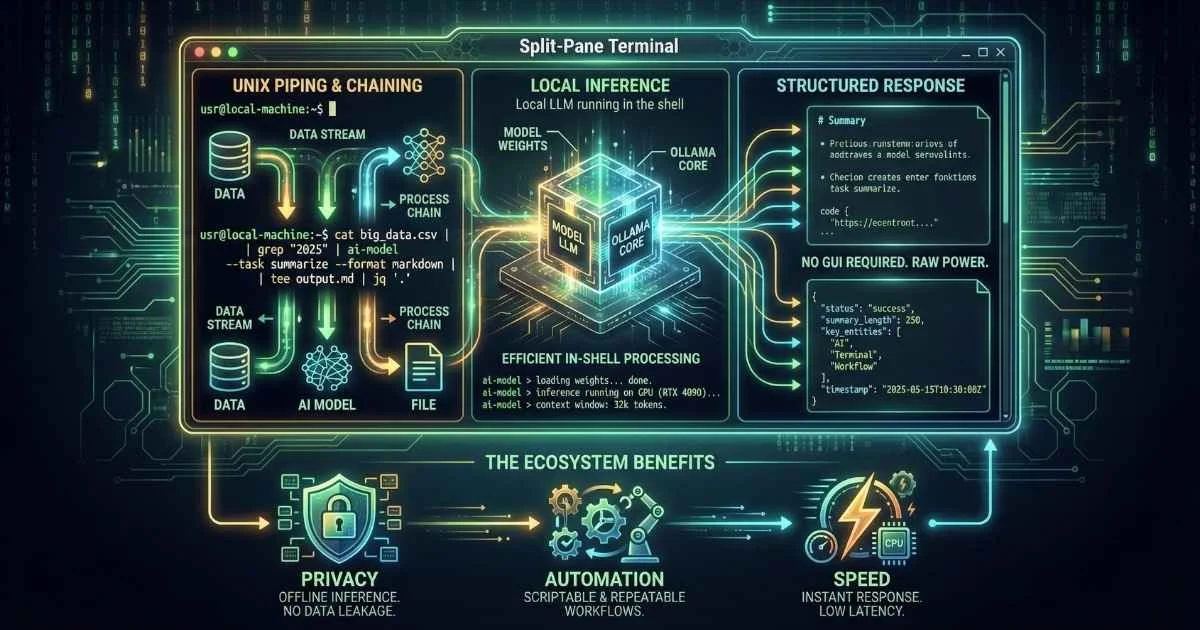
The Command Line Renaissance
For decades, the command line interface (CLI) has been the domain of power users—fast, powerful, but unforgiving. The integration of AI into terminal environments has fundamentally altered this dynamic.
The terminal has evolved from a text input tool to an intelligent command center.
Modern AI-powered CLI tools like GitHub Copilot CLI, Aider, and Warp don’t just execute commands; they understand intent. They can debug cryptic error messages, generate complex shell scripts from natural language, and refactor code directly from the prompt. This shift is bringing the power of the terminal to a broader audience while supercharging the workflows of seasoned engineers.
This guide explores the top AI tools for the terminal, focusing on: That’s when I realized the terminal would never be the same.
We’re not talking about basic AI chat interfaces here. By December 2025, terminal-based AI has evolved into something far more powerful—agentic coding assistants that can read your codebase, write multi-file changes, run tests, debug failures, and commit code. All from your terminal.
In this guide, I’m going to show you the 11 most powerful CLI AI tools available today, how to set them up, and when to use each one. Whether you’re a terminal power user or just getting started with command-line AI, you’ll leave with practical knowledge you can apply immediately.
Data as of December 2025
What You’ll Learn
By the end of this article, you’ll understand:
- Why developers are moving AI to the terminal (hint: it’s not just about speed)
- The 11 best CLI AI tools for coding in December 2025
- How each tool works with installation guides and examples
- When to use which tool based on your needs and budget
- Practical workflows for debugging, code review, and automation
- Security best practices for API keys and sensitive code
- The future of terminal AI and what’s coming next
Let’s dive in.
Why Terminal-First AI Matters
Before we explore the tools, let’s understand why developers are increasingly preferring terminal-based AI over browser-based chat interfaces.
The Context-Switching Problem
Every time you alt-tab from your editor to ChatGPT, copy code, paste it, wait for a response, copy the answer, and paste it back—you’re breaking your flow.
Think of it like cooking: Imagine if every time you needed a recipe, you had to leave your kitchen, walk to the library, find the book, memorize the instructions, and walk back. That’s what copy-pasting between browser AI and your terminal feels like.
Research from the University of California, Irvine found it takes an average of 23 minutes and 15 seconds to fully refocus after context-switching (Source: UCI Research). For developers, this compounds throughout the day.
Terminal AI eliminates this entirely. You stay in the same environment, type a command, get your answer, and keep working. No alt-tab, no copy-paste, no breaking your mental model of what you’re building.
The File Access Advantage
Browser-based AI can only see what you paste. It’s like asking a mechanic to fix your car by describing the engine noise over the phone.
Terminal AI tools can:
- Read your entire codebase (some with 1 million+ token context—equivalent to ~750,000 words or about 15 novels)
- Understand project structure, dependencies, and conventions
- Make changes across multiple files simultaneously
- Run tests and verify their own work
- Commit changes with meaningful messages
This isn’t just convenient—it produces dramatically better results because the AI has real context instead of fragments you paste in.
💡 Try This Now: If you have any CLI AI tool installed (we’ll show you how later), try this comparison:
- Open ChatGPT and describe an error you’re seeing
- Then try:
gemini "explain this error: $(cat error.log)"Notice how the terminal version gives more accurate, actionable advice because it sees the actual error, not your description of it.
The Agentic Revolution: What “Agentic” Actually Means
Here’s what really changed in 2025: terminal AI tools became agentic.
What does “agentic” mean? Think of the difference between:
- Traditional AI assistant: Like a very smart intern who can answer questions and write code snippets, but you have to apply everything yourself
- Agentic AI: Like a senior developer who can take a task, break it down into steps, execute the plan, test it, fix issues, and come back with a working solution for your review
For a deeper dive into agentic AI, see the AI Agents guide.
%%{init: {'theme': 'base', 'themeVariables': { 'primaryColor': '#4f46e5', 'primaryTextColor': '#ffffff', 'primaryBorderColor': '#3730a3', 'lineColor': '#6366f1', 'fontSize': '14px' }}}%%
flowchart LR
    A["You: Add user auth"] --> B["AI Plans Approach"]
    B --> C["Creates Files"]
    C --> D["Writes Code"]
    D --> E["Runs Tests"]
    E --> F{Tests Pass?}
    F -->|No| G["Debugs & Fixes"]
    G --> E
    F -->|Yes| H["Commits Changes"]
    H --> I["Done! ✓"]
The practical difference:
| Traditional AI Chat | Agentic CLI Tool |
|---|---|
| ”Here’s some code, copy-paste it." | "I’ve analyzed your codebase, created the auth module, updated your routes, ran the tests, fixed two bugs, and committed with the message ‘Add JWT authentication’. Here’s a summary of all changes.” |
| You do all the work | AI does the work, you review |
| One file at a time | Multi-file, multi-step operations |
| Stateless between prompts | Remembers project context |
That’s not autocomplete. That’s a coding partner.
How much faster is it? According to GitHub’s research, developers using AI coding assistants complete tasks 55% faster on average, with some developers keeping 88% of AI-generated code in their final submissions (Source: GitHub Blog, 2025).
The Terminal AI Landscape: Understanding Your Options
With so many tools available, it helps to understand how they’re categorized.
CLI AI Tool Categories (December 2025)
Source: CLI AI tools market analysis, December 2025
Categories of CLI AI Tools
| Category | What It Does | Best Tools | Users/Adoption |
|---|---|---|---|
| Agentic Coding CLIs | Autonomous code planning, writing, testing, debugging | Claude Code, Gemini CLI, DROID CLI, Cline CLI, Codex CLI | Growing rapidly (Cline: 4,704% YoY contributor growth) |
| AI Pair Programming | Git-native, interactive coding with diff previews | Aider | 500K+ downloads |
| Shell Command Assistants | Generate and explain shell commands | GitHub Copilot CLI, Shell-GPT | 20M+ (Copilot ecosystem) |
| Cloud Platform CLIs | AI for cloud infrastructure and DevOps | Amazon Q/Kiro CLI | Part of AWS ecosystem |
| AI-Native Terminals | Complete terminal replacement with built-in AI | Warp Terminal | 5M+ users |
| Universal LLM Access | Composable CLI for any LLM provider | llm (Simon Willison) | Popular among power users |
Sources: GitHub Octoverse 2025, GitHub Blog July 2025
The December 2025 AI Models Powering These Tools
Behind every CLI tool is a powerful language model. Here’s what you need to know about the models these tools use:
| Model | Provider | Context Window | Key Strengths |
|---|---|---|---|
| GPT-5.2 | OpenAI | 128K tokens | Fast, versatile, optimized for professional knowledge work |
| GPT-5.2-Codex | OpenAI | 128K tokens | Specialized for agentic coding, long-term projects, Windows support |
| Claude Opus 4.5 | Anthropic | 200K tokens | Best for complex coding, subagent orchestration |
| Claude Sonnet 4.5 | Anthropic | 200K tokens | Balance of speed and capability for daily tasks |
| Gemini 3 Pro | 1M-2M tokens | Largest context, advanced multimodal capabilities | |
| Gemini 3 Flash | 1M tokens | Lower latency, cost-efficient for high-frequency tasks | |
| Devstral 2 | Mistral | Variable | Strong open-weights option for agentic coding |
What’s a “token”? Roughly 4 characters or 0.75 words. So 1 million tokens ≈ 750,000 words—enough to fit an entire large codebase in a single prompt.
Many tools now let you switch between models mid-conversation, giving you the best of each. For example, you might use Gemini for understanding a massive codebase, then switch to Claude for complex code generation. For help understanding tokens and context windows, see the Tokens, Context Windows & Parameters guide.
The 11 Best CLI AI Tools (December 2025)
Now let’s explore each tool in detail. I’ve organized them from most powerful (agentic) to simplest (quick commands).
1. Gemini CLI - Google’s Free Powerhouse
If you want maximum power for zero cost, Gemini CLI is hard to beat. Google released it in June 2025 as an open-source project, and it’s quickly become a developer favorite due to its unique combination of massive context windows and generous free tier. December 2025 brought Gemini 3 Flash for faster, lower-latency responses.
Why Gemini CLI Stands Out
| Feature | What It Means For You |
|---|---|
| 1M-2M token context | Analyze your entire codebase (~750,000 words) in a single prompt |
| Gemini 3 Flash | Faster responses with lower latency for high-frequency tasks (Dec 2025) |
| 1,000 free requests/day | That’s about one request every minute during work hours—completely free |
| Open source | You can see exactly what it does; no black box |
| Web search built-in | Get real-time answers about new APIs, package updates, etc. |
| GEMINI.md support | Add persistent project context that loads automatically |
| Policy Engine | Fine-grained control over tool permissions (Dec 2025) |
Source: Google Developer Blog, Gemini CLI GitHub
Understanding the 1 Million Token Context Window
Why does this matter? Imagine you’re debugging an issue that spans multiple files. With most AI tools, you’d need to manually paste relevant code snippets. With Gemini CLI’s 1M+ token context:
- A 100,000-line codebase can fit entirely in context (~400K tokens)
- All your dependencies, configs, and test files can be analyzed together
- The AI sees the full picture, not just fragments
Real-world example: “Why is my authentication breaking after the database migration?” With 1M tokens, Gemini can analyze your auth module, database schema, migration files, and related tests simultaneously to find the root cause.
Installation
# Install via npm
npm install -g @google/gemini-cli

# Authenticate with Google account
gemini auth login
Key Commands You’ll Use Daily
| Command | Purpose |
|---|---|
gemini "question" | Ask anything, get instant answers |
gemini @file.ts "question about this" | Include specific files in context |
/clear | Reset conversation context |
/compress | Reduce context size when it gets large |
gemini --headless "task" | For scripts and automation |
Example Usage
# Explain and fix an error (pipes actual log content)
gemini "explain this error: $(cat error.log) and suggest a fix"

# Refactor with full context
gemini "refactor src/auth.js to use async/await instead of callbacks"

# Generate tests (Gemini reads the file automatically)
gemini "write comprehensive tests for utils/parser.ts"

# Understand a new codebase (first thing I do when joining a new project)
gemini "how does the authentication flow work in this repo?"

# Get real-time info (web search built-in)
gemini "what's the latest version of react-router and how do I migrate from v5?"
💡 Try This Now: Install Gemini CLI and try your first command:
npm install -g @google/gemini-cli
gemini auth login
gemini "explain what this command does: find . -name '*.log' -mtime +7 -delete"
Strengths and Limitations
| Strengths | Limitations |
|---|---|
| ✅ 1M-2M token context (industry-leading) | ❌ Requires Google account |
| ✅ Gemini 3 Flash for faster responses | ❌ Less mature than Claude Code for agentic tasks |
| ✅ Extremely generous free tier (1000 req/day) | ❌ Occasional response inconsistency |
| ✅ Open-source and transparent | ❌ Limited offline capability |
| ✅ Policy Engine for granular permissions | ❌ Fewer integrations than Copilot |
| ✅ Active community, rapid development |
💡 Pro tip: Create a
GEMINI.mdfile in your project root with custom instructions. Gemini will automatically include these in every request—perfect for project-specific coding standards or context.
December 2025 Updates
Recent releases (v0.20.0 - v0.21.0) brought significant improvements:
| Update | Description |
|---|---|
| Gemini 3 Flash | Faster model optimized for high-frequency development tasks |
| Policy Engine | Fine-grained policy creation for tool calls, replacing legacy confirmation settings |
| Agent Support | Remote agents, multi-agent TOML configurations, tiered discovery |
| Hook Enhancements | STOP_EXECUTION decision handling for better workflow control |
| Tool Input Modification | Greater flexibility in how tools interact within the CLI |
| Interactive Shell | ”Click-to-Focus” feature and loading indicators |
2. Claude Code CLI - The Agentic Powerhouse
If you’re willing to pay for the best agentic coding experience, Claude Code is the gold standard. Powered by Claude Opus 4.5 and Sonnet 4.5 by default—with enhanced agentic behaviors and Subagents introduced in late 2025—it can autonomously complete complex, multi-file tasks with unprecedented capability.
Why It’s Different
While other tools suggest code, Claude Code executes plans. Give it a task, and it will:
- Analyze your codebase structure
- Plan an approach
- Create and modify files
- Run tests
- Debug and iterate
- Commit changes
- Summarize what it did
This is what “agentic” really means.
Installation
# Install globally via npm
npm install -g @anthropic/claude-code

# Set API key or sign in
export ANTHROPIC_API_KEY="your-key"
# OR
claude auth login
The Agentic Workflow
%%{init: {'theme': 'base', 'themeVariables': { 'primaryColor': '#4f46e5', 'primaryTextColor': '#ffffff', 'primaryBorderColor': '#3730a3', 'lineColor': '#6366f1', 'fontSize': '14px' }}}%%
flowchart TB
    A["You describe what you want"] --> B["Claude analyzes codebase"]
    B --> C["Creates execution plan"]
    C --> D["Implements changes"]
    D --> E["Runs tests/linting"]
    E --> F{Issues found?}
    F -->|Yes| G["Debugs autonomously"]
    G --> E
    F -->|No| H["Commits with message"]
    H --> I["Provides summary"]
Example: A Real Agentic Task
claude "add user authentication with JWT to this Express app"Claude Code will:
- Analyze your existing project structure
- Install required packages (
jsonwebtoken,bcrypt) - Create auth middleware, routes, and controllers
- Update existing routes to use authentication
- Generate tests for the new functionality
- Run tests and fix any failures
- Provide a summary of all changes
That’s 30+ minutes of work completed in a few minutes.
Strengths and Limitations
| Strengths | Limitations |
|---|---|
| ✅ Most capable coding model | ❌ Costs money (API usage) |
| ✅ True autonomous execution with subagents | ❌ Can be slow for complex tasks |
| ✅ Excellent error recovery | ❌ Internet connection required |
| ✅ Skills as Open Standard | ❌ Learning curve for agentic mode |
| ✅ LSP integration for code intelligence | ❌ Sometimes over-engineers solutions |
| ✅ 200K token context |
December 2025: Subagents, Skills & More
Claude Code v2.0.70+ brought transformative updates:
| Feature | Description |
|---|---|
| Subagents | Create specialized AI agents with their own instructions, context windows, and tool permissions—like an “AI coding team” |
| Skills as Open Standard | Anthropic made Skills portable across platforms with a partner directory (Notion, Canva, Figma, Atlassian) |
| LSP Integration | Code intelligence: go-to-definition, find references, hover documentation |
| Named Sessions | Resume and rename conversation sessions for better context management |
| Wildcard MCP Permissions | Fine-grained control over tool access patterns via v2.0.70 |
| Terminal Support | Now works with Kitty, Alacritty, Zed, and Warp terminals |
| Syntax-Highlighted Diffs | Better visualization of code changes |
claude-code-transcripts | New Python CLI tool to convert transcripts to HTML for sharing |
3. Aider - Open-Source AI Pair Programming
If you want the power of agentic AI without vendor lock-in, Aider is the answer. It’s completely open-source, works with any LLM (including local models), and has deep Git integration that developers love.
Why Developers Love Aider
- Model flexibility - Use GPT-5.1/5.2, Claude Opus 4/Sonnet 4, Gemini 2.5, DeepSeek, Grok, or local models via Ollama
- Git-native - Every AI change is automatically committed with a descriptive message
- Diff-first - You see exactly what will change before it’s applied
- Voice mode - Dictate changes with
/voicecommand - Chat modes -
codefor editing,architectfor planning,askfor questions - Free - Only pay for the API you use (or nothing with local models)
Installation
# Install via pip
pip install aider-chat

# Configure your preferred model
export ANTHROPIC_API_KEY="your-key"  # For Claude
# OR
export OPENAI_API_KEY="your-key"     # For GPT
# OR use Ollama for local models (no API key needed)

# Start in your project
cd your-project
aider
The Git-Native Workflow
%%{init: {'theme': 'base', 'themeVariables': { 'primaryColor': '#4f46e5', 'primaryTextColor': '#ffffff', 'primaryBorderColor': '#3730a3', 'lineColor': '#6366f1', 'fontSize': '14px' }}}%%
flowchart TB
    A["You request a change"] --> B["Aider analyzes files"]
    B --> C["Generates code changes"]
    C --> D["Shows diff preview"]
    D --> E{You approve?}
    E -->|Yes| F["Applies changes"]
    F --> G["Auto git commit"]
    E -->|No| H["Refine request"]
    H --> B
Essential Commands
| Command | Function |
|---|---|
/add <file> | Add file to AI context |
/drop <file> | Remove file from context |
/undo | Revert last AI commit |
/diff | Show recent changes |
/run <cmd> | Execute shell command |
/model <name> | Switch LLM provider |
/voice | Enter voice input mode |
Example Session
$ cd my-express-app
$ aider

> /add src/routes/*.js
> Add rate limiting to all API endpoints

# Aider shows a diff preview:
# + import rateLimit from 'express-rate-limit';
# + const limiter = rateLimit({ windowMs: 15 * 60 * 1000, max: 100 });
# + app.use('/api', limiter);

# You approve, Aider applies changes and commits:
# "Add rate limiting middleware to API routes"
Strengths and Limitations
| Strengths | Limitations |
|---|---|
| ✅ Completely free and open-source | ❌ Requires API key setup |
| ✅ Works with any LLM | ❌ No built-in model (BYOK) |
| ✅ Excellent Git integration | ❌ CLI-only, no GUI |
| ✅ Privacy with local models | ❌ Learning curve for new users |
| ✅ Voice input support | ❌ Less polished than commercial tools |
💡 Pro tip: Combine Aider with Ollama to get completely free, private AI pair programming. Just install Ollama, download a coding model like
codellama, and runaider --model ollama/codellama. For a complete guide to running models locally, see the Running LLMs Locally guide.
4. DROID CLI (Factory AI) - Enterprise Agentic Assistant
DROID CLI from Factory AI takes a unique approach: specialized AI agents (“droids”) for different development roles. It’s particularly powerful for teams and enterprise environments. December 2025 enabled Custom Droids by default for all users.
The Specialized Droids
| Droid Type | Purpose | Best For |
|---|---|---|
| Code Droid | Feature development | Implementing new features, refactoring |
| Knowledge Droid | Research & documentation | Querying docs, generating specs |
| Reliability Droid | Incident management | Debugging production issues |
| Product Droid | Backlog management | Prioritizing tasks, writing stories |
Installation
# Install DROID CLI
npm install -g @factory-ai/droid-cli

# Authenticate
droid auth login
Key Capabilities
What makes DROID special:
- Contextual memory - Maintains context across sessions and tools
- Organizational knowledge - Understands patterns across your entire codebase
- Headless mode - Integrate with CI/CD pipelines
- Custom droids - Create specialized agents for your workflow
- Top benchmark performance - Consistently ranks among best coding agents
Example Usage
# Interactive session with Code Droid
droid code "implement OAuth2 login flow for our REST API"

# Knowledge Droid for research
droid knowledge "explain our authentication architecture and suggest improvements"

# Headless mode for CI/CD
droid --headless "run security audit on this PR"
Strengths and Limitations
| Strengths | Limitations |
|---|---|
| ✅ Specialized agents for different roles | ❌ Enterprise pricing for full features |
| ✅ Custom Droids (now default for all users) | ❌ Newer tool, smaller community |
| ✅ Deep organizational context | ❌ Requires Factory AI account |
| ✅ CI/CD integration | ❌ More complex setup |
| ✅ Model-agnostic (GPT-5.2, Claude) | ❌ Primarily team-focused |
| ✅ Top benchmark performance |
December 2025 Updates
DROID CLI v0.37.0 - v0.39.0 brought significant improvements:
| Update | Description |
|---|---|
| Custom Droids | Now enabled by default for all users—create specialized agents for your workflow |
| GPT-5.2 Support | Latest model integration with optimized reasoning (v0.37.0) |
| Token Usage Indicator | New “Context utilization setting” shows real-time token consumption |
| MCP Tool Controls | Enable/disable individual tools per MCP server for fine-grained control |
For a complete explanation of the Model Context Protocol, see the MCP Introduction guide. | Chrome DevTools Protocol | Added to MCP server for browser automation capabilities | | Non-Git Directories | Works in directories without Git initialization (uses CWD as project dir) | | Grok BYOK Fix | Fixed crash issues when using Grok models with thinking/reasoning streams |
5. Kiro CLI (formerly Amazon Q Developer) - AWS-Native AI
If you work with AWS, Kiro CLI is your best friend. Originally Amazon Q Developer CLI, it reached General Availability on November 17, 2025 and was auto-upgraded for existing users on November 24th. It’s deeply integrated with AWS services and speaks fluent cloud infrastructure.
What Makes It Special
- Native AWS integration - Create EC2 instances, debug Lambda, manage S3
- Spec-driven development - Translate prompts into specifications, code, docs, and tests
- MCP support - Model Context Protocol for external tools
- Expanded authentication - GitHub, Gmail, BuilderId, IAM Identity Center
- Custom agents - Create and deploy specialized agents for your workflows
- Smart hooks - Pre/post command automation
- Agent steering - Guide agents with your development best practices
Installation
# Install Kiro CLI (standalone)
curl -fsSL https://kiro.dev/install.sh | sh

# Authenticate (expanded options)
kiro-cli auth login  # Supports GitHub, Gmail, BuilderId, IAM Identity Center

# Or if you have AWS CLI and want the legacy command
aws q install
q auth login  # Still works for backward compatibility
💡 Migration Note: If you were using Amazon Q Developer CLI, your workflows, subscriptions, and authentication continue to work. The primary entry point is now
kiro-cliinstead ofqorq chat.
Built-in Tools
| Tool | Function |
|---|---|
fs_read | Read files, directories, images |
fs_write | Create and edit files |
execute_bash | Run shell commands |
use_aws | Make AWS CLI API calls |
knowledge | Store/retrieve session info |
Example Usage
# AWS infrastructure help (using new kiro-cli command)
kiro-cli chat "create an auto-scaling ECS cluster with Fargate"

# Debug Lambda function
kiro-cli "why is my Lambda timing out?" --context lambda-logs.txt

# Security review
kiro-cli "review this IAM policy for security issues" < policy.json

# Resume previous conversation (directory-based persistence)
kiro-cli chat --resume

# Use @workspace for full context
kiro-cli "@workspace explain the authentication flow"
Strengths and Limitations
| Strengths | Limitations |
|---|---|
| ✅ Native AWS integration | ❌ AWS ecosystem focus |
| ✅ Now GA with Kiro CLI | ❌ Requires AWS or Kiro account |
| ✅ Expanded authentication options | ❌ Less useful outside AWS |
| ✅ MCP standard support | ❌ Command transition from q to kiro-cli |
| ✅ Custom agents and steering | ❌ Steeper learning curve |
| ✅ Subscription compatibility (Q Pro & Kiro plans) |
6. Cline CLI - Open-Source Autonomous Agent
Cline was the fastest-growing AI open-source project of 2025, with an astonishing 4,704% year-over-year contributor growth according to GitHub’s Octoverse report. It was also the second fastest-growing project overall on GitHub. Originally a VS Code extension, the CLI version brings those autonomous capabilities to the terminal.
Why Cline is Exploding in Popularity
| Feature | Why Developers Love It |
|---|---|
| Completely open-source | No vendor lock-in, community-driven development |
| Model-agnostic | Use Claude, GPT-5.2, Gemini, Devstral 2, or local models |
| Parallel agents | Run multiple AI agents simultaneously on different tasks |
| Explain Changes | Understand AI-generated code before it’s applied (v3.39+) |
| Hooks system | Inject custom logic to validate and influence AI decisions |
| IDE integration | Seamlessly transfer context between CLI and VS Code |
| Plan & Act modes | The AI explains its plan before executing—you stay in control |
What Makes Cline Different from Claude Code?
Think of it this way:
- Claude Code is like Apple—polished, integrated, but you’re in their ecosystem
- Cline is like Android—open, flexible, and you can customize everything
Cline uses the same powerful models (including Claude via API) but gives you complete transparency and control over the agent’s behavior.
Installation
# Install via npm
npm install -g @cline/cli

# Set your API key (works with any provider)
export ANTHROPIC_API_KEY="your-key"  # For Claude
# OR
export OPENAI_API_KEY="your-key"     # For GPT

# Start Cline
cline
Unique Capabilities
Cline’s architecture is special:
- Same agentic backend as the VS Code extension (now with 3M+ installs)
- Context transfers between CLI, VS Code, JetBrains, and CI/CD pipelines
For a comparison of AI-powered development environments, see the AI-Powered IDEs guide.
- “Explain Changes” feature (v3.39) shows what will happen before it does
- Spawn subagents for parallel work (e.g., one tests, one documents)
- Diff preview before any file modifications
- Checkpoint management creates granular checkpoints via shadow Git repository
- YOLO Mode for fully autonomous headless operation
Example Usage
# Start autonomous agent (it will plan, then execute)
cline "refactor this Express app to use TypeScript"

# Parallel agents for different tasks (background processes)
cline --agent "write tests" &
cline --agent "update documentation" &

# Headless mode for CI/CD pipelines
cline --headless "lint and fix all TypeScript files"

# Transfer session to VS Code (continue in GUI)
cline --transfer-to-vscode
Strengths and Limitations
| Strengths | Limitations |
|---|---|
| ✅ 4,704% YoY growth (fastest-growing AI OSS) | ❌ CLI still in preview (Dec 2025) |
| ✅ Completely open-source and transparent | ❌ Windows CLI not yet fully supported |
| ✅ Model-agnostic (GPT-5.2, Devstral 2, any LLM) | ❌ Requires your own API key (BYOK) |
| ✅ Parallel agent execution | ❌ Less polished UX than Claude Code |
| ✅ Hooks for custom workflow logic | ❌ Smaller community than Copilot |
| ✅ Seamless VS Code integration |
December 2025 Updates
Cline v3.39 - v3.41 brought major improvements:
| Version | Feature |
|---|---|
| v3.41 | GPT-5.2 and Devstral 2 model integration with ergonomic model switching |
| v3.39 | ”Explain Changes” helps understand AI-generated code before deployment |
| v3.36 | ”Hooks” system to inject custom logic, validate operations, monitor usage |
| v3.35 | Native tool calling for reduced errors and parallel execution |
7. GitHub Copilot CLI - Shell Command Mastery
If you’re already in the GitHub ecosystem, Copilot CLI extends Copilot’s capabilities to the command line. It’s especially good for Git operations and shell command generation.
Installation
# Install GitHub CLI first
brew install gh

# Install Copilot extension
gh extension install github/gh-copilot

# Authenticate
gh auth login
Key Features
gh copilot suggest- Generate shell commands from natural languagegh copilot explain- Explain complex commands in plain English- Agent Mode - Delegate tasks with autonomous execution
- Multi-model - Switch between GPT-5.2, Claude, Gemini
- MCP Registry - Browse, install, and manage MCP servers (Dec 2025)
- CVE Remediator - Subagent that detects and fixes security vulnerabilities
Example Usage
# Suggest a command
$ gh copilot suggest "find all .log files larger than 100MB"
# Output: find . -name "*.log" -size +100M

# Explain a command
$ gh copilot explain "tar -czvf archive.tar.gz --exclude='*.tmp' /source"
# Output: Detailed breakdown of each flag

# Git operations
$ gh copilot suggest "squash my last 5 commits"
# Output: git rebase -i HEAD~5

# Resume remote session locally (Dec 2025)
$ gh copilot --resume

# View token usage (Dec 2025)
$ gh copilot /context
December 2025 Updates
| Feature | Description |
|---|---|
| GPT-5.2 Model | Latest model for improved code generation (~Dec 11) |
| GPT-5.1-Codex-Max | Faster, more intelligent, token-efficient (public preview) |
| MCP Registry | Browse, install, and manage MCP servers with allowlist controls |
| CVE Remediator | Subagent that detects and fixes security vulnerabilities in dependencies |
/context command | Visualize token usage in conversations |
--resume flag | Continue remote sessions locally |
| Tab completion | Path arguments in /cwd and /add-dir slash commands |
| Copilot Spaces | Can now be enabled via GitHub MCP Server |
8. OpenAI Codex CLI - The Official GPT Terminal
Codex CLI is OpenAI’s official terminal tool, now powered by GPT-5.2-Codex (released December 11, 2025)—optimized for agentic coding, long-term projects, and improved Windows support. The Agent Skills framework makes it highly customizable.
Installation
npm install -g @openai/codex-cli
export OPENAI_API_KEY="your-key"
# Or sign in with ChatGPT account
codex auth login
The Agent Skills Framework
Agent Skills are now enabled by default in December 2025. Define custom AI capabilities using SKILL.md files:
<!-- .codex/skills/deploy.md -->
# Deploy Skill

## Description
Handles production deployments to Vercel with pre-flight checks.

## Instructions
When asked to deploy, follow these steps:
1. Run tests with npm test
2. Build with npm run build
3. Deploy to Vercel with vercel --prod

## Resources
- package.json
- vercel.json
Skills can be invoked explicitly (via slash command or mention) or implicitly when Codex identifies matching tasks.
December 2025 Updates
| Update | Description |
|---|---|
| GPT-5.2-Codex | Optimized for agentic coding, long-term projects, better Windows support |
| GPT-5.1-Codex-Max | Faster, more intelligent, token-efficient (API access) |
| Agent Skills Default | Skills feature now enabled by default |
| Partner Directory | Pre-built skills from Notion, Canva, Figma, Atlassian |
| Multiple Releases | Versions 0.69.0 - 0.77.0 released throughout December |
| Security Patch | CVE-2025-61260 disclosed (fixed in v0.23.0+) |
9. Warp Terminal - The AI-Native Terminal
Warp isn’t a CLI tool you install—it’s a complete terminal replacement with AI built in. In June 2025, Warp 2.0 launched as the first “Agentic Development Environment,” and late 2025 brought Agents 3.0 with “Full Terminal Use”—enabling AI to interact with the terminal like a human.
Why It’s Different
- Block-based UI - Commands and outputs organized visually
- AI inline - Type questions directly in the terminal
- Agents 3.0 - AI can interact with REPLs, debuggers, SSH sessions, full-screen apps
/plancommand - Spec-driven development with detailed implementation plans- Warp Drive - Save and share parameterized commands
- Custom models - Use
--modelflag to specify models for agents
Installation
Download from warp.dev (macOS, Linux). Windows coming soon.
Agent Mode Example
# Launch an agent with a goal
warp agent "Set up a Python Flask API with PostgreSQL and Docker"

# Agent will:
# 1. Plan the implementation
# 2. Create project structure
# 3. Generate code files
# 4. Write docker-compose.yml
# 5. Test the setup
# 6. Report completion

# Use /plan for spec-driven development
warp /plan "migrate from Express to Fastify"

# Access conversation history
warp /conversations
December 2025 Updates
| Feature | Description |
|---|---|
| Agents 3.0 “Full Terminal Use” | AI can interact with the terminal like a human—REPLs, debuggers, full-screen apps |
/plan Command | Spec-driven development with detailed implementation plans |
| Custom Model Support | Use --model flag to specify models for agents and integrations |
| MCP Server Configuration | Configure MCP servers within integrations for team sharing |
| Clipboard Images | Paste images directly into Agent Mode context (macOS) |
/conversations | Quick access to conversation history palette |
| Model Transparency | See which models are used in credit transparency footer |
10. llm by Simon Willison - The Universal CLI
llm (by Django co-creator Simon Willison) is a simple, composable CLI that works with any LLM. It follows the UNIX philosophy: do one thing well. The v0.28 release (December 12, 2025) added GPT-5.1/5.2 support.
Installation
pip install llm

# Install plugins for different providers
llm install llm-anthropic    # Claude
llm install llm-gemini       # Google
llm install llm-gpt4all      # Local models
Why Developers Love It
- Works with any LLM provider (GPT-5.1/5.2, Claude, Gemini, local models)
- Follows UNIX philosophy—pipes and redirects work perfectly
- SQLite logging for analysis and replay
- Embeddings for semantic search
- Requires Python 3.10+ (as of v0.28)
Example Usage
# Simple prompt
llm "Explain Docker networking in 3 sentences"

# Pipe content
cat error.log | llm "What caused this crash?"

# Specific model (updated for Dec 2025)
llm -m gpt-5.2 "Review this code" < script.py
# OR
llm -m claude-4-sonnet "Review this code" < script.py

# Image analysis
llm "What's in this image?" -a photo.jpg
December 2025: v0.28 Update
| Update | Description |
|---|---|
| GPT-5.1 & GPT-5.2 | Full support for latest OpenAI models |
| Python 3.10+ | Minimum version requirement updated |
| Custom User-Agent | Cleaner URL fetching with llm/VERSION header |
| Bug Fixes | Fragment registration, file descriptor leaks resolved |
11. Shell-GPT (sgpt) - Quick and Simple
Shell-GPT is the simplest tool on this list—and sometimes simple is exactly what you need.
Installation
pip install shell-gpt
export OPENAI_API_KEY="your-key"
Usage
# Generate and run a command
sgpt --shell "list all docker containers sorted by memory"

# Code generation
sgpt --code "python function to merge two sorted arrays"

# Quick question
sgpt "What's the difference between git merge and rebase?"
Choosing the Right Tool: A Decision Framework
With 11 tools to choose from, how do you decide? Here’s my practical framework:
🎯 Quick Tool Finder
Select your priorities to get a personalized recommendation:
Quick Decision Guide
%%{init: {'theme': 'base', 'themeVariables': { 'primaryColor': '#4f46e5', 'primaryTextColor': '#ffffff', 'primaryBorderColor': '#3730a3', 'lineColor': '#6366f1', 'fontSize': '14px' }}}%%
flowchart TD
    A["What do you need?"] --> B{Complex multi-file?}
    B -->|Yes| C{Budget?}
    C -->|Free| D["Gemini CLI or Cline"]
    C -->|Paid OK| E["Claude Code or DROID"]
    B -->|No| F{AWS focus?}
    F -->|Yes| G["Amazon Q/Kiro CLI"]
    F -->|No| H{Quick commands?}
    H -->|Yes| I["Shell-GPT or Copilot CLI"]
    H -->|No| J{Open-source priority?}
    J -->|Yes| K["Aider + Ollama"]
    J -->|No| L["Warp Terminal"]
My Recommended Stacks
| Developer Type | Primary Tool | Secondary | Why |
|---|---|---|---|
| Budget-Conscious | Gemini CLI | Aider + Ollama | Free tiers + local models |
| Power Developer | Claude Code | Warp Terminal | Best agentic + best UX |
| Privacy-First | Aider + Ollama | llm | 100% local, no data sent |
| AWS Developer | Amazon Q/Kiro | Claude Code | Cloud native + general coding |
| Open-Source Advocate | Aider | Cline CLI | Transparent, community-driven |
| Enterprise Team | DROID CLI | Copilot CLI | Specialized droids + GitHub |
Monthly Cost Comparison
Typical monthly costs for individual developers (December 2025)
Note: API-based tools depend on usage volume. Enterprise pricing varies.
CLI AI Tool Feature Comparison
| Tool | Multi-file | Git | Agentic | Local | Free | OSS |
|---|---|---|---|---|---|---|
| Gemini CLI | ✓ | ✓ | ✓ | ✗ | ✓ | ✓ |
| Claude Code | ✓ | ✓ | ✓ | ✗ | ✗ | ✗ |
| Aider | ✓ | ✓ | ✗ | ✓ | ✓ | ✓ |
| DROID CLI | ✓ | ✓ | ✓ | ✗ | ✓ | ✗ |
| Cline CLI | ✓ | ✓ | ✓ | ✓ | ✓ | ✓ |
| Copilot CLI | ✗ | ✓ | ✓ | ✗ | ✗ | ✗ |
| Codex CLI | ✓ | ✗ | ✓ | ✗ | ✗ | ✓ |
| Amazon Q/Kiro | ✓ | ✓ | ✓ | ✗ | ✓ | ✗ |
| Warp | ✗ | ✗ | ✓ | ✗ | ✓ | ✗ |
| llm | ✗ | ✗ | ✗ | ✓ | ✓ | ✓ |
| Shell-GPT | ✗ | ✗ | ✗ | ✗ | ✓ | ✓ |
Feature availability as of December 2025. Features may vary by plan.
CLI AI for Specific Use Cases
Different developer roles have different needs. Here’s how to get the most out of CLI AI tools for your specific work.
For Backend Developers
Backend developers often work with APIs, databases, and server-side logic. Here’s how CLI AI can help:
| Task | Best Tool | Example Command |
|---|---|---|
| API endpoint design | Claude Code | claude "design RESTful endpoints for a user management system" |
| Database migrations | Aider | aider "create a migration to add user preferences table" |
| Error debugging | Gemini CLI | gemini "@server.log explain these 500 errors and suggest fixes" |
| Performance optimization | Claude Code | claude "profile this API endpoint and optimize for latency" |
| Test generation | Cline CLI | cline "generate integration tests for the auth middleware" |
Backend-Specific Workflow:
# 1. Generate API scaffolding
claude "create Express routes for CRUD operations on products with validation"

# 2. Add database layer
aider "add Prisma models for products with categories relationship"

# 3. Generate tests
gemini "write comprehensive tests for the product API"

# 4. Document the API
claude "generate OpenAPI 3.0 spec for the product endpoints"
For Frontend Developers
Frontend developers work with components, state management, and user interfaces.
| Task | Best Tool | Example Command |
|---|---|---|
| Component generation | Claude Code | claude "create a responsive data table component with sorting" |
| CSS debugging | Gemini CLI | gemini "@styles.css why is my flexbox layout breaking?" |
| State management | Aider | aider "refactor this useState to use Zustand" |
| Accessibility fixes | Cline CLI | cline "audit this component for WCAG 2.1 compliance" |
| TypeScript migration | Claude Code | claude "convert this JS component to TypeScript with proper types" |
Frontend-Specific Workflow:
# 1. Create component structure
claude "create a React component for a multi-step form wizard"

# 2. Add styling
gemini "add Tailwind CSS classes for responsive design"

# 3. Add accessibility
cline "add ARIA labels and keyboard navigation"

# 4. Write tests
aider "add React Testing Library tests for this component"
For DevOps Engineers
DevOps engineers manage infrastructure, CI/CD pipelines, and deployment automation.
| Task | Best Tool | Example Command |
|---|---|---|
| Terraform/IaC | Kiro CLI | kiro-cli "create Terraform for auto-scaling ECS cluster" |
| K8s troubleshooting | Gemini CLI | kubectl logs pod-name | gemini "diagnose this pod failure" |
| CI/CD pipelines | DROID CLI | droid code "add GitHub Actions workflow for staging deploy" |
| Docker optimization | llm | cat Dockerfile | llm "optimize this for production" |
| Security scanning | Copilot CLI | gh copilot suggest "scan this repo for exposed secrets" |
DevOps-Specific Workflow:
# 1. Generate infrastructure
kiro-cli "create AWS CDK stack for serverless API with DynamoDB"

# 2. Create CI/CD pipeline
droid code "add GitHub Actions for test, build, deploy to ECS"

# 3. Add monitoring
gemini "create CloudWatch alarms for API latency and error rates"

# 4. Document runbooks
claude "generate runbook for handling production incidents"
For Data Engineers
Data engineers work with pipelines, ETL processes, and data transformations.
| Task | Best Tool | Example Command |
|---|---|---|
| SQL optimization | Gemini CLI | gemini "optimize this slow query: $(cat query.sql)" |
| ETL scripts | Aider | aider "create Python ETL script for CSV to Postgres" |
| Data validation | Claude Code | claude "add Great Expectations tests for this dataset" |
| Pipeline debugging | llm | airflow logs task-id | llm "why did this DAG fail?" |
| Schema design | Claude Code | claude "design star schema for this e-commerce data" |
Data Engineering Workflow:
# 1. Design schema
claude "design normalized schema for customer transaction data"

# 2. Create ETL pipeline
aider "create Airflow DAG for daily data sync from S3 to Snowflake"

# 3. Add data quality checks
gemini "add dbt tests for data freshness and uniqueness"

# 4. Performance tune
gemini "$(cat slow_query.sql) optimize with proper indexing strategy"
For Security Engineers
Security engineers focus on vulnerability detection, compliance, and secure coding.
| Task | Best Tool | Example Command |
|---|---|---|
| Code security audit | DROID CLI | droid --headless "security audit this PR" |
| CVE remediation | Copilot CLI | Uses CVE Remediator subagent (Dec 2025) |
| IAM policy review | Kiro CLI | kiro-cli "review this IAM policy for least privilege" |
| Dependency scanning | Cline CLI | cline "scan package.json for vulnerable dependencies" |
| Compliance checks | Claude Code | claude "check this code for OWASP Top 10 vulnerabilities" |
💡 Pro Tip: For sensitive security work, use Aider with local Ollama models to ensure no code leaves your machine.
Complete Pricing & Cost Analysis
Understanding the true cost of CLI AI tools is crucial for budgeting—especially for teams.
Free Tier Comparison
| Tool | Free Tier | Daily Limit | Token Limit | Notes |
|---|---|---|---|---|
| Gemini CLI | ✅ Yes | 1,000 requests | 1M-2M tokens | Best free option; requires Google account |
| Aider | ✅ Yes (BYOK) | Unlimited | Per API | Pay only for API usage |
| Cline CLI | ✅ Yes (BYOK) | Unlimited | Per API | Open-source, bring your key |
| llm | ✅ Yes (BYOK) | Unlimited | Per API | Works with any provider |
| Shell-GPT | ✅ Yes (BYOK) | Unlimited | Per API | Simple, lightweight |
| Claude Code | ❌ No | - | - | API costs or Pro subscription |
| DROID CLI | ❌ No | - | - | Enterprise pricing |
| Warp Terminal | ⚠️ Limited | 100 AI requests | - | Free tier ends; AI features paid |
Paid Tier Comparison
| Tool | Price | What You Get |
|---|---|---|
| Claude Code | ~$20/month (Pro) or API usage | Access to Claude Opus 4.5, Sonnet 4.5, subagents |
| DROID CLI | Contact Sales | Enterprise features, custom droids, team management |
| Kiro CLI | $19/month (Pro) | Full AWS integration, custom agents, unlimited usage |
| Warp Terminal | $15/month | Unlimited AI requests, team features |
| GitHub Copilot | $10-19/month | Copilot CLI included with subscription |
API Cost Estimation
If you’re using BYOK (Bring Your Own Key), here’s what to expect:
| Model | Input Cost (1M tokens) | Output Cost (1M tokens) | Typical Daily Cost* |
|---|---|---|---|
| GPT-5.2 | $2.50 | $10.00 | $1-3/day |
| Claude Opus 4.5 | $15.00 | $75.00 | $3-8/day |
| Claude Sonnet 4.5 | $3.00 | $15.00 | $1-4/day |
| Gemini 3 Pro | $1.25 | $5.00 | $0.50-2/day |
| Gemini 3 Flash | $0.075 | $0.30 | $0.10-0.50/day |
*Based on ~50-100 AI interactions per day for active coding
Monthly Cost Scenarios
| Usage Level | Best Free Option | Best Paid Option | Monthly Cost |
|---|---|---|---|
| Light (10-20 requests/day) | Gemini CLI | - | $0 |
| Moderate (50-100 requests/day) | Gemini CLI + Aider (Gemini API) | Claude Code Pro | $0-20 |
| Heavy (200+ requests/day) | Aider + Ollama local | Claude Code + Gemini | $20-50 |
| Team (5 devs) | Aider + shared Ollama server | DROID CLI or Copilot Business | $50-250 |
Hidden Costs to Watch
| Hidden Cost | Description | How to Avoid |
|---|---|---|
| Token overages | Large context windows consume tokens fast | Use /compress in Gemini, limit file context |
| Premium model costs | Opus 4.5 is 5x more expensive than Sonnet | Use Sonnet for routine tasks, Opus for complex ones |
| Rate limit retries | Hitting limits can fragment tasks, increasing total usage | Add delays between requests, batch operations |
| Wasted context | Including irrelevant files in context | Use .aiignore to exclude node_modules, dist, etc. |
Cost-Saving Tips
- Use tiered models: Start with Gemini 3 Flash, escalate to Pro/Opus only when needed
- Local models for iteration: Use Ollama for rapid prototyping, cloud for final reviews
- Batch operations: Combine multiple requests into one when possible
- Context hygiene: Only include relevant files with
@filesyntax - Cache responses: Some tools cache; reuse responses for similar queries
Troubleshooting Common Issues
Encountering problems? Here are solutions to the most common issues with CLI AI tools.
Installation Problems
”Permission denied” When Installing Globally
Symptoms:
npm ERR! Error: EACCES: permission deniedSolutions:
# Option 1: Use npx instead of global install
npx @google/gemini-cli

# Option 2: Fix npm permissions (recommended)
mkdir ~/.npm-global
npm config set prefix '~/.npm-global'
echo 'export PATH=~/.npm-global/bin:$PATH' >> ~/.bashrc
source ~/.bashrc

# Option 3: Use nvm (Node Version Manager)
nvm install 20
nvm use 20
npm install -g @google/gemini-cli
Python Version Conflicts
Symptoms:
ERROR: This package requires Python 3.10+Solutions:
# Check Python version
python3 --version

# Install using pyenv
pyenv install 3.11
pyenv global 3.11
pip install aider-chat

# Or use pipx for isolated installs
pipx install aider-chat
API Key Authentication Failures
Symptoms:
Error: Invalid API key or authentication failedSolutions:
| Provider | Check This | Fix |
|---|---|---|
| OpenAI | Key starts with sk- | Regenerate at platform.openai.com |
| Anthropic | Key starts with sk-ant- | Check Console billing is active |
| OAuth vs API key | Use gemini auth login for OAuth |
# Verify environment variable is set
echo $OPENAI_API_KEY

# If empty, add to shell config
echo 'export OPENAI_API_KEY="sk-..."' >> ~/.zshrc
source ~/.zshrc
Runtime Issues
”Context Window Exceeded” Errors
Symptoms:
Error: Maximum context length exceededSolutions by Tool:
| Tool | Solution |
|---|---|
| Gemini CLI | Use /compress to reduce context, or /clear to reset |
| Claude Code | Split into smaller tasks, use named sessions |
| Aider | Use /drop to remove files, /clear for full reset |
| Cline | Use checkpoint management to start fresh |
Prevention:
# Create .aiignore file to exclude large directories
echo "node_modules/
dist/
build/
*.log
.git/
coverage/" > .aiignore
Slow Response Times
Symptoms: Responses take 30+ seconds
Diagnosis & Fixes:
| Cause | Diagnosis | Fix |
|---|---|---|
| Large context | Check token count | Reduce included files |
| Network issues | ping api.anthropic.com | Check VPN, firewall |
| Rate limiting | Check for 429 errors | Add delays, switch provider |
| Model overload | Peak usage times | Try off-peak hours or different model |
# Test API latency
time curl -s https://api.openai.com/v1/models -H "Authorization: Bearer $OPENAI_API_KEY" | head -1
Rate Limiting Issues
Symptoms:
Error: 429 Too Many RequestsSolutions:
# Add delay between requests (in scripts)
for file in *.py; do
  aider --yes "$file" "add type hints"
  sleep 5  # Wait 5 seconds between files
done

# Use different provider for overflow
export AIDER_MODEL="gemini/gemini-3-flash"  # Fallback to Gemini
Rate Limits by Provider (December 2025):
| Provider | Free Tier | Paid Tier |
|---|---|---|
| OpenAI | 3 RPM | 500+ RPM |
| Anthropic | 5 RPM | 1000+ RPM |
| Google AI | 60 RPM | 360+ RPM |
Platform-Specific Issues
macOS Issues
Problem: “zsh: command not found”
# Add to PATH
echo 'export PATH="$HOME/.npm-global/bin:$PATH"' >> ~/.zshrc
source ~/.zshrc
Problem: Keychain prompts
# Store API key securely in Keychain
security add-generic-password -a "$USER" -s "OpenAI API Key" -w
Linux Issues
Problem: SSL certificate errors
# Update certificates
sudo apt-get update && sudo apt-get install ca-certificates

# Or for Python
pip install --upgrade certifi
Windows/WSL Issues
Problem: Line ending issues (CRLF vs LF)
# Configure Git for WSL
git config --global core.autocrlf input

# Fix existing files
find . -type f -name "*.js" -exec sed -i 's/\r$//' {} \;
Problem: Path issues between Windows and WSL
# Use Linux paths in WSL
cd /mnt/c/Users/YourName/project  # Instead of C:\Users\...
Getting Help
If issues persist:
| Resource | URL |
|---|---|
| Gemini CLI Issues | github.com/google-gemini/gemini-cli/issues |
| Claude Code Help | docs.anthropic.com/claude-code |
| Aider Discord | discord.gg/aider |
| Cline GitHub | github.com/cline/cline/issues |
Security & Privacy Deep Dive
For enterprise developers and security-conscious users, understanding how these tools handle your code is critical. For broader AI safety considerations, also see the Understanding AI Safety, Ethics, and Limitations guide.
What Data Is Sent to AI Providers?
Understanding exactly what leaves your machine:
| Data Type | Gemini CLI | Claude Code | Aider | Cline CLI | Local (Ollama) |
|---|---|---|---|---|---|
| Your prompts | ✅ Sent | ✅ Sent | ✅ Sent | ✅ Sent | ❌ Local only |
| File contents you reference | ✅ Sent | ✅ Sent | ✅ Sent | ✅ Sent | ❌ Local only |
| Full codebase | ❌ Only referenced files | ❌ Only referenced | ❌ Only added files | ❌ Only referenced | ❌ Local only |
| Git history | ❌ No | ❌ No | ⚠️ Commit messages | ❌ No | ❌ Local only |
| Environment variables | ❌ No | ❌ No | ❌ No | ❌ No | ❌ No |
Data Retention Policies
| Provider | Training on Your Data? | Retention Period | Opt-Out Available |
|---|---|---|---|
| OpenAI (API) | ❌ No (API usage) | 30 days | Yes |
| Anthropic (API) | ❌ No | 30 days | Yes |
| Google AI | ⚠️ May use for improvement | 90 days | Yes (settings) |
| Local (Ollama) | ❌ Never | ❌ None | N/A |
⚠️ Important: API usage (BYOK) typically has different data policies than consumer products. Always check the latest terms.
Enterprise Security Features
| Feature | Claude Code | DROID CLI | Kiro CLI | Copilot Business |
|---|---|---|---|---|
| SOC 2 Type II | ✅ | ✅ | ✅ | ✅ |
| SSO/SAML | ✅ | ✅ | ✅ | ✅ |
| Data residency options | ⚠️ Limited | ✅ | ✅ (AWS regions) | ⚠️ Limited |
| Audit logging | ✅ | ✅ | ✅ | ✅ |
| Admin dashboard | ❌ | ✅ | ✅ | ✅ |
| IP allowlisting | ⚠️ Enterprise | ✅ | ✅ | ⚠️ Enterprise |
| On-premise option | ❌ | Contact sales | ❌ | ❌ |
Setting Up 100% Local AI (Zero Cloud)
For maximum privacy, use Ollama with Aider or llm:
# 1. Install Ollama
curl -fsSL https://ollama.com/install.sh | sh

# 2. Download a coding model
ollama pull deepseek-coder:33b      # Best overall
ollama pull codellama:34b           # Good for general coding
ollama pull qwen2.5-coder:32b       # Strong reasoning

# 3. Use with Aider (no data leaves your machine)
aider --model ollama/deepseek-coder:33b

# 4. Or with llm
llm install llm-ollama
llm -m deepseek-coder "Review this code for security issues" < app.py
Local Model Performance Comparison:
| Model | Parameters | Speed | Quality vs GPT-4 | RAM Required |
|---|---|---|---|---|
| DeepSeek Coder 33B | 33B | Medium | ~85% | 20GB |
| CodeLlama 34B | 34B | Medium | ~80% | 20GB |
| Qwen2.5 Coder 32B | 32B | Medium | ~82% | 20GB |
| Mistral Codestral | 22B | Fast | ~78% | 14GB |
| Phi-3 Medium | 14B | Fast | ~70% | 8GB |
Creating Security Policies
Using .aiignore Files
Prevent sensitive files from being sent to AI:
# Create .aiignore in your project root
cat > .aiignore << 'EOF'
# Secrets and credentials
.env
.env.*
*.pem
*.key
**/secrets/
**/credentials/

# Sensitive configuration
config/production.yml
**/aws-config.json

# Large/binary files
node_modules/
dist/
*.min.js
*.map

# Logs that might contain PII
*.log
logs/

# Test fixtures with real data
**/fixtures/production/
EOF
Using Project-Specific Security Policies
For Gemini CLI, create a GEMINI.md with security rules:
# GEMINI.md
## Security Rules
- Never output actual API keys, even in examples
- Redact any strings that look like credentials
- Don't include production URLs in generated code
- Use placeholder values for sensitive configuration
For Claude Code, add to your instructions:
# .claude/instructions.md
## Security Guidelines
- Always use environment variables for secrets
- Generate example data, never use real user data
- Flag any hardcoded credentials found in code
Compliance Considerations
| Regulation | Concern | Recommendation |
|---|---|---|
| GDPR | User data in prompts | Use local models for EU user data; anonymize before sending |
| HIPAA | PHI in code/comments | Never include PHI; use local models for healthcare projects |
| SOX | Financial code auditing | Maintain audit logs; use enterprise tiers with compliance features |
| PCI-DSS | Payment data | Never include card data in prompts; use tokenized references |
| ITAR/EAR | Export-controlled code | Use local models only; air-gapped systems for classified work |
Security Best Practices Checklist
Before Using CLI AI Tools:
- Review your organization’s AI usage policy
- Identify sensitive files and add to
.aiignore - Set up local models for sensitive projects
- Enable MFA on all AI provider accounts
- Create separate API keys per project/team
During Usage:
- Never paste credentials directly into prompts
- Review AI-generated code for hardcoded secrets
- Use
/clearor/compressafter sensitive discussions - Monitor API usage for unexpected patterns
Ongoing:
- Rotate API keys monthly
- Audit
.aiignorewhen adding new file types - Review provider data policies quarterly
- Train team on secure AI usage practices
Practical Workflows That Actually Work
Let me share the workflows I use daily.
Debugging Workflow
# 1. Capture the error
npm run build 2>&1 | tee error.log

# 2. Get AI analysis (pick your tool)
cat error.log | llm "Explain this error and how to fix it"
# OR
claude "analyze error.log and fix the issue"
# OR
gemini "@error.log explain and fix this build failure"
Code Review Workflow
# Review recent commits with Aider
aider --yes "Review the last 5 commits for security issues"

# Or pipe to Gemini
git diff HEAD~5 | gemini "Review these changes for bugs and improvements"
DevOps Automation
# Generate infrastructure
gemini "Create a Terraform config for AWS ECS cluster with auto-scaling"

# Debug Kubernetes
kubectl logs pod-name | llm "What's wrong with this pod?"

# Optimize Docker
cat Dockerfile | sgpt "Optimize this Dockerfile for production"
Documentation Generation
# API docs with Claude
claude "Generate comprehensive API documentation for src/api/"

# Add comments with Aider
aider "Add JSDoc comments to all functions in utils/"

# README from package.json
llm "Generate a README based on this" < package.json
Setting Up Your CLI AI Environment
Here’s how I configure my terminal for maximum productivity.
Environment Variables
# Add to ~/.zshrc or ~/.bashrc
export OPENAI_API_KEY="sk-..."
export ANTHROPIC_API_KEY="sk-ant-..."
export GEMINI_API_KEY="..."
export GITHUB_TOKEN="ghp_..."
Shell Aliases for Speed
# Quick aliases
alias ai="llm"
alias ask="sgpt"
alias code="claude"
alias gem="gemini"
alias pair="aider"

# Useful functions
explain() { echo "$1" | llm "Explain this shell command"; }
fix() { "$@" 2>&1 | llm "How do I fix this error?"; }
commit() { git diff --staged | llm "Write a commit message"; }
Security Best Practices
| Practice | How to Implement | Why It Matters |
|---|---|---|
| Never hardcode API keys | Use environment variables | Prevents accidental commits |
| Rotate keys regularly | Set calendar reminders (monthly) | Limits exposure if compromised |
| Add to .gitignore | Include .env, .api-keys, .anthropic | Prevents pushing secrets |
| Set spending limits | Configure in provider dashboards | Prevents runaway costs |
| Clear CLI history | history -c or edit ~/.bash_history | Removes sensitive commands |
| Use local models for secrets | Ollama for projects with proprietary code | Zero data leaves your machine |
| Audit API access logs | Check provider dashboards weekly | Detect unauthorized usage |
Understanding MCP: The Model Context Protocol
Before we look at the future, it’s important to understand MCP (Model Context Protocol)—a standard that’s reshaping how CLI AI tools work.
What is MCP?
Simple explanation: MCP is like a universal adapter that lets AI assistants plug into any external tool or data source. Instead of each AI tool building custom integrations, MCP provides a standard way for them to:
- Read files and databases
- Execute commands
- Access APIs
- Remember context across sessions
Analogy: Think of MCP like USB. Before USB, every device had its own connector. MCP is creating a universal “connector” for AI tools.
Why MCP Matters for CLI AI Tools
| Without MCP | With MCP |
|---|---|
| Each tool works in isolation | Tools can share context |
| Custom integrations per service | One standard, many integrations |
| Limited extensibility | Build your own plugins easily |
| Data silos | Unified access to your dev environment |
Which tools support MCP? As of December 2025, nearly all major CLI tools have adopted MCP:
| Tool | MCP Support |
|---|---|
| Kiro CLI | Full MCP support with custom agent integration |
| Claude Code | Wildcard tool permissions in v2.0.70+ |
| Codex CLI | Agent Skills built on MCP principles |
| Cline CLI | Extensive MCP support for external tools |
| DROID CLI | Chrome DevTools Protocol, per-tool enable/disable |
| Warp Terminal | MCP server configuration for team sharing |
| GitHub Copilot CLI | MCP Registry with allowlist controls |
| Gemini CLI | Policy Engine for tool permissions |
The Future of Terminal AI
We’re just getting started. Here’s what’s coming based on current trends and announcements:
Trends to Watch (2026 and Beyond)
| Trend | What’s Happening | Expected Impact |
|---|---|---|
| MCP Standard Adoption | Becoming the “USB of AI integrations” | Every tool will speak the same language |
| Persistent Agents | AI running in background, learning your patterns | AI that anticipates what you need |
| Voice-First Interfaces | Natural speech for coding commands | Code while away from keyboard |
| Multi-Agent Orchestration | Teams of specialized AI agents | ”Project Manager” AI directing “Developer” AIs |
| Local Model Parity | Open-source models matching commercial quality | Privacy without compromise |
What’s Already Changing
The terminal is no longer just for command execution. It’s becoming an AI-powered development environment where agents can:
- Monitor your work and offer suggestions before you ask
- Anticipate your next steps based on project patterns
- Handle routine tasks autonomously (tests, docs, formatting)
- Learn your preferences over time (coding style, commit message format)
- Coordinate with other tools in your workflow via MCP
According to GitHub’s research, 77% of developers say AI tools have changed how they work, and the number of developers using AI in their workflow has doubled year-over-year (Source: GitHub Octoverse 2025).
Developers who master these tools today will have a significant advantage as AI capabilities continue to expand.
CLI AI Tool Adoption (December 2025)
Sources: GitHub Blog (July 2025), GitHub Octoverse 2025. Growth rates are year-over-year.
Key Takeaways
Let’s wrap up with the essential points:
- 11 CLI AI tools now with December 2025 updates—enhanced MCP support across the board
- Gemini CLI offers powerful free options with Gemini 3 Flash for faster responses
- Claude Code leads with subagents, Skills as Open Standard, and LSP integration
- Kiro CLI (formerly Amazon Q) is now GA with expanded authentication options
- Cline CLI exploded with 4,704% growth, adding Hooks and “Explain Changes”
- Aider remains the best for privacy and Git-native workflows with any LLM
- MCP is now universal - Nearly all major tools support Model Context Protocol
- Start small - Pick one tool, master it, then expand
Your Next Steps
- Start with Gemini CLI - Free, powerful, Gemini 3 Flash for speed
- Try Aider - If you value open-source and Git integration
- Explore Cline - Open-source agentic power with GPT-5.2/Devstral 2
- Invest in Claude Code - When you’re ready for subagents and professional-grade agentic coding
- Migrate to Kiro CLI - If you’re on AWS (it’s now GA!)
- Set up your shell environment - Aliases and functions save hours weekly
- Join communities - Aider Discord, Warp Slack for tips
The terminal is getting smarter. Now so are you.
Related Articles: